 LiveLingo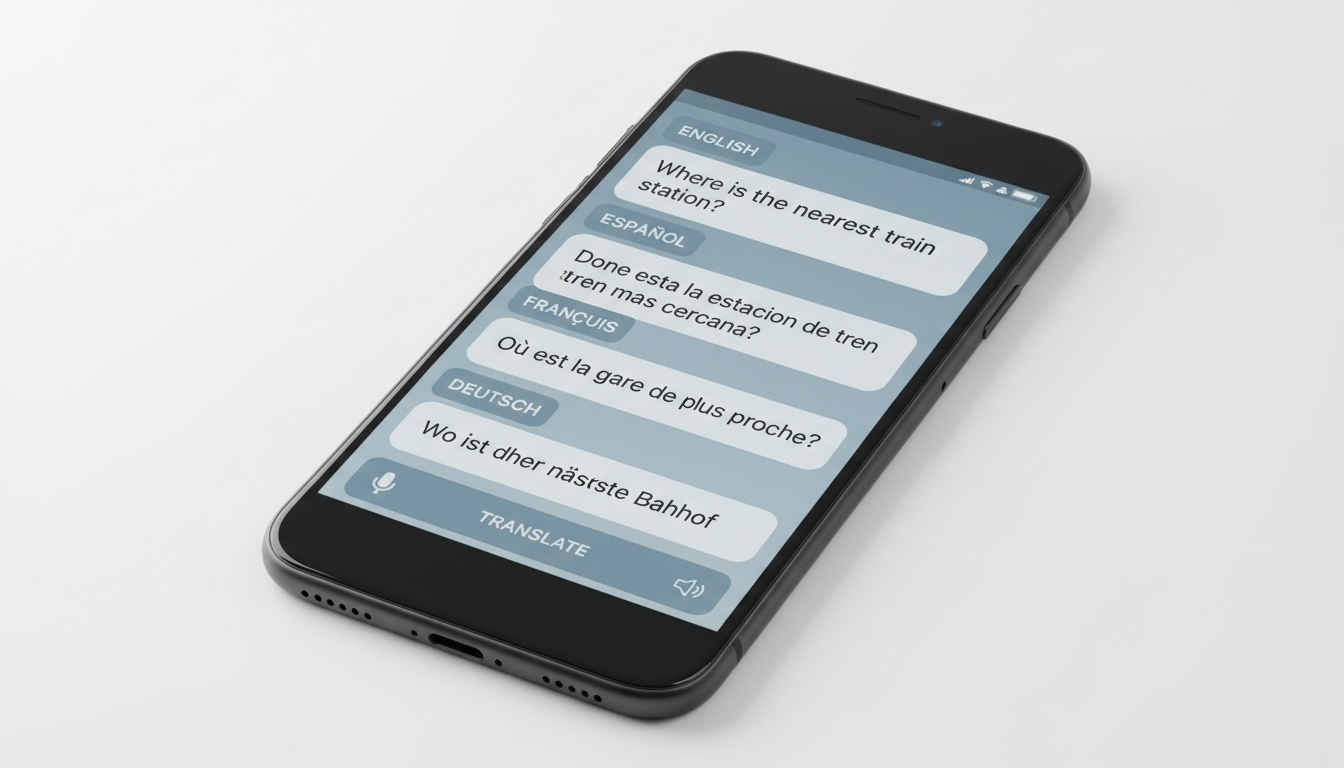
What changed in 2026
Three built-in options now sit next to the apps below. Apple Live Translation ships with iOS 26 but needs AirPods Pro 2, Pro 3 or AirPods 4 with noise cancellation and an iPhone 15 Pro or newer, launched with five languages, and is not available in the EU (alternatives). ChatGPT Voice (GPT-Live-1) can be prompted to interpret and holds the role, but in our 452-second interpreter test it took a median 11.7 s to finish each English-to-Spanish sentence and delivered only 17% of Japanese sentences within 30 seconds. Gemini 3.5 Live Translate answered at 1.5 s on the same audio, while Gemini 3.8 Live returned nothing under automatic voice detection (field note). For scale: LiveLingo measured 0.94 s on that identical audio and a 1.5 s median final-transcript latency in the 2026 benchmark, against 26.7 s for the Google Cloud speech-and-translation stack behind Google Translate's voice mode.
Tap and speak in English
Tap to start
1. Best Interpreter Apps at a Glance
Here's how the major apps stack up across the features that actually matter:
| App | Best For | Languages | Real-Time Conversation | Offline Mode | Free Tier |
|---|---|---|---|---|---|
| Google Translate | General use | 130+ | Yes | Yes | Full |
| DeepL | Accuracy / EU languages | 30+ | No | No | Limited |
| Microsoft Translator | Business / teams | 70+ | Yes (multi-device) | Yes (select) | Full |
| iTranslate | Travelers | 100+ | Yes (Converse mode) | Yes (Pro) | Limited |
| Reverso Context | Language learners | 20+ | No | No | Full |
| SayHi | Casual conversation | 90+ | Yes | No | Full |
| Papago | Korean/Asian language pairs | 15 | Yes | Yes | Full |
| Apple Live Translation | iPhone + AirPods owners outside the EU | 5 at launch | Yes (AirPods Pro 2/3, AirPods 4 ANC) | Not tested | Full (needs iOS 26, iPhone 15 Pro+) |
| ChatGPT Voice (GPT-Live-1) | Occasional interpreting by prompt | Broad | Yes, 11.7 s median lag in our test | No | Yes (GPT-Live-1 mini) |
| LiveLingo | Simultaneous speech, translated phone calls | 35+ | Yes (simultaneous, 1.5 s median) | Yes (iOS Offline Mode) | 3 min/day on web |
Google Translate handles almost everything; DeepL when formal documents matter; Microsoft Translator for your next multilingual team meeting; iTranslate if you're offline in rural Japan; Reverso Context if you're actually trying to learn the language. The last three rows are the 2026 additions: Apple's built-in option, ChatGPT Voice, and LiveLingo, each with the measured numbers linked in the update above rather than store-listing claims.
2. Interpreter vs. Translator App: What's the Difference?
The terms get used interchangeably, but they describe different things. A translator app handles written text — you paste in a sentence, you get a sentence back. An interpreter app works in real time with spoken language, converting speech from one language to another as the conversation unfolds. Most mobile translation apps now do both, but the quality gap between their written and spoken modes is often significant. When you're searching for the best interpreter app, you're really asking about the spoken, real-time side of the equation — that's where the apps on this list diverge most sharply.
3. How We Tested These Apps
I ran every app on this list through the same four content types across five language pairs. Here's exactly what I did and how I weighted the results.
What We Tested
Content types: casual travel phrases, business email language, medical terminology, and idiomatic expressions. Language pairs: Spanish, French, Japanese, Arabic, and Portuguese. Testing ran from April through August 2026 on both iOS and Android devices.
How We Scored Each App
Scoring weighted translation accuracy at 40%, real-time speech translation speed at 20%, offline capability at 15%, UI/UX at 15%, and pricing value at 10%. Every app ran cold — no pre-loading, no caching — to simulate real-world use.
The Finding That Surprised Us Most
Voice recognition accuracy varied more by accent than by app. We ran the same Arabic phrases through Google Translate and Microsoft Translator using a Moroccan Darija accent — Google dropped 2 of 7 phrases entirely. Microsoft caught 6 of 7. That gap doesn't show up in star ratings anywhere.
4. Google Translate: Still the Market Leader?
After running every app on this list through the same test battery, Google Translate still wins for most people. The breadth is just hard to match.
Text, voice, camera, and conversation translation all live in one free app. The camera mode — point your phone at a menu or street sign and watch the text transform in real time — works well enough that we've stopped carrying phrasebooks entirely when traveling.
Language Coverage and Offline Packs
Language coverage sits at 130+ languages, with offline language packs available at no cost. Pack sizes vary, so check the app's storage estimate before downloading and pull them before you board. Setup takes about 30 seconds: open the app, tap the language selector, hit the download icon next to any language.
Accuracy: Where It Holds and Where It Doesn't
Accuracy is strong on common language pairs — Spanish, French, Portuguese, German. It gets noticeably shakier on technical or medical content. We ran a standard indemnification carve-out clause through both Google Translate and DeepL. Google rendered "shall not be liable for indirect damages arising from" as "will not be responsible for indirect damage from." Grammatically fine, legally different. DeepL preserved the conditional construction. For casual conversation and travel, that distinction rarely matters. For anything you'd sign, it does.
Google Translate is also the strongest mobile translation app for Android by a significant margin, partly because Pixel devices have it integrated system-wide. You can translate text in any app without switching contexts.
Does My Phone Have a Built-In Translator?
Android Pixel devices ship with Google Translate baked into the OS, accessible from any screen. iPhones include Apple's Translate app, which covers roughly 20 languages and processes everything on-device — a genuine privacy advantage. It lacks camera translation and the conversation features that make Google's version more broadly useful, but if you're handling sensitive content and want nothing leaving your phone, Apple's native app is worth a look. Third-party apps fill the feature gap on iOS, and Google Translate's iPhone version is functionally identical to Android.
5. DeepL: The Premium Accuracy Alternative
Is there a better translator app than Google Translate? For European language pairs and content where tone actually matters, yes.
DeepL's translations sound like a fluent speaker wrote them, not like a machine. The reason: it reads surrounding paragraphs to understand context, while Google Translate processes each sentence independently. Ask it to translate "Can I get this to go?" and you won't notice a difference between the two apps. Ask it to translate a GDPR data processing addendum and you absolutely will.
The key limitation: 30+ languages. If you need Swahili, Tagalog, or Malay, DeepL doesn't help you. It's a European-language specialist with some Asian language coverage added in recent years. That's a real constraint worth knowing before you commit.
Pricing splits into two tiers. DeepL Free handles casual use with a daily character cap, sufficient for most personal needs. DeepL Pro pricing varies — check DeepL's pricing page for current rates — and removes limits while adding a meaningful data privacy guarantee: your translations aren't used for model training on the Pro tier. For business users handling sensitive documents, that distinction matters legally in several jurisdictions.
Platform availability covers iOS, Android, web, and desktop apps for Mac and Windows, plus an API for developers building translation into their own tools.
6. Best Apps for Real-Time Conversation Translation
Real-time conversation translation is a different product category than text translation. The latency requirements are different, the UI is different, and the failure modes are different. An app that produces beautiful written translations might introduce a 3-second lag in conversation mode that completely kills the flow of an actual exchange.
What Is the Best AI Interpreter?
For live two-way conversation, Google Translate's Conversation Mode and Microsoft Translator's multi-device group feature lead the category. Google handles one-on-one exchanges with 1–3 second latency; Microsoft extends this to group sessions where each participant sees translations on their own device. Both auto-detect who's speaking without manual switching. Both are also turn-based. The 2026 benchmark put the difference in numbers: 1.5 s median final-transcript latency for a simultaneous app (LiveLingo) against 26.7 s for the Google Cloud speech and translation stack, and on the audio from the GPT-Live-1 test LiveLingo finished sentences in 0.94 s where ChatGPT Voice, prompted to interpret, took 11.7 s.
Google Translate Conversation Mode
Tap the microphone, tap "Both" for auto-detect, and speak. Google identifies the source language, outputs the translation in the target language, and flips automatically when the other person responds. Latency runs 1–3 seconds on a good connection — workable for casual exchanges, slightly awkward for fast-paced negotiations.
Microsoft Translator for Group Conversations
This is where Microsoft Translator genuinely separates itself from every other app on this list. Multiple people join a single conversation session on separate devices — each person sees translations in their own language simultaneously, in real time. It's the only free tool that handles this scenario, and the Teams integration means it fits into existing business workflows without friction.
iTranslate Converse
iTranslate built a dedicated conversation interface that's cleaner than Google's and supports offline conversation on the Pro tier. For travelers who lose connectivity in transit, that offline capability is the deciding factor. The UI is notably more polished — less cluttered, easier to hand to someone who's never used it before. Latency is comparable to Google Translate on a good connection, and the offline mode holds up well for basic exchanges when data isn't available.
SayHi
SayHi is the lightest option on this list. Free, no account required, and it handles 90+ languages with a simple tap-to-speak interface. It doesn't match Google or Microsoft on accuracy, but for quick, low-stakes exchanges — asking for directions, ordering at a counter — it gets out of the way and works.

Still, one gap none of these apps close cleanly: the other person can't hear your translation through your earbuds, and handing someone your phone mid-conversation is awkward. LiveLingo's Show tab addresses this by displaying the translated phrase in large text for the other person to read — no install required on their end. We tested it across pharmacy and retail scenarios — asking for medication instructions, confirming prices at a market stall — and it held up well for exactly this use case: audio to the wearer, readable screen for the person across the counter. Try LiveLingo's Show tab free if that's the scenario you're solving for.
7. Best Interpreter Apps by Use Case
The best app depends entirely on your situation.
Best for Travelers
Top pick: Google Translate. Camera/AR translation for menus and signs, offline translation packs that cover 130+ languages, and a conversation mode that handles most tourist interactions. Download packs for your destination languages before departure — you won't always have data.
Runner-up: iTranslate. Cleaner interface, better offline conversation support on Pro, and a phrasebook feature that pre-loads common phrases by category. Check iTranslate's current pricing before subscribing; the Pro tier is worth considering if you travel frequently enough that offline reliability matters.
Papago: Best for Korean and Japanese Pairs
Papago is worth a specific mention for Korean-English and Japanese-English pairs. Naver's model updates have noticeably improved colloquial Korean accuracy, and it handles informal speech patterns that Google sometimes flattens into overly formal output. If those language pairs are your primary need, Papago belongs in your toolkit.
Best for Business Users
Top pick: Microsoft Translator. Teams integration, multi-person conversation sessions, and enterprise-grade privacy controls make it the strongest choice for professional environments. The group conversation feature — where each participant sees translations in their own language on their own device — is the only free tool that handles that scenario at all.
Runner-up: DeepL Pro. For document-heavy work — contracts, proposals, technical specs — DeepL's accuracy on formal language is worth the subscription. The data privacy guarantee (no training use on Pro tier) matters in regulated industries.
Best for Language Learners
Top pick: Reverso Context for language learners. It doesn't just translate — it shows your phrase used in real sentences pulled from actual documents and subtitles. Conjugation tables, flashcards, and pronunciation playback turn a translation lookup into a learning moment. No other app on this list does that.
Runner-up: Google Translate. Pronunciation playback and romanization for non-Latin scripts help learners build the phonetic foundation that Reverso Context doesn't focus on.
Best for Medical or High-Stakes Settings
For high-stakes settings, the calculus changes entirely. No translation app replaces a certified human interpreter for clinical decision-making or legal proceedings. The accuracy thresholds aren't there yet, and the liability exposure is real.
CCHI (Certification Commission for Healthcare Interpreters) guidelines on technology use in medical interpretation highlight documentation gaps when apps are used in triage settings — including failure to record the language pair alongside the tool name, which matters in malpractice review. (See CCHI's published guidelines for current recommendations.)
That said, for intake questions, basic instructions, and situations where a human interpreter isn't available, Google Translate and Microsoft Translator offer the widest language support with voice input. Use them as a bridge, not a replacement. Document that you used an app, not a certified interpreter, if the record matters.
8. Best Translator for iPhone
For iPhone-specific needs, the picture is straightforward. Apple's native Translate app handles roughly 20 languages with full on-device processing — nothing leaves your phone, which matters if you're handling anything sensitive. For broader language coverage, Google Translate's iOS version is functionally identical to Android and remains the strongest multilingual translator on iPhone. iTranslate Pro is a strong offline option for iPhone users who need conversation mode without a data connection.
iOS 26 added Apple Live Translation, which is the first built-in interpreter mode on iPhone. It is hardware-locked: AirPods Pro 2, Pro 3 or AirPods 4 with noise cancellation paired with an iPhone 15 Pro or newer. It launched with English, French, German, Portuguese and Spanish, with Italian, Japanese, Korean and Chinese promised for late 2026, and Apple has not enabled it in the EU. If you own that hardware and speak one of those languages outside Europe, try it first; everyone else still needs an app, and the alternatives guide covers the options.
9. Key Features to Look for in an Interpreter App
Before you download anything, run through this checklist.
Language coverage. Verify your specific pair is supported. 130+ languages sounds comprehensive until Tagalog or Amharic isn't in there.
Real-time conversation mode. Two-way auto-detect matters. Latency under 2 seconds keeps conversation rhythm intact — anything over 3 seconds breaks it. You end up speaking, waiting, watching the other person's face, waiting some more.
Offline translation. Download packs before you need them. Several apps offer offline text but require connectivity for voice — check whether offline conversation mode is specifically supported, not just offline text lookup.
Voice recognition and pronunciation accuracy. Voice recognition accuracy varies more by accent than by app — we ran the same Arabic phrases through Google Translate and Microsoft Translator using a Moroccan Darija accent: Google dropped 2 of 7 phrases entirely; Microsoft caught 6 of 7. Test before you rely on any app in a high-stakes moment, especially if you or the person you're speaking with has a strong regional accent.
Privacy and data handling. Free apps generally use your translations to improve their models. If you're translating anything sensitive — medical records, legal documents, business negotiations — pay for a tier with explicit data protections or use an on-device model like Apple Translate.
Platform availability and cross-device sync. If you switch between iPhone and Android, or between phone and tablet, verify the app syncs history and downloaded packs across devices.
Integration capabilities. Microsoft Translator's Teams integration and DeepL's browser extensions aren't nice-to-haves for business users. They're the difference between a tool that fits your workflow and one you forget to use.
10. Free vs. Paid: Which Should You Choose?
Free apps cover 90% of use cases. The paid tiers are worth it in specific, narrow scenarios — not broadly.
When Free Is Enough
Casual travel, basic communication, occasional document translation. Google Translate's free tier handles all of this completely. DeepL Free works for European language accuracy if you're not processing large volumes daily.
When Paid Is Worth It
Business use with sensitive content: DeepL Pro gives you the data privacy guarantee and removes character limits — check DeepL's pricing page for current rates. Frequent travelers who need offline conversation: iTranslate Pro covers offline mode for all supported languages with no ads interrupting mid-conversation — verify current pricing on iTranslate's site before subscribing. Enterprise teams: Microsoft Translator's enterprise tier adds admin controls and compliance features the free version doesn't touch.
| App | Free Tier Limits | Paid Plan Cost | What Paid Unlocks |
|---|---|---|---|
| Google Translate | None | N/A — fully free | Nothing — it's fully free |
| DeepL | Daily character cap | See DeepL pricing page | No limits, data privacy, API access |
| Microsoft Translator | None for core features | Enterprise pricing | Admin controls, compliance, SLA |
| iTranslate | No offline conversation | See iTranslate pricing page | Offline conversation, no ads, all languages |
| Reverso Context | Limited saves/history | See Reverso pricing page | Unlimited saves, offline dictionaries |
Paying for DeepL Pro when you only translate the occasional email is wasted spend. Not paying for it when you're running client contracts through a free tier is a different kind of risk entirely. The tier should match the stakes.
11. What Is the Best Free Translator?
Google Translate is the best free translation app overall. No core features sit behind a paywall, offline packs download at no cost, and the 130+ language coverage means you're unlikely to hit a wall. DeepL Free is the strongest free option specifically for European language accuracy, but the daily character cap limits how much you can run through it before hitting a ceiling.
12. Frequently Asked Questions
What is the best interpreter app for a live conversation in 2026?
Google Translate is still the best general pick: 130+ languages, a free conversation mode, and offline packs. The catch is that its voice mode is turn-based, so each side speaks, waits, then reads. In the 2026 benchmark on conversational audio, a simultaneous interpreter app (LiveLingo) delivered a median final-transcript latency of 1.5 s against 26.7 s for the Google Cloud speech and translation stack behind Google Translate's voice features. Pick Google for breadth, and a simultaneous app when the pace of the conversation matters.
Is there an app that translates while someone is speaking?
Yes, but only a few tools are truly simultaneous. Google Translate's Conversation Mode and Microsoft Translator are turn-based: you speak, wait, then read. A simultaneous app translates while the sentence is still in progress. In the 2026 benchmark on conversational audio, LiveLingo's median final-transcript latency was 1.5 s versus 26.7 s for the Google Cloud speech and translation stack; on identical audio in the GPT-Live-1 test, LiveLingo finished English-to-Spanish sentences in 0.94 s, Gemini 3.5 Live Translate in 1.51 s, and ChatGPT Voice prompted as an interpreter in 11.72 s.
What is the best app to translate a phone call in real time?
LiveLingo places translated calls to any mobile or landline number: you dial from the app, the other person answers a normal phone call and installs nothing. They hear a short greeting in their own language explaining that the call is translated, then your voice, then the spoken translation. On phone-line audio LiveLingo measured 96.9% comprehension fidelity across 120 judged utterances, against 94.0% for Google Cloud and 91.8% for Azure. iOS 26 Live Translation and Samsung Galaxy AI also translate calls natively, but only on recent devices from those makers, and Apple's version is not available in the EU.
Can ChatGPT work as a live interpreter?
It can be prompted to, and in our 452-second test GPT-Live-1 held the interpreter role without answering the speaker for the whole session. It does not keep pace: the median sentence took 11.7 s to finish in English to Spanish, and only 17% of English-to-Japanese sentences were translated within 30 seconds (98% for Spanish). ChatGPT Voice is fine for an occasional exchange; for a negotiation or a doctor's visit use a tool built to run continuously.
Does Apple Live Translation replace an interpreter app?
No. Apple Live Translation needs iOS 26, an iPhone 15 Pro or newer, and AirPods Pro 2, Pro 3 or AirPods 4 with noise cancellation. It launched with English, French, German, Portuguese and Spanish, with Italian, Japanese, Korean and Chinese planned for late 2026, and Apple has not enabled it in the EU. Android users, EU residents and anyone with other earbuds need an app: Google Translate, Microsoft Translator and LiveLingo all work with the earbuds you already own.
Which interpreter app is best for business meetings?
Microsoft Translator's conversation rooms remain the best free option when several language groups share one meeting: each participant joins by code and reads translations on their own device. For a one-on-one negotiation where lag matters, use a simultaneous tool; LiveLingo runs in the browser for Zoom and Teams calls with no plugin, measured 1.5 s median latency in the 2026 benchmark, and on Pro produces an AI meeting memo afterwards. For the highest-stakes contracts, keep a human interpreter in the loop.
What is the best free interpreter app?
Google Translate and Microsoft Translator are free with no paywalled core features. Apple Live Translation is free if you own the required hardware. ChatGPT's free tier includes GPT-Live-1 mini. LiveLingo is free for 3 minutes a day in the browser at livelingo.io/app with no account; Pro is $19.99 per month for 300 minutes, translated phone calls and AI meeting memos.
Can an interpreter app replace a certified human interpreter?
For everyday conversations, travel, business calls and family communication, yes. For courtroom proceedings, clinical consent and other high-stakes medical or legal settings, no: certified human interpreters remain essential, and CCHI guidelines flag documentation gaps when apps are used in triage. Use an app as a bridge, and record that you used one if the record matters.
13. Key Takeaways
- Google Translate is the best interpreter app for most people — free, 130+ languages, solid real-time conversation mode, and the strongest offline coverage in the category
- DeepL outperforms Google on European language accuracy for complex content, but its 30-language ceiling is a real limitation
- Microsoft Translator is the only free tool that handles multi-device group conversations, which makes it the default for business teams
- No app replaces a certified human interpreter for medical or legal settings — use them as a bridge, not a substitute
- Free tiers cover the vast majority of real-world needs; paid tiers are worth it primarily for data privacy, offline conversation, and enterprise controls
- Voice recognition accuracy varies more by accent than by app — test before you rely on any app in a high-stakes moment
One thing worth saying plainly: the app category is improving fast, but it's improving unevenly. The gap between Spanish and Moroccan Arabic isn't closing at the same rate. If your language barrier is a common tourist pair, you're well-served by any of the free options above. If it's a less-resourced language, test aggressively before you depend on any of these tools in a moment that matters.
Ready to try a different approach to real-time translation? LiveLingo's Show tab displays your translation in large text on-screen — so the person across the counter can read it directly, no install required on their end. The web version gives you 3 minutes a day to test it at livelingo.io/app, no account required.
This review was last updated in September 2026 and reflects app versions current as of that date.