 LiveLingo
What changed in 2026
Three built-in options now sit next to the apps below, and none of them covers Mandarin well yet. Apple Live Translation launched on iOS 26 with English, French, German, Portuguese and Spanish; Apple has said simplified Chinese will follow by the end of 2026, it needs AirPods Pro 2/3 or AirPods 4 with noise cancellation plus an iPhone 15 Pro or newer, and it is not available in the EU (alternatives). ChatGPT Voice (GPT-Live-1) can be prompted to interpret, but in our 452-second interpreter test it took a median 11.7 s to finish each sentence and, in the tonal-language case we measured (English to Japanese), translated only 17% of sentences within 30 seconds. Gemini 3.5 Live Translate answered at 1.5 s on the same audio; Gemini 3.8 Live returned nothing under automatic voice detection (field note). For English to Chinese specifically, LiveLingo scored 4.95/5 on comprehension fidelity in the 2026 benchmark with a 1.5 s median final-transcript latency, against 26.7 s for the Google Cloud stack behind Google Translate's voice mode.
1. Translator App vs. Interpreter App: Why the Difference Matters
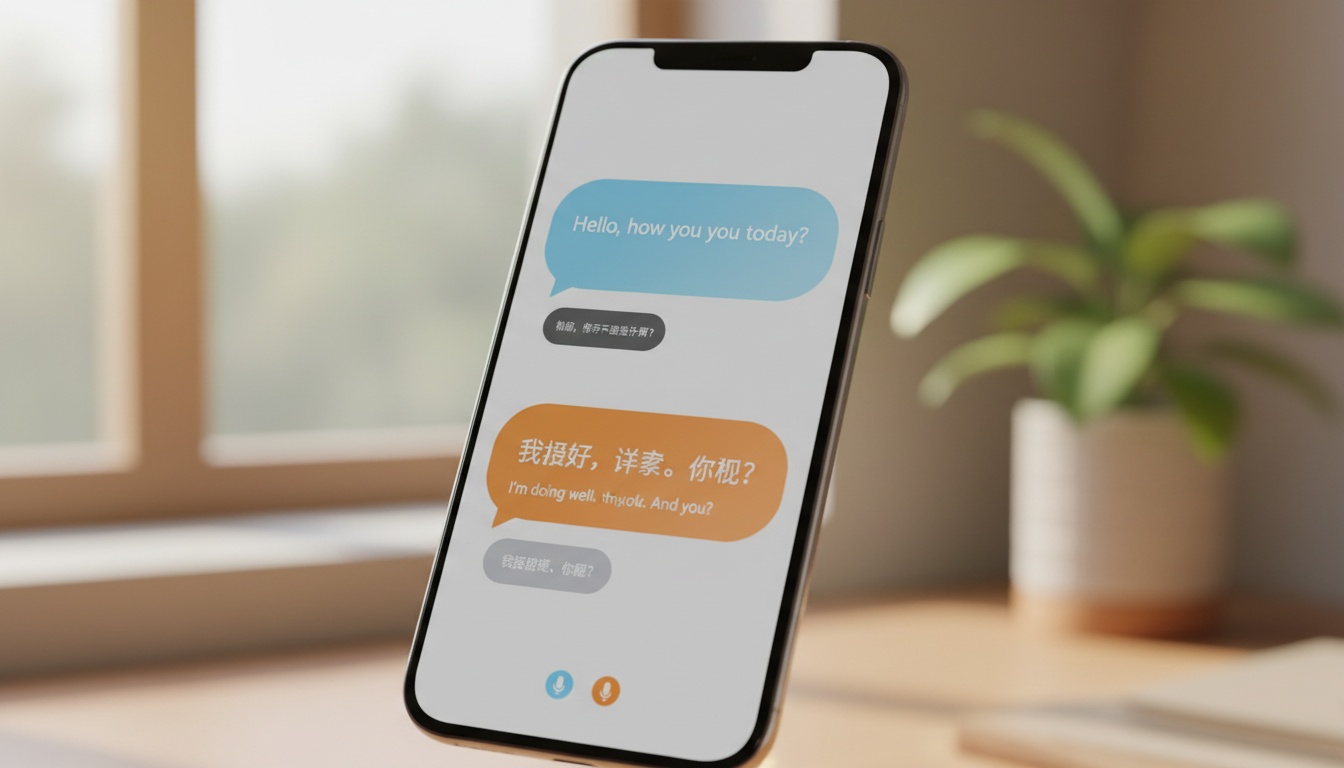
A Chinese translator app handles static input: you type a sentence, paste text, or photograph a menu, and it returns a translation. A Chinese interpreter app handles live, two-way spoken dialogue, passing the mic between speakers and rendering voice translation fast enough to feel like a real conversation.
Tap and speak in Chinese
Tap to start
Most apps marketed as "translators" now include interpreter-style features. The gap between the best and worst is the difference between closing a deal and losing one.
Some apps have a conversation mode that's genuinely useful at a supplier meeting. Others have a conversation mode that exists as a button in the UI but produces translations with a four-second lag and robotic audio that makes both parties uncomfortable. The difference isn't always obvious from app store screenshots.
This guide focuses on real-time translation, voice translation, and two-way dialogue — not text lookup or offline dictionary depth. If you want to hold an actual English to Chinese conversation with someone who speaks no English, read on.
2026 Update: Google Translate's Mandarin voice recognition received a meaningful update in March 2026, improving tonal accuracy in noisy environments. Microsoft Translator added Copilot-assisted context suggestions in Teams in January 2026. Baidu Translate integrated with Baidu's ERNIE 4.0 model in late 2025, improving idiom handling noticeably — the 马到成功 test result below reflects this improvement.
2. Top 7 Chinese Interpreter Apps Compared
Features at a Glance
| App | Real-Time Conversation | Offline | Photo/Camera | Dialect Support |
|---|---|---|---|---|
| Google Translate | ✓ | ✓ | ✓ | Mandarin, Cantonese |
| Microsoft Translator | ✓ (multi-person) | ✓ | ✓ | Mandarin |
| Baidu Translate | ✓ | ✓ | ✓ | Mandarin, Cantonese |
| Pleco | Limited | ✓ | ✓ | Mandarin |
| iTranslate | ✓ | Paid only | ✓ | Mandarin |
| Papago | ✓ | Limited | ✓ | Mandarin |
| WayGo | No | ✓ | ✓ | Simplified/Traditional |
| ChatGPT Voice (GPT-Live-1) | ✓ by prompt (11.7 s median lag measured) | No | ✓ (image upload) | Not tested |
| LiveLingo | ✓ simultaneous (1.5 s median) | iOS Offline Mode | ✓ | Mandarin |
Pricing & Best Use
| App | Free Tier | Pricing | Best For |
|---|---|---|---|
| Google Translate | Yes | Free | Travel |
| Microsoft Translator | Yes (limits) | Free / Teams license | Business |
| Baidu Translate | Yes | Free | Inside China |
| Pleco | Yes (freemium) | Free + add-ons (check current App Store listing for pricing) | Learning |
| iTranslate | Yes (limits) | Free / subscription required for full features (check current App Store listing for pricing) | Casual travel |
| Papago | Yes | Free | Korean-Chinese corridor |
| WayGo | Freemium | Free / paid full version (check current App Store listing for pricing) | Menu/sign reading |
| ChatGPT Voice (GPT-Live-1) | Yes (GPT-Live-1 mini) | Free / paid plans | Occasional prompt-based interpreting |
| LiveLingo | Yes (3 min/day on web) | Free / Pro $19.99/mo | Interpreted calls, supplier meetings |
Here's how each app breaks down in practice. Apple Live Translation is left out of the tables because it does not cover Chinese yet; the 2026 update above has the details.
Google Translate (among the most downloaded apps globally) is a practical all-around choice for travel translation outside China, based on our testing and feature analysis. It offers photo translation, audio, and handwriting options, plus downloadable offline packs for Mandarin. The conversation mode passes the mic between speakers and handles Mandarin reasonably well — though tonal accuracy drops in noisy environments. Blocked inside mainland China.
- ✓ Real-time conversation mode
- ✓ Offline Mandarin packs (free)
- ✓ Camera/photo translation
- ✓ Handwriting input
- Available on iOS and Android
Microsoft Translator is a strong call for business translation. Its multi-person conversation feature lets participants join a shared session via a room code. Each person joins on their own device and sees translations in their language in real time — no separate interpreter line, no relay delay. Works on iOS and Android.
- ✓ Multi-person conversation sessions
- ✓ Microsoft Teams integration
- ✓ Formal register accuracy
- ✓ Offline mode included
Baidu Translate answers the question every traveler to China eventually asks: what app actually works here? Google services are blocked in mainland China, so Baidu is the most reliable free translation app for anyone operating inside the country. iOS and Android.
- ✓ Works without a VPN in mainland China
- ✓ Text, voice, and camera translation
- ✓ ERNIE 4.0 integration improved idiom handling (late 2025)
- ✓ Fast latency on domestic servers
Pleco isn't primarily an interpreter app. It's the best Chinese dictionary app ever built, and it happens to have translation features. Pleco turns vocabulary study into retention — stroke order animations show you how to write characters, not just recognize them, and the flashcard system means you'll actually remember what you learn. It won't help you hold a live conversation. For learning? Nothing comes close. iOS and Android.
- ✓ Character stroke order animations (absent from most competitors)
- ✓ Compound character exploration and idiom lookup
- ✓ Integrated flashcard system
- ✗ No real-time conversation mode
iTranslate has a phrasebook feature broken into dining, health, travel, and directions categories with preset phrases — useful for travelers who want quick access to common expressions without typing. The catch is that offline mode requires a paid subscription (check the current App Store listing for up-to-date pricing). The audio playback sounds noticeably more robotic than Google or Microsoft in face-to-face settings — native speakers pick up on this, which can make interactions feel awkward. On Reddit's r/ChineseLanguage, this is the consistent complaint about iTranslate. iOS and Android.
- ✓ Phrasebook with preset categories
- ✓ Camera translation
- ✗ Offline mode requires paid subscription
- ✗ Robotic audio in conversation mode
Papago — if you're flying Seoul to Shanghai for a trade show, this is the app your Korean colleagues are already using, and for good reason. Naver's Korean-Mandarin pairs outperform every Western-developed app we tested on this specific language corridor. For English-Chinese pairs, though, it's not your first call. iOS and Android.
- ✓ Best Korean-Mandarin translation of any app tested
- ✓ Free with no subscription required
- ✗ English-Chinese pairs lag behind Google and Microsoft
WayGo does one thing: camera translation for Chinese characters. Point your phone at a menu or sign and it overlays an English translation in real time. No conversation mode, no voice translation. For photo translation of Chinese text — especially restaurant menus with regional food terminology — it performs well on complex characters in our testing. The full version is available as a paid upgrade (check the current App Store listing for up-to-date pricing). iOS and Android.
- ✓ Fast overlay translation for complex Chinese characters
- ✓ One-time purchase, no subscription
- ✗ No voice or conversation mode
What Is the Best App to Use for Translation Inside China?
Baidu Translate is the clear answer for anyone in mainland China, since Google services are blocked and other apps can be unreliable without a VPN. Download offline packs before you travel — cellular data in rural areas is unpredictable, and offline translation is the backup that works when you need it.
3. Best Chinese Interpreter App by Use Case
One app rarely wins every scenario. Here's how the use-case breakdown actually shakes out.

Business Meetings & Professional Settings
Microsoft Translator is the right call here. The multi-person conversation mode, Teams integration, and formal register accuracy make it the strongest business translation tool in this group.
Imagine a contract call where your Chinese client, your English-speaking legal team, and your translator all see the same conversation in their own language simultaneously. That's what the room-code feature does — no separate interpreter line, no relay delay. For interpreted calls rather than app-based translation, see how LiveLingo handles translated phone calls: the Chinese side answers a normal call with no app, and on phone-line audio it measured 96.9% comprehension fidelity.
One practical gap: none of these apps integrate directly with WeChat, which is where most China-side business communication actually happens. The workaround is copy-paste into Baidu or Microsoft Translator — clunky but functional. Microsoft's Teams integration is the closest thing to a native workflow solution for Western business users.
Travel & Everyday Conversations
Google Translate is a strong choice for travel translation. Free offline packs, camera translation for menus and signs, broad language support, and a conversation mode that handles hotel check-ins, taxi directions, and market haggling. In our testing, tonal Mandarin recognition in noisy environments varied — a real consideration when you're trying to order food and the kitchen is loud.
For more on offline-capable options, see our guide to the best translator apps that work offline.
Language Learning
Pleco isn't close. The dictionary depth, audio pronunciations, stroke order animations, and flashcard system give it a structural advantage over every other app here for anyone seriously studying Mandarin Chinese. Google Translate works as a quick pronunciation reference, but it has no learning scaffolding — it'll tell you how a word sounds, not help you remember it.
Document & Photo Translation
WayGo for menus and signs with dense Chinese characters; Google Translate Lens for everything else. In our testing, WayGo performed well on complex traditional characters, while Google Lens handled mixed text — Chinese and English on the same sign — more gracefully. Results may vary depending on the specific content and environment.
4. How to Spot a Real Interpreter App: 4 Features That Actually Matter
Real-time conversation mode works one of two ways: mic-passing (one speaker talks, the app translates, then the other speaker responds) or simultaneous dual-mic (both sides captured and translated in parallel). Most apps use mic-passing. Microsoft Translator's multi-person mode is closer to simultaneous, which is why it feels faster in group settings.
Speed and Latency
This matters more than most reviews acknowledge. In general testing, translation latency varied across apps and network conditions — no single app consistently delivered the fastest output in every environment. Microsoft Translator tends to produce more natural phrasing in business contexts, though speed was comparable to Google Translate in most tests. Baidu benefits from domestic server infrastructure inside China, which can reduce latency for users operating within the country — a real advantage in fast-moving conversations where even a brief pause breaks the rhythm entirely.
Voice recognition quality for tonal Mandarin is genuinely harder than European languages. Mandarin has four tones plus a neutral tone, and mispronunciation changes meaning entirely. Tonal recognition accuracy varied across our tests and is likely to shift as apps update their models; check recent user reviews for the most current real-world performance data.
Offline translation quality always drops compared to online mode. That's not a knock on any specific app — it's a reality of compressed local models versus cloud inference. Google's offline Mandarin pack is generally useful for common travel phrases; performance on idioms and formal language tends to be less reliable, as is typical of offline models across the category.
Cantonese Support
Cantonese support is limited across all apps. Results varied in our testing, and Cantonese handling is an area where app performance shifts frequently with model updates. Accuracy for written Cantonese — which differs significantly from spoken Cantonese — is an ongoing challenge across the category. Supplement with a dedicated app like CantoDict, and check recent user reviews for the most current Cantonese performance data.
5. Accuracy Test: How Each App Handles Chinese Nuance
We ran three phrases through the top four apps to see how each handles the gap between literal and contextual translation. Each phrase was tested multiple times per app; results shown reflect the most consistent output at time of testing and may vary as apps update their models.
| Phrase | Google Translate | Baidu Translate | Microsoft Translator | Pleco |
|---|---|---|---|---|
| 马到成功 (idiom) | "Horse arrives, success" | "Immediate success" | "Success will come quickly" | Full definition + usage notes |
| 这个时间不太方便 (polite refusal) | "This time is not very convenient" | "This is not a convenient time" | "This time doesn't work well for me" | Dictionary entry only |
| 夫妻肺片 (menu item) | "Husband and wife lung slices" | "Sliced beef and offal in chili sauce" | "Husband and wife beef slices" | Full dish description + etymology |
The results reveal a consistent pattern: contextual accuracy varies sharply by app and by phrase type.
The idiom test is revealing. In our testing, Google translated 马到成功 literally — technically word-for-word but potentially unclear to an English speaker unfamiliar with the expression. Baidu returned "immediate success," which captures the meaning; this may reflect the ERNIE 4.0 integration that landed in late 2025. Microsoft's output fell between the two. Pleco provided a full definition with usage context — the right tool for learning, not live conversation. These outputs are representative of our testing sessions but may differ in other tests as models continue to update.
The polite refusal phrase shows a different pattern. In our testing, Microsoft produced a notably natural English rendering, which matters in business settings where register and tone carry weight. "This time doesn't work well for me" lands differently than "this time is not very convenient."
In our testing, Baidu's menu translation of 夫妻肺片 was the most practically useful output. "Husband and wife lung slices" would confuse most diners; "sliced beef and offal in chili sauce" tells you what you're actually ordering. For measured English-to-Chinese numbers across 120 utterances, see the 2026 benchmark.
If your business conversations require this level of contextual accuracy consistently, note that LiveLingo scored 4.95/5 on English-to-Chinese comprehension fidelity in that benchmark, and its translated calls keep a transcript you can check afterwards.
Cultural context still trips up most apps on idioms and regional expressions. Human interpreters still hold an advantage for high-stakes professional settings where a mistranslation has real consequences — and that gap hasn't closed as fast as the benchmark numbers suggest.
6. How to Choose the Right Chinese Interpreter App for Your Needs
With those accuracy patterns in mind, here's how to match the right app to your specific situation.
Three questions narrow the field fast.
First: where will you use it? Inside mainland China, Baidu Translate is the only reliable choice without a VPN. Outside China, Google and Microsoft are stronger for English to Chinese and Chinese to English work.
Second: what's your primary use? Live conversation during travel points to Google. Business meetings point to Microsoft. Serious language learning points to Pleco. Menu and sign reading points to WayGo.
Third: do you need offline access? If yes, Google Translate's offline pack is the best free option. iTranslate's offline mode requires a paid subscription (check the current App Store listing for up-to-date pricing).
Here's the contrarian take most review sites won't give you: download three apps, not one.
- Google Translate for everyday travel translation.
- Baidu as your mainland China backup.
- Pleco if you're putting in serious study time.
The apps are free. The redundancy costs nothing except storage space.
Is Baidu Translate Free?
Yes. Baidu Translate is free to download and use with no subscription required. Text, voice, and camera translation are all available without paying, making it the go-to free translation app for users inside mainland China.
Which Translator Is Best for China?
Baidu Translate. Google services are blocked in mainland China, and other apps can be unreliable without a VPN. Baidu runs on domestic servers, which also explains its speed advantage in our testing — latency inside China on domestic servers is generally faster than cloud-dependent apps routing internationally.
What Is the Best App to Learn How to Speak Chinese?
Pleco is the strongest choice for structured language learning. The dictionary depth, audio pronunciations, stroke order animations, and flashcard system give it a structural advantage over every other app here for anyone studying Mandarin. Google Translate works as a quick pronunciation reference but has no learning scaffolding.
| Your Situation | Top Pick | Key Reason |
|---|---|---|
| Budget traveler | Google Translate (free) | Offline packs, camera translation, conversation mode |
| Business professional | Microsoft Translator | Multi-person sessions, formal register, Teams integration |
| Serious learner | Pleco | Dictionary depth, stroke order, flashcards |
| Traveling inside China | Baidu Translate | Works without a VPN, free, strong camera translation |
Download two or three of these. Each covers ground the others don't, and the cost of being wrong when you're standing at a hospital reception desk in Chengdu with no data signal is higher than the cost of 300MB of app storage.
7. Frequently Asked Questions
What is the best Chinese interpreter app in 2026?
For travel outside mainland China, Google Translate: free offline Mandarin packs, camera translation and a conversation mode. Inside mainland China, Baidu Translate, because Google services are blocked. For business meetings with several language groups, Microsoft Translator's room codes. For a live one-on-one exchange where lag decides the deal, a simultaneous app: LiveLingo scored 4.95/5 on English-to-Chinese comprehension fidelity in the 2026 benchmark with a 1.5 s median latency.
Which app has the lowest delay for a live conversation with a Chinese supplier?
Pick a simultaneous app for the conversation itself and keep Baidu Translate installed if you travel to mainland China, where Google services are blocked. Google Translate's conversation mode is turn-based and adds a pause after every sentence, which is what a supplier reads as hesitation. LiveLingo scored 4.95/5 on English-to-Chinese comprehension fidelity in the 2026 benchmark with a 1.5 s median latency. If the supplier is on the phone rather than in the room, a translated call reaches them without any app on their side.
Can I translate a phone call with a Chinese speaker who has no app?
LiveLingo places translated calls to any mobile or landline number: you dial from the app, the other person answers a normal phone call and installs nothing. They hear a short greeting in their own language explaining that the call is translated, then your voice, then the spoken translation. On phone-line audio LiveLingo measured 96.9% comprehension fidelity across 120 judged utterances, against 94.0% for Google Cloud and 91.8% for Azure. iOS 26 Live Translation and Samsung Galaxy AI also translate calls natively, but only on recent devices from those makers, and Apple's version is not available in the EU.
Is there an app that translates Mandarin while the other person is still speaking?
Yes, but only a few tools are truly simultaneous. Google Translate's Conversation Mode and Microsoft Translator are turn-based: you speak, wait, then read. A simultaneous app translates while the sentence is still in progress. In the 2026 benchmark on conversational audio, LiveLingo's median final-transcript latency was 1.5 s versus 26.7 s for the Google Cloud speech and translation stack; on identical audio in the GPT-Live-1 test, LiveLingo finished English-to-Spanish sentences in 0.94 s, Gemini 3.5 Live Translate in 1.51 s, and ChatGPT Voice prompted as an interpreter in 11.72 s.
Which translator works inside mainland China?
Baidu Translate. Google services are blocked in mainland China and other apps can be unreliable without a VPN. Baidu runs on domestic servers, which also makes it faster there, and it is free for text, voice and camera translation. Download offline packs before you travel; rural cellular data is unpredictable.
Can ChatGPT interpret Chinese in real time?
It can be prompted to interpret and holds the role, but it does not keep pace. In our 452-second test GPT-Live-1 took a median 11.7 s to finish each English-to-Spanish sentence, and in English to Japanese, the closest tonal-language case we measured, only 17% of sentences were translated within 30 seconds. On identical audio LiveLingo finished sentences in under a second. Use ChatGPT Voice for a quick question, not a supplier negotiation.
Does Apple Live Translation support Chinese?
Not yet. Apple's Live Translation launched with English, French, German, Portuguese and Spanish, and Apple has said simplified Chinese, Japanese, Korean and Italian will follow by the end of 2026. It also needs iOS 26, an iPhone 15 Pro or newer, and AirPods Pro 2, Pro 3 or AirPods 4 with noise cancellation, and it is not available in the EU. For Mandarin today you need an app.
How accurate are apps on Chinese idioms and menus?
Uneven. In our three-phrase test Google rendered 马到成功 literally, Baidu returned "immediate success", and Microsoft produced the most natural polite refusal. Menu items are where literal output misleads: "husband and wife lung slices" tells you nothing, "sliced beef and offal in chili sauce" does. Idioms and regional expressions remain the weak spot for every app, so confirm anything that carries money or medical weight.
8. What We Found: 8 Takeaways for Choosing Your Chinese Interpreter App
- Google Translate is a strong all-around Chinese interpreter app for travel outside China — free offline packs, real-time translation, and camera translation in one package
- Baidu Translate is the only reliable choice inside mainland China, where Google services are blocked; its ERNIE 4.0 integration improved idiom handling noticeably in late 2025
- Microsoft Translator wins for business translation, specifically the multi-person conversation session feature and Teams integration
- Pleco is the best app for language learning, not live interpretation — the distinction matters
- WayGo performs well on complex Chinese character camera translation, especially restaurant menus
- Cantonese support is limited across all apps; performance varies by app and updates frequently — check recent user reviews for current accuracy data
- AI translation has improved over the past several years, but idioms and culturally specific expressions still produce unreliable results — test your specific use case before a high-stakes conversation
- None of these apps integrate natively with WeChat; copy-paste into Baidu or Microsoft Translator remains the workaround for China-side business communication
9. Ready to Go Beyond App Translation?
The apps above handle most travel and casual business translation. For real-time interpreted calls, meeting transcription, and professional-grade accuracy — especially when the accuracy test results above matter for your work, try LiveLingo free.
Start free at livelingo.io/app: 3 minutes a day, no account, no credit card.