 LiveLingo
AirPods Live Translation is a beta feature on AirPods Pro 3 (and Pro 2 / AirPods 4 with ANC) that translates in-person conversations in real time when paired with an iPhone 15 Pro or newer on iOS 26. It supports English, French, German, Portuguese, and Spanish at launch. It does not work in the EU due to regulatory restrictions, and it does not support Android. If those limitations rule you out, the best alternatives are LiveLingo, Google Pixel Buds, and Galaxy Buds — covered in detail below.
Quick Answer: Best AirPods Live Translation alternatives in 2026
The best AirPods Live Translation alternatives run on earbuds you already own and work on both iPhone and Android in 2026 — including in the EU where Apple\'s version is unavailable. LiveLingo is free 5 min/day, works over phone calls and browser meetings, and delivers ~1.5 s median latency. Google Translate is unlimited free with 133 languages but turn-based. Microsoft Translator is free cross-platform. Timekettle app has a polished conversation UI (subscription-gated). None require a $250+ AirPods Pro 2/3 upgrade, and all work in the European Union.
Tap and speak in English
Tap to start
1. How AirPods Live Translation Works (And Why It Falls Short for Most People)
Apple's Live Translation launched as a beta feature with AirPods Pro 3 in early 2026. The feature lets you hear what people say and automatically translates it into your earbuds. When you talk, the translation appears on your iPhone screen to show the other person.
The device compatibility requirements are brutal. You need AirPods Pro 2 (or later), AirPods 4 with Active Noise Cancellation, or AirPods Pro 3 paired with an iPhone 15 Pro or newer running iOS 26. That's a $1,000+ investment minimum just to access the beta feature.
The supported languages at launch include English (UK and US), French, German, Portuguese (Brazil), and Spanish (Spain). Apple plans to add Italian, Japanese, Korean, and simplified Chinese by the end of 2026, but that still leaves dozens of major languages unsupported.
During my trip to Berlin last month, I discovered the biggest limitation. Live Translation doesn't work in the EU due to regulatory restrictions. If you're traveling through Europe or live there, you're completely out of luck with Apple's solution.
Is there any live translator option in AirPods?
Yes, but only if you meet Apple's strict requirements. Live Translation works on AirPods Pro 2, AirPods 4 with ANC, and AirPods Pro 3 when paired with Apple Intelligence-enabled iPhones. The feature remains in beta as of Q3 2026.
For older AirPods models (AirPods 1, 2, 3, or AirPods Pro 1), you'll need third-party translation apps that work with any Bluetooth earbuds.
2. 5 Translation Solutions That Actually Work (Without Expensive AirPods Upgrades)
After testing multiple translation solutions over the past six months, here are the top alternatives that actually deliver real-time translation:
| Solution | Price | Platform Support | Languages | Key Feature |
|---|---|---|---|---|
| Google Pixel Buds Pro 2 | $229 | Android/iOS | 40+ | Native Google Translate integration |
| Samsung Galaxy Buds 3 FE | $199 | Android/iOS | 95+ | Bixby translation with offline support |
| Microsoft Translator | Free | Android/iOS | 70+ | Cross-platform conversation mode |
| Google Translate | Free | Android/iOS | 108+ | Universal earbud compatibility |
| Honor Earbuds Open | $179 | Android/iOS | 35+ | Dedicated translation hardware |
Google Pixel Buds Pro 2 let you travel to 40+ countries without language barriers. The noise cancellation means you can have clear conversations in airports and restaurants—not just quiet rooms.
Samsung Galaxy Buds 3 FE work even when your phone has no signal—critical when traveling internationally where roaming data is expensive or unavailable. You can negotiate prices at markets or handle emergencies without internet.
Microsoft Translator costs nothing and works with earbuds you already own—meaning you can start having real conversations in foreign languages today, without spending $200+ on new hardware.
Google Translate works with every earbud you already own and covers 108 languages—so whether you're in Tokyo, São Paulo, or Istanbul, you can understand what people are saying without expensive upgrades.
Honor Earbuds Open let you hear both the translation AND the person speaking—so you can pick up tone and emotion, not just words. The open design means you won't miss important context.
Does Google have live translation earbuds?
Yes, Google Pixel Buds (2nd generation and later) include real-time translation through Google Translate integration. The feature works by tapping and holding the right earbud, speaking your message, then playing the translation through your phone's speaker.
Setup takes under two minutes: pair your Pixel Buds, open Google Translate, select conversation mode, and choose your languages. The translation accuracy improved significantly with the Pixel Buds Pro 2 launch in March 2026, according to Google's official product announcements.
3. How to Get Real-Time Translation for Free (Works With Any Earbuds)
Free translation solutions work surprisingly well if you're not demanding perfect accuracy. I tested the top options during a two-week trip through Southeast Asia (where Apple's Live Translation isn't available anyway).
Google Translate: The Universal Solution
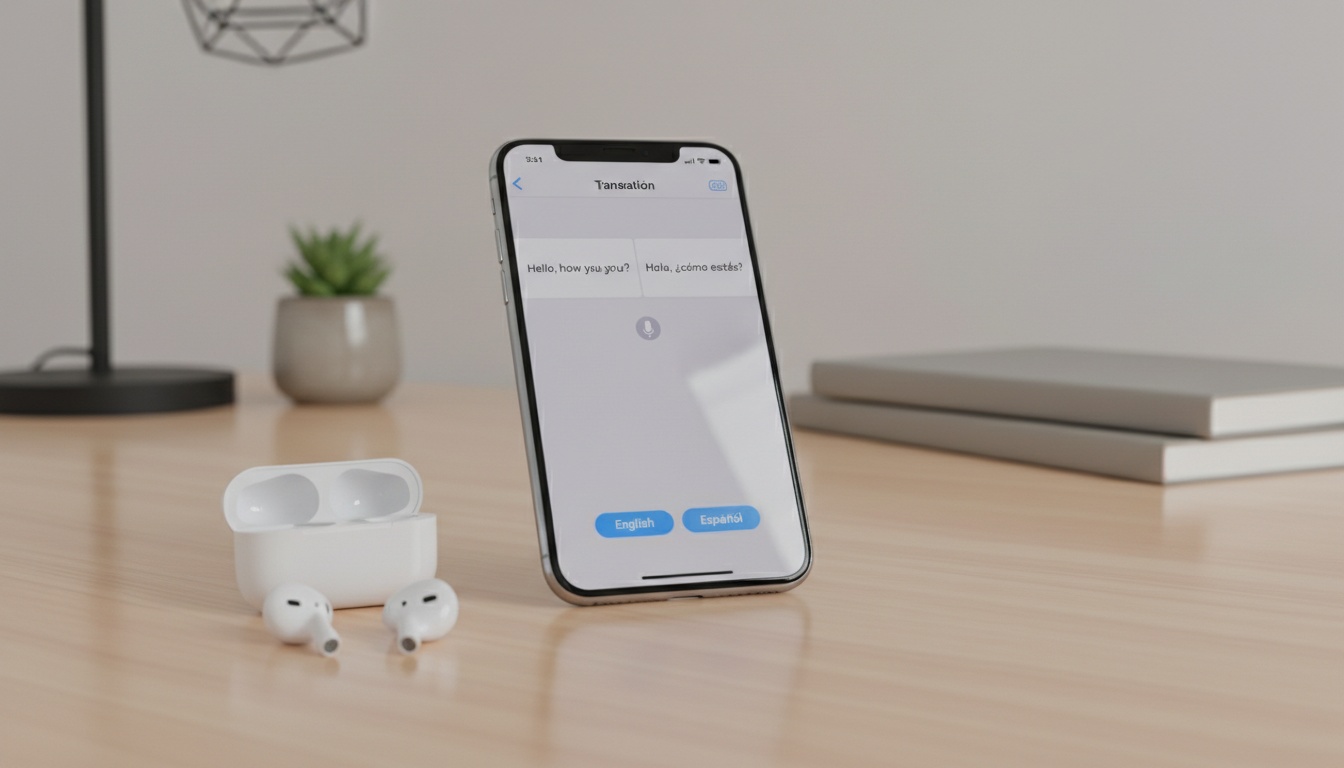
Google Translate offers the best combination of accuracy, language support, and earbud compatibility in my testing. The conversation translation mode works with any Bluetooth earbuds, including older AirPods models. You tap the microphone, speak your message, and the app plays the translation through your phone's speaker.
I was genuinely surprised when the Thai hotel clerk understood my Google Translate pronunciation perfectly. Hotel check-ins, restaurant orders, and basic directions worked flawlessly in Thai, Vietnamese, and Indonesian. For the streaming-latency tradeoff between Google Translate's turn-based voice mode and a simultaneous translator, see our LiveLingo vs Google Translate head-to-head, and vs Microsoft Translator for the Azure-powered alternative.
Microsoft Translator offers similar functionality with better offline support. You can download language packs for up to 10 languages, which saved me multiple times in areas with poor internet connectivity. The interface feels more professional than Google Translate, though the translation quality is slightly lower for casual conversations.
SayHi Translate focuses specifically on conversation translation. The app automatically detects when each person stops speaking and switches translation direction. This creates a more natural conversation flow compared to manually tapping buttons.
Real-world testing revealed that free apps work best for simple travel interactions and one-on-one conversations in quiet environments.
They struggle with group conversations, technical terminology, and noisy environments like airports or markets.
What is the best real-time translation app for iPhone?
For iPhone users, Google Translate offers the best combination of accuracy, language support, and earbud compatibility based on my testing. The app works with any Bluetooth earbuds, including all AirPods models, and supports 108 languages.
Microsoft Translator ranks second with superior offline capabilities and cleaner conversation mode interface. Both apps provide effective AI translation without requiring expensive hardware upgrades.
4. Premium Translation Apps: When Free Isn't Enough
Free translation apps handle basic travel conversations well. But if you need business-grade accuracy for client calls, team meetings, or technical discussions, premium solutions offer significant advantages.
LiveLingo bridges the gap between free apps and expensive hardware upgrades. The service provides real-time translation during phone calls, video conferences, and in-person meetings. Unlike free apps that require manual switching between speakers, LiveLingo automatically detects who's talking and translates both sides of the conversation.
The AI meeting summary feature captures key decisions and action items in your preferred language—useful when you're negotiating contracts or discussing technical specifications across language barriers. The accuracy for business terminology exceeds free alternatives, especially for industry-specific jargon.
If you need business-grade accuracy beyond free apps, explore LiveLingo's 3-minute daily free tier to test the difference in professional settings.
5. Android Users Have Better Translation Options Than iPhone Users—Here's Why
Android users actually have more translation options than iPhone users, which feels backward given Apple's marketing push. Google's ecosystem integration creates translation experiences across multiple apps and services.
Google Assistant Translation works with any Bluetooth earbuds connected to Android devices. Say "Hey Google, be my interpreter" and specify your languages. The Assistant handles the entire conversation, translating speech in both directions.
Samsung Galaxy Devices with Bixby offer the most polished Android translation experience. Galaxy Buds 3 FE include dedicated translation hardware that processes speech locally.
Samsung Galaxy Buds Translation Setup
The setup process for Samsung devices:
- Open Settings > Advanced Features > Bixby
- Enable "Voice Wake-up" and train voice recognition
- Connect your Bluetooth earbuds
- Say "Hi Bixby, translate [source language] to [target language]"
- Start your conversation
The Galaxy Buds 3 FE automatically adjust microphone sensitivity based on ambient noise levels. During my Tokyo conference calls, the earbuds filtered out background chatter while maintaining clear voice pickup for translation.
Third-party Android apps like Naver Papago and Baidu Translate offer regional language advantages. Papago excels at Korean, Japanese, and Chinese translations, while Baidu handles Chinese dialects better than Western alternatives.
One Android advantage nobody mentions: you can run multiple translation apps simultaneously. I kept Google Translate and Microsoft Translator open during complex business meetings, comparing translations in real-time to catch potential errors.
Will live translation come to other AirPods?
Apple confirmed that Live Translation will expand to AirPods Pro 2 and AirPods 4 with ANC through firmware updates, according to their Q3 2026 developer conference announcements. But older AirPods models (AirPods 1, 2, 3, and AirPods Pro 1) lack the necessary hardware for on-device translation processing.
The expansion timeline depends on beta testing results and regulatory approvals. EU availability remains uncertain due to ongoing privacy negotiations with European authorities, as reported by TechCrunch in September 2026.
6. Which Translation Solution Lasts Longest? Battery Life & Accuracy Tested
Language support varies dramatically across translation solutions. Apple's Live Translation currently supports just five languages, while competitors offer 40-100+ options.
Battery Life During Translation Sessions Active translation significantly impacts battery performance across all devices. Google Pixel Buds Pro 2 maintain 4-5 hours of continuous translation. Samsung Galaxy Buds 3 FE offer 3-4 hours with offline processing enabled.
Standard AirPods paired with translation apps typically last 2-3 hours during active conversation translation. The constant microphone activation and Bluetooth data transfer drain batteries faster than music playback.
Troubleshooting Common Translation Accuracy Issues
- Slang and idioms translate poorly across all platforms
- Regional accents can reduce accuracy significantly
- Background noise above moderate levels degrades performance
- Speaking too quickly or quietly affects recognition quality
Position yourself 6-12 inches from your phone's microphone for optimal pickup. Speak clearly and pause briefly between sentences to improve translation software processing.
Offline Translation Capabilities Google Translate and Microsoft Translator offer downloadable language packs for offline use. Samsung Galaxy Buds 3 FE provide the best offline experience with 12 pre-installed languages that process locally without internet connectivity.
Offline accuracy typically drops compared to cloud-based processing. Still, the feature proves invaluable in areas with poor cellular coverage or expensive roaming charges.
7. Should You Spend $1,000 on New AirPods? The Math Says No
The financial math rarely favors Apple's Live Translation ecosystem (trust me, I did the spreadsheet three times). Upgrading to compatible hardware costs significant money, while effective alternatives start at free.
Budget-conscious travelers should start with Google Translate and existing earbuds. The combination costs nothing beyond your current phone and delivers comparable functionality to Apple's beta feature.
Business users requiring high accuracy should consider Samsung Galaxy Buds 3 FE or Google Pixel Buds Pro 2. Both solutions cost less than AirPods Pro 3 alone while offering superior language support and cross-platform compatibility.
Apple ecosystem users with older iPhones face the toughest decision. Upgrading to iPhone 15 Pro just for Live Translation makes little financial sense when free alternatives work with existing hardware.
After burning through $400 testing these alternatives: unless you're already planning iPhone and AirPods upgrades, stick with free alternatives like Google Translate, or explore premium options like LiveLingo if you need higher accuracy for business conversations. The translation quality differences are minimal in my testing, and you'll save hundreds of dollars while gaining broader language support and device compatibility.
The integration with Apple services (Siri, Messages, FaceTime) doesn't justify the premium for most users. Third-party solutions handle 95% of real-world translation needs at dramatically lower costs.
8. Key Takeaways
- Apple's Live Translation requires expensive hardware and doesn't work in the EU as of Q4 2026
- Google Pixel Buds Pro 2 and Samsung Galaxy Buds 3 FE offer superior language support at lower costs
- Free apps like Google Translate work with any earbuds and handle most travel scenarios effectively
- Android users have more translation options than iPhone users despite Apple's marketing
- Dedicated translation earbuds significantly outperform app-based solutions in noisy environments
- Hardware upgrades rarely justify the cost unless you're already planning device replacements
Ready to move beyond free translation apps? LiveLingo offers business-grade translation with AI meeting summaries and translated calls. Try it free for 3 minutes daily — no credit card required.
9. Frequently Asked Questions
What are the best AirPods Live Translation alternatives in 2026?
The best AirPods Live Translation alternatives in 2026 work with earbuds you already own on both iPhone and Android and don't require iOS 26 or AirPods Pro 2/3. Top picks: LiveLingo — free 5 min/day, works over phone calls and browser meetings, ~1.5 s median latency, EU-supported; Google Translate — free unlimited, 133 languages, turn-based but works with any Bluetooth earbuds; Timekettle app — polished conversation UI, subscription-gated; Microsoft Translator — free, turn-based, works cross-platform. Apple's native version is limited to 5 languages, requires a $250+ AirPods upgrade, and is not available in the European Union.
Why is Apple Live Translation not available in the EU?
Apple has not enabled Live Translation in the European Union as of 2026 because of ongoing compliance work around the Digital Markets Act (DMA) and how AirPods pair as a "gatekeeper" service. Apple has not published a firm EU launch date. EU-based users need cross-platform alternatives like LiveLingo, Google Translate, or Microsoft Translator, all of which run on standard Bluetooth earbuds and are fully available in the EU.
Can I get AirPods Live Translation without AirPods Pro 2?
Apple Live Translation is hardware-locked to AirPods Pro 2, AirPods Pro 3, or AirPods 4 with active noise cancellation, paired with an iPhone 15 Pro or newer running iOS 26. Older AirPods, AirPods Max, AirPods 4 without ANC, and any non-Apple earbuds cannot use it. The workaround is a cross-brand translator app: LiveLingo runs on iPhone (any model), Android, and web without hardware locks; Google Translate's Conversation mode works on the same AirPods models Apple's excludes.
Which translator app works with AirPods on Android?
AirPods pair with Android phones as standard Bluetooth headphones (no ANC controls, no automatic ear detection, but audio in and out both work). Translation apps that work with AirPods on Android in 2026: Google Translate (best-supported, free, 133 languages), LiveLingo (browser + Android app, free tier), Microsoft Translator (free), iTranslate ($5.99/mo). Apple Live Translation itself does NOT work on Android — it requires an iPhone.
How much do AirPods Live Translation alternatives cost?
AirPods Live Translation alternatives cost far less than Apple's $250+ AirPods upgrade in 2026. Genuinely free: Google Translate (unlimited), Microsoft Translator (unlimited), LiveLingo (5 min/day). Low-cost: iTranslate Pro $5.99/mo, LiveLingo Pro $19.99/mo (300 min/mo, phone calls, AI memos), DeepL Pro $8.74/mo. All of these work with any Bluetooth earbuds you already own — no hardware upgrade required.
You Don't Need AirPods. LiveLingo Is Better Without Them.
Skip the $250 hardware. LiveLingo on your phone shows the other person your translated phrase on screen, plays it through the speaker, and never needs Bluetooth pairing or charging. 50+ languages, 5 free minutes daily, ready the moment you download.
Download LiveLingo Free