 LiveLingo
Quick Answer
- iPhone: iPhone 15 Pro, 15 Pro Max, iPhone 16 and later and iPhone Air translate calls in the Phone app with Live Translation, when Apple Intelligence is on. 9 languages.
- Samsung: select Galaxy phones with One UI 6.1 or later have Live Translate in the Phone app and in apps such as WhatsApp. 20+ languages.
- Google Pixel: Pixel 10 and later translate calls between English and 10 languages, in a voice that mimics yours.
- Any other phone, or a language they don't cover: call through LiveLingo, which works from any iPhone, Android phone or browser and calls any mobile or landline in 35 languages.
- Google Translate does not translate phone calls.
1. Call Translation by Phone, Compared
| iPhone (Phone app) | Samsung Galaxy | Google Pixel | LiveLingo | |
|---|---|---|---|---|
| Phones | iPhone 15 Pro and Pro Max, iPhone 16 and later, iPhone Air | Select Galaxy phones and tablets with One UI 6.1 or later | Pixel 10 and later (fewer languages on Pixel 10a) | Any iPhone or Android phone, or a web browser |
| Name | Live Translation | Live Translate (Call assist) | Voice translate (Pixel 10), Live Translate (Pixel 11) | Translated calls |
| Call languages | 9 languages (12 variants) | 20+ languages | English to and from 10 languages | 35 languages |
| What the other person hears | A spoken translation; both sides are told the call is translated | A spoken translation; you can mute your own voice | A translation in a voice that mimics yours, after a short announcement | A greeting, your real voice, then a separate interpreter voice |
| Works in other apps | Phone; FaceTime shows translated captions | WhatsApp, Messenger, Signal, Line, WeChat, Telegram, Meet, KakaoTalk and more | Phone app | Places a regular phone call to any number |
| Where it runs | On the iPhone | On the phone (some features need a connection) | On the phone, works offline | Online |
| Cost | Free | Free | Free | Pro+ $29.99 per month, up to 90 call minutes |
All of them use turn-taking: you speak, then the translation plays. None of them talks over the other person in real time the way a conference interpreter does.
2. iPhone: Live Translation in the Phone App
Which iPhones: iPhone 15 Pro, iPhone 15 Pro Max, iPhone 16 and later models, and iPhone Air, with iOS 26 or later and Apple Intelligence turned on. Older iPhones, including the regular iPhone 15, don't have it.
Languages on calls: Chinese (Mandarin, Simplified and Traditional), English (US and UK), French (France), German (Germany), Italian, Japanese, Korean, Portuguese (Brazil) and Spanish (Spain), according to Apple's feature availability page. Simplified Chinese isn't available on iPhones bought in mainland China. Messages supports a longer list than calls.
How to use it (Apple):
- Start a call in the Phone app.
- Tap More, then Live Translation. If you aren't on speaker or headphones, the call switches to speaker.
- Tap Choose Language if the right language isn't selected. It downloads the first time.
- Tap Start Translation. Both of you are told the call is being translated.
As you speak, the other person hears a spoken translation, and their reply is translated for you, with an on-screen transcript. It works on one-to-one calls only, and it runs entirely on the iPhone. FaceTime gets translated live captions instead of spoken translation. Our AirPods Live Translation guide covers the in-person version.
3. Samsung Galaxy: Live Translate
Which phones: select Galaxy phones and tablets running Android 14 with One UI 6.1 or later, according to Samsung. If you see Settings, Galaxy AI, Call assist on your phone, it has the feature.
Languages: more than 20, including English, Spanish, French, German, Italian, Portuguese, Chinese, Japanese, Korean, Hindi, Arabic, Russian, Thai, Vietnamese, Turkish, Indonesian, Polish, Dutch, Swedish and Romanian. Each language downloads once.
How to use it:
- Open Settings, tap Galaxy AI, tap Call assist, then Live translate, and turn it on. Pick or download your languages.
- Start a call from the Phone app.
- Once you are both on the line, tap Call assist, then Live translate.
You see the translation on screen and hear it as the conversation goes. You can choose the interpreter voice and mute your own voice, the other person's, or both, so only the translation is heard. To use it in WhatsApp and other apps, turn the apps on under Settings, Galaxy AI, Call assist, Live translate in other apps, then start it from Quick settings during the call. Samsung's note: only one person on the call should use Live Translate at a time.
4. Google Pixel: Voice Translate and Live Translate
Which phones: Pixel 10 and later, including the Fold. The feature is called Voice translate on the Pixel 10 series and Live Translate on Pixel 11, according to Google.
Languages: English to and from French, German, Hindi, Indonesian, Italian, Japanese, Portuguese, Russian, Spanish and Swedish. Indonesian, Japanese, Russian and Swedish aren't available on the Pixel 10a.
How to turn it on: on Pixel 10, open the Phone app, tap More, Settings, Voice translate, and turn on Use voice translate. On Pixel 11, open Settings, System, Live Translate. During a call, tap Call Assist, then Live translate (or Voice translate), pick the other person's language and tap Done. You both hear a short announcement first.
Pixel's translation mimics your natural voice and tone, so the other person hears the translation in a voice like yours. It works without an internet connection, and the conversation isn't stored or sent to Google. It is off by default.
5. Can Google Translate Translate Phone Calls?
No. The Google Translate app translates conversations in person, with Conversation and Listening modes, not phone calls. The only workaround is putting the call on speaker and holding a second device running Translate next to it. That is slow, it picks up both sides, and the other person never hears a translation.
On a Pixel 10 or later, call translation is a separate feature of the Phone app (above), not part of Google Translate.
6. What About WhatsApp Calls?
WhatsApp translates messages, not calls. On a Galaxy phone, Live Translate works inside WhatsApp calls once you turn it on for that app. LiveLingo doesn't translate WhatsApp calls; it calls the person's regular phone number instead, which also reaches people who don't use WhatsApp.
7. If Your Phone Can't Translate Calls
Most phones in use today don't have built-in call translation: regular iPhone 15 and older iPhones, most Android phones that aren't recent Galaxy or Pixel models, and any phone where the language you need isn't on the list. Many people also need to reach someone on a landline, like a hotel, a clinic or a government office.
LiveLingo handles these calls from the app instead of the phone:
- Works on any iPhone or Android phone, and from a browser on a computer.
- Calls any mobile or landline number. The other person answers a normal call and installs nothing.
- 35 languages, including Hebrew, Ukrainian, Persian, Greek and Czech, which the built-in features don't cover.
- The other person hears your real voice, then a separate interpreter voice. LiveLingo never clones your voice.
- In 15 languages the call opens with a greeting in the other person's language explaining that it is a translated call.
- After the call, an AI memo with the transcript in both languages.
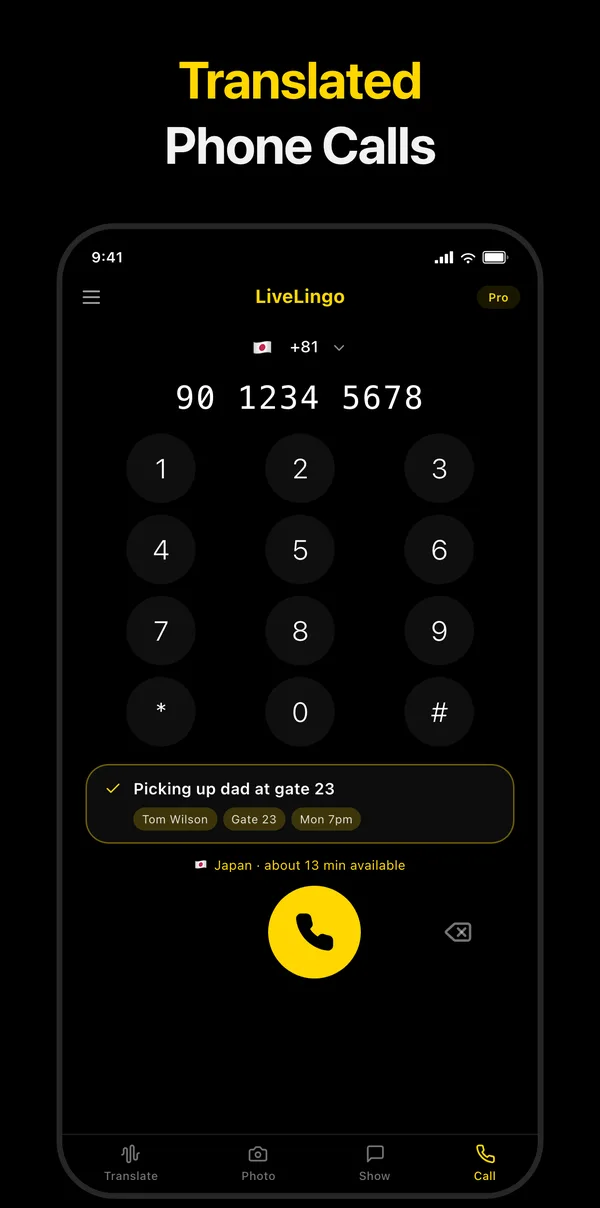
Translated calls are part of LiveLingo Pro+ ($29.99 per month, up to 90 call minutes a month, depending on the country you call). Pro includes one 3-minute trial call. See how translated calls work or our step-by-step guide to calling someone who only speaks Spanish.
8. Built-in Translation or a Calling App?
- Use your phone's feature if it is on the list, the language is covered, and the call is short. It is free, private and already there.
- Use a calling app if your phone isn't supported, the language isn't covered, you need to reach a landline, or you want the other person to hear your real voice and a clear notice that the call is translated.
- Use a human interpreter for medical, legal and financial decisions.
9. Frequently Asked Questions
Can I translate phone calls on my iPhone?
Yes, on iPhone 15 Pro, iPhone 15 Pro Max, iPhone 16 and later, and iPhone Air with iOS 26 or later and Apple Intelligence on. During a call, tap More, then Live Translation, choose the language and tap Start Translation. On other iPhones, use a calling app such as LiveLingo.
Which phones have live call translation?
iPhone 15 Pro and later (Live Translation), select Galaxy phones with One UI 6.1 or later (Live Translate), and Pixel 10 and later (Voice translate on Pixel 10, Live Translate on Pixel 11). Other phones need an app.
Does the other person need the same phone?
No. The built-in features run on your phone, and the other person hears the translation on a normal call. With LiveLingo they can even be on a landline.
Does Google Translate work on phone calls?
No. Google Translate translates conversations in person. On Pixel 10 and later, call translation is a separate feature in the Phone app.
Can I translate a call to a landline?
Yes. The other side of the call is a normal phone line, so the built-in features and LiveLingo both work when you call a landline. LiveLingo calls any mobile or landline number from any phone.
Is call translation free?
The built-in features on iPhone, Galaxy and Pixel are free on supported phones. LiveLingo translated calls are part of Pro+ at $29.99 per month, with one 3-minute trial call on Pro.
If your phone is on the list, try its built-in translation first. If it isn't, or you need another language or a landline, place a translated call with LiveLingo.