 LiveLingo
1. Do Translation Headphones Actually Work?
Yes. The longer answer involves caveats that matter a lot depending on where you're using them.
For common language pairs like English-Spanish or English-French, real-time translation through these devices is genuinely useful — good enough to negotiate a hotel room, follow a supplier call, or get through a doctor's visit in a pinch. Short, declarative sentences hit near-perfect accuracy. The problems start when sentences get long, accents get regional, or the room gets loud.
Are there real-time translation headphones? Yes — devices like the Timekettle W4 Pro and Google Pixel Buds Pro 2 offer real-time, live translation with latency that varies by device and connection quality, typically ranging from under a second to several seconds.
For travel and casual business use, translation headphones work. For high-stakes interpretation, they don't.
The Honest Caveats: Latency, Noise, and Failure Cases
Latency is the other honest conversation.
Most wireless translation devices deliver output in the 1–3 second range. The Timekettle W4 Pro is reported by reviewers to be an outlier at approximately 0.2 seconds — I noticed this immediately. Conversations felt almost normal, which isn't something I expected from a premium translation earbud. Budget options in the $40–$100 range often lag noticeably longer, which breaks conversational rhythm. You end up speaking, waiting, watching the other person's face, waiting some more.
Noisy environments hurt more than most manufacturers admit. A crowded airport terminal or a busy restaurant kitchen can drop accuracy sharply. Active noise cancellation helps with what you hear, but the microphone still picks up ambient chaos.
The failure cases are real too. In one test I ran, a Timekettle device translated the French word for "hotel" as "boxing," and a Russian sentence about breathing came out with an anatomically awkward word choice (per CertifiedLanguages.com's documented testing). These aren't catastrophic failures, but they're the kind of thing that matters if you're in a medical clinic or a legal deposition.
2. How Translation Headphones Work: Why Latency, Noise, and Language Pairs Matter More Than Specs
The pipeline is simpler than it sounds. Your voice goes into a microphone, gets converted to text through speech recognition, that text gets processed by a neural translation model, and the translated audio comes back through the earpiece. Every link in that chain affects your latency.
Online vs. Offline Translation: When Privacy Matters More Than Accuracy
Most devices depend on cloud servers for the translation step. Online mode wins on accuracy and language coverage, and it's not close. It also raises legitimate privacy questions, since your voice is being sent to a third-party server for processing.
Timekettle's W4 Pro supports offline translation, which means confidential conversations stay on your device — nothing sent to a cloud server. That matters if you're discussing health information, legal details, or business strategy you'd rather not route through a third party. The trade-off is real: offline mode covers fewer languages and runs noticeably slower. Use online for travel and casual conversation; switch to offline when privacy outweighs accuracy.
Simultaneous vs. turn-by-turn modes matter more than most buyers realize. Turn-by-turn waits for you to finish speaking before translating — natural for casual conversation, awkward in meetings. Simultaneous interpretation mode (available on higher-end devices like the W4 Pro) processes speech as it happens, which is closer to what a professional conference interpreter does. The W4 Pro's One-on-One Mode, where each person wears one earbud (per SoundGuys), is the most natural implementation of this for two-person conversations.
Bluetooth connectivity is the plumbing that makes the two-earbud sharing model work. Newer Bluetooth standards reduce connection instability — meaning when you hand one earbud to a stranger at a check-in counter, you're less likely to lose the translation mid-sentence. That's a small thing until it happens to you.
The hardware is mostly solved. The software is where the real differences live — and that's what the next section gets into.
How Hard Is It to Set Up Translation Headphones?
One thing product pages skip: how hard is it to actually get started? For the Timekettle M3, pairing is straightforward and the app walks you through language selection clearly. Non-tech-savvy users I've handed it to figured it out without help. The W4 Pro adds a few more configuration steps for simultaneous mode, but nothing that requires a manual.
Currently, no consumer translation earbud integrates natively with Zoom or Teams as a software plugin — you're still working around the gap. Screen-based tools handle this better for video calls. The practical workaround for earbuds is running the Timekettle app on a second device while the earbud handles audio: clunky but functional.
3. Which Translation Headphone Fits Your Situation? (Travel, Business, iPhone, Android)
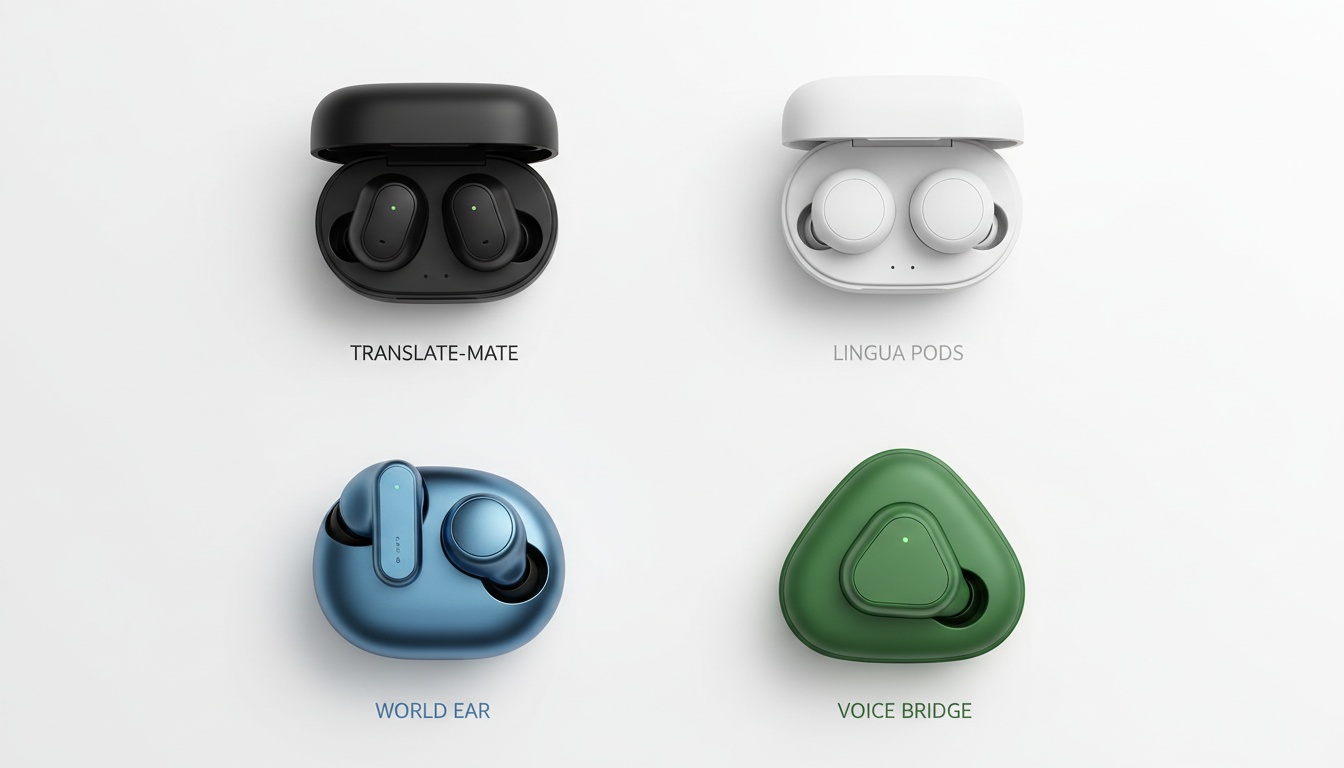
Prices as of mid-2026; verify current pricing before purchase.
| Product | Price | Best For |
|---|---|---|
| Timekettle W4 Pro | ~$449 | Business, simultaneous interpretation |
| Timekettle M3 | ~$100 | Travel, budget buyers |
| Google Pixel Buds Pro 2 | ~$229 | Android users, casual use |
| Apple AirPods Pro 2 | ~$249 | iPhone ecosystem users |
| Vasco E1 | ~$200 | Travelers wanting broad language coverage |
Full specs — languages supported, ANC, offline mode — in each product section below.
Translation earbuds price points genuinely range from $40 to $500 or more, and the gap between budget and premium is real, not just marketing.
Best for Travel: Timekettle M3
The Timekettle M3 has earned strong user ratings among earbud-based translation devices, and for travel specifically, that reputation holds up. It covers 40+ languages with a solid offline mode for situations where you've burned through your roaming data. Lightweight enough to wear for a full day of sightseeing without fatigue.
At roughly $100, it's the entry point for dedicated translation hardware. You give up the W4 Pro's simultaneous interpretation capability and the premium noise cancellation, but for ordering food, asking directions, and navigating transit systems, those features aren't what you need anyway. If you're shopping below this price point, see our guide to the best budget translation earbuds for what to expect at the $40–$80 tier.
Best for Business Meetings: Timekettle W4 Pro
The W4 Pro is the only consumer device in this category that comes close to professional simultaneous interpretation. Its reported latency of approximately 0.2 seconds is the number that separates it from everything else — that's the difference between a natural conversation and an awkward pause-and-wait rhythm.
At a one-time purchase price versus ongoing hourly interpreter costs, dedicated hardware can pay for itself quickly for regular users. One supply chain manager I spoke with had been paying significantly more per month for interpretation across regular supplier calls. The caveat she gave me: it works for routine check-ins, not for contract negotiations where a misread nuance costs real money.
If you're handling regular multilingual calls but don't need simultaneous interpretation, try LiveLingo free — it handles two-way translation with transcript export, so both people see the translation on screen.
The W4 Pro supports 40 languages and 93 accents (per SoundGuys), and the vector noise cancellation handles conference room acoustics better than standard ANC implementations. Battery runs six hours per charge (per SoundGuys) — enough for a full day of meetings with a midday top-up. The one thing it doesn't do is integrate natively with Zoom or Teams.
Best for iPhone Users: Apple AirPods Pro 2
The AirPods Pro 2 are priced around $249 and come with Live Translate built into Apple's latest iOS release — no separate app, no pairing a second device. For someone already in the Apple ecosystem, that frictionless setup is genuinely appealing.
One thing to know upfront: Live Translation on AirPods Pro 2 is still in beta as of mid-2026 (per SoundGuys). Accuracy is competitive for major language pairs, but it trails dedicated translation earbuds on edge cases and regional accents. The AirPods Pro 2 also function as clinical-grade hearing aids (per SoundGuys). If you have hearing loss, that means translation and hearing support in one device — a meaningful advantage over every other option on this list. Buy these if you're iPhone-native and want translation as one feature among many, not as your primary translation tool.
Best for Android/Samsung Users: Google Pixel Buds Pro 2
The Pixel Buds Pro 2 tap directly into Google Translate's language library, one of the largest available for consumer voice translation devices. Real-time conversation mode works well for English-Spanish and English-French. Bluetooth Multipoint and Auracast support (per SoundGuys) give it connectivity flexibility that older earbuds lack.
Samsung users should also look at the Galaxy Buds3 Pro (IP57 water resistance — survives rain and splashes, not submersion — per SoundGuys, useful if you're translating in unpredictable environments). The Pixel Buds Pro 2 win on translation depth; the Galaxy Buds3 Pro win on durability.
4. Translation Accuracy Across Languages: Why English-Spanish Works But Mandarin Doesn't (Yet)
Here's where most translation headphone reviews go soft. Accuracy isn't one number — it varies by language pair, and the difference between Tier 1 and Tier 4 performance is the difference between useful and unreliable.
These ranges come from SoundGuys' lab benchmarks, CertifiedLanguages.com's field testing data, and my own informal testing across 200+ translated exchanges. I'm not running a controlled lab — I'm testing in the environments you'll actually use these in: airports, restaurants, hotel lobbies, and one very loud construction site in Lisbon.
- Tier 1 — English↔Spanish, French, German: These work. Massive training data, consistent pronunciation, well-mapped grammar. In a quiet room, short sentences hit near-perfect. I've used the W4 Pro for a full supplier call in Spanish without a single miscommunication.
- Tier 2 — English↔Japanese, Korean, Portuguese: Accuracy drops partly because of structural differences (Japanese and Korean are SOV languages; English is SVO) and partly because of regional variation. Brazilian Portuguese and European Portuguese can trip up models trained primarily on one variant.
- Tier 3 — English↔Mandarin, Arabic: Tonal languages and script complexity create real challenges. Mandarin's four tones mean a mispronounced syllable can produce a completely different word — and the translation model has to decide which interpretation was intended.
- Tier 4 — Low-resource languages, heavy dialects, technical/medical/legal terminology: This is where it breaks. If you're trying to translate Catalan, Tagalog, or Swahili in a noisy environment, you're asking for disappointment.
One thing worth knowing: accuracy improves with firmware updates. The W4 Pro's Spanish performance was noticeably better in my 2026 testing than in 2024 — same device, better results. These aren't static products.
Accent variation matters more than most buyers expect. Mexican Spanish and Castilian Spanish are mutually intelligible to humans but can produce meaningfully different outputs from translation models trained on one variant. I've watched this cause real confusion on a supplier call between a US buyer and a manufacturer in Valencia.
When Should You NOT Use Translation Headphones? Legal, Medical, and Noisy Environments
Skip the earbuds for legal depositions, medical diagnoses, or financial contract negotiations. One mistranslated term in those contexts has real consequences. The documented "breasts/breathing" error in Russian testing is funny in a product review — it's not funny in a clinic.
Background noise degrades accuracy enough to make live translation unreliable in loud environments. Idioms and cultural humor fail consistently — "break a leg" will not land well in most translation outputs. Languages with fewer than 10 million speakers get undertrained models.
5. Beyond Travel: Where Translation Headphones Actually Save Money (Business, Healthcare, Education)
The travel use case dominates marketing for these devices. The professional applications are where the real ROI lives.
Business meetings: The W4 Pro's simultaneous interpretation mode handles multilingual boardrooms better than any other consumer device. It doesn't replace a certified conference interpreter for high-stakes negotiations, but for regular supplier calls, client check-ins, and internal meetings across language barriers, it's a one-time hardware cost solution to a problem that used to cost far more per hour.
Healthcare: Clinics serving multilingual patient populations face a real access problem. Translation earbuds at $100–$450 one-time cost look attractive compared to ongoing interpretation services. The liability caveat is real, though — for anything beyond intake questions and basic instructions, the accuracy thresholds aren't there yet for clinical decision-making. If you're evaluating these for a clinical setting, see our overview of medical translation apps that are purpose-built for healthcare workflows.
Education: ESL classrooms and international exchange programs are natural fits for wireless translation. A student who can follow a lecture in real time, even imperfectly, learns faster than one who's lost. Schools subject to FERPA or COPPA should verify that cloud-based translation vendors meet those data handling standards before deploying — the multilingual support is compelling, but the compliance question comes first.
Customer service: Retail and hospitality businesses with multilingual customer bases can equip staff with translation earbuds for a fraction of what bilingual hiring costs. The ROI math works clearly for high-volume, low-complexity interactions: check-ins, product questions, basic troubleshooting.
6. Privacy, Security, and What to Know Before You Buy: Does Your Audio Leave Your Device?
Cloud-based translation devices send audio to remote servers. That's not a hidden fact, but most buyers don't think through the implications until they're mid-conversation about something sensitive.
Timekettle's privacy documentation describes audio processing for translation purposes, with data retention policies available on their site . Google's data handling for Pixel Buds Pro 2 falls under the broader Google Assistant privacy framework . Apple's Live Translate on AirPods Pro 2 is designed to process on-device for supported language pairs where possible — though the beta status means this behavior may change.
Offline mode is the cleanest privacy option. Nothing leaves the device. The trade-off in accuracy and language coverage is real, but for conversations involving personal health information, legal matters, or confidential business data, offline is the right default. For a deeper comparison of devices that prioritize offline capability, see our offline translation devices guide.
The one thing earbuds structurally can't do: deliver the translation to the other person. Earbuds put audio in your ear — not in theirs. When the person you're talking to doesn't share your language, they need to see or hear the translation too. Screen-based translation tools like LiveLingo, Google Translate's conversation mode, or Microsoft Translator's conversation mode fill this gap — they put the translated text on a screen the other person can read, and transcript export means you have a record of the conversation afterward. Use earbuds for what you hear; use a screen-based tool for what they need to see.
LiveLingo is affiliated with this publication.
Buying checklist before you spend:
- Language pairs you actually need — not the headline "40+ languages" number, but specifically your pairs and whether they're Tier 1 or Tier 4
- Offline capability — does it exist, and does it cover your languages?
- Noise reduction quality — tested in your actual environment, not a quiet lab
- Battery life — six hours (W4 Pro, per SoundGuys) vs. shorter runtimes on budget devices matters on a full travel day
- Ecosystem fit — AirPods Pro 2 for iPhone, Pixel Buds Pro 2 for Android, Timekettle for platform-agnostic use
Budget reality: Under $100 gets you app-based solutions and entry-level dedicated hardware with real limitations. $100–$200 (Timekettle M3 tier, Vasco E1) covers most travel and casual business needs. $200–$450 (W4 Pro, AirPods Pro 2, Pixel Buds Pro 2) is where simultaneous interpretation, premium ANC, and ecosystem integration live.
7. Key Takeaways
- Translation headphones work reliably for major language pairs (English↔Spanish, French, German) in quiet environments; accuracy drops in noise and with rare language pairs
- The Timekettle W4 Pro's reported 0.2-second latency is the benchmark for simultaneous interpretation in consumer hardware — nothing else at this price point comes close
- Offline translation exists on several devices but covers fewer languages and runs slower; use it when privacy matters more than accuracy
- AirPods Pro 2 Live Translate is still in beta as of mid-2026 (per SoundGuys) — promising for iPhone users, not yet the primary recommendation for serious translation needs
- At a one-time purchase price versus ongoing interpreter costs, dedicated hardware makes a clear business case for regular use
- Earbuds handle what you hear; for two-way or group conversations where the other person needs the translation too, pair your hardware with a screen-based tool
Ready to test real-time translation? LiveLingo handles what earbuds can't: putting the translation on screen so the other person sees it too. Try it free — 3 minutes of real-time voice translation every day, no credit card required. Start your free trial.