 LiveLingo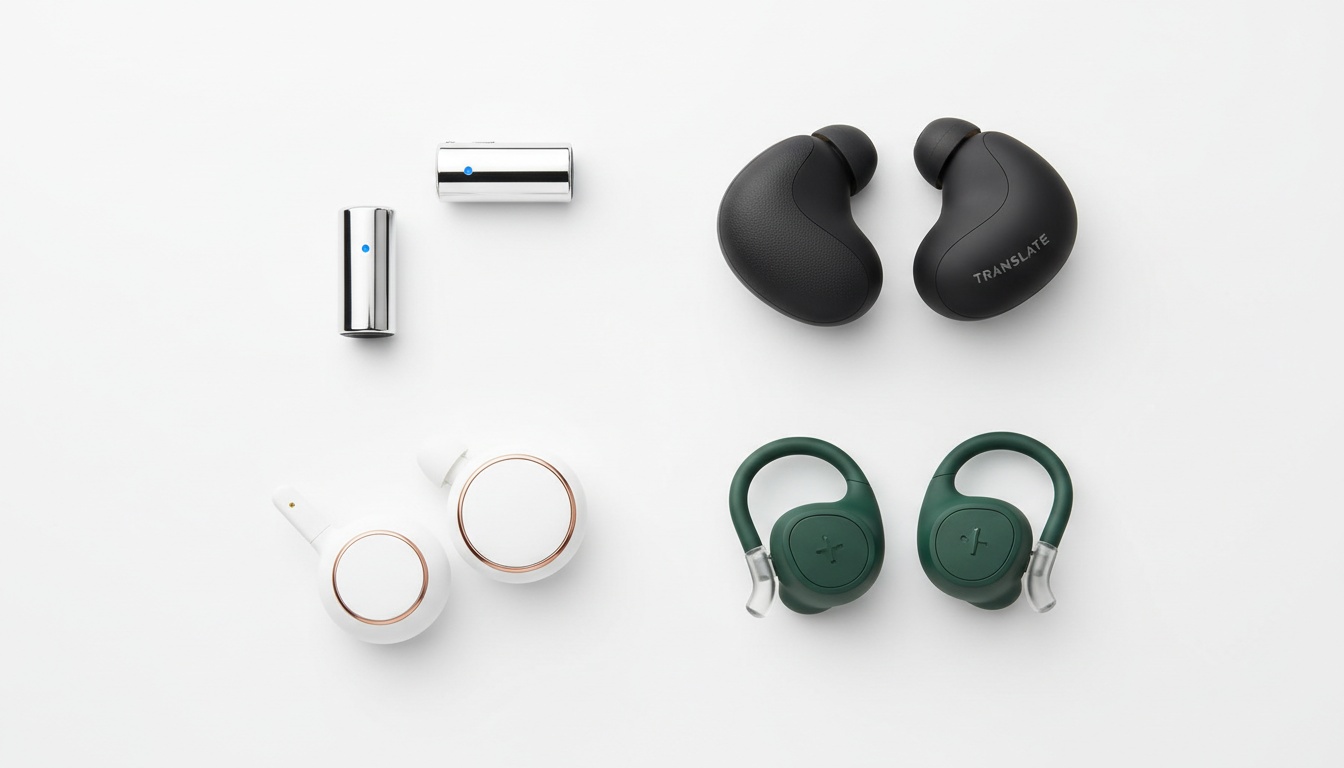
1. How AI-Powered Earbuds Translate Speech in Real Time
Translation earbuds are wireless earphones with AI translation software built into their companion apps. Unlike dedicated translation devices — handheld gadgets with screens — they're designed to sit in your ears during actual conversations, not to be held up like a walkie-talkie.
Tap and speak in English
Tap to start
The pipeline: your microphone captures speech, that audio routes to either cloud servers or on-device processing, a natural language model translates the text, and the output plays back through the earphones. The whole cycle typically takes anywhere from one to five seconds depending on hardware and connection quality.
The major players in 2026 include the Timekettle W4 Pro, the Timekettle M3, Apple AirPods Pro (current generation) with iOS Live Translation, and Google Pixel Buds Pro (current generation) with Google Translate integration. Verify current model names and pricing before purchasing, as product lines update frequently.
Set realistic expectations now. These tools handle clean, grammatically standard speech reasonably well. Throw a heavy regional accent, background noise, or technical jargon at them and accuracy drops fast.
---
2. Online vs. Offline Translation: Privacy, Accuracy, and When Each Matters
Online translation routes your voice audio to cloud servers — Google's, Apple's, or Timekettle's depending on the device. The accuracy is noticeably better because cloud models are larger and updated continuously. The tradeoff: your voice data leaves the device, latency depends on your connection speed, and you need signal.
By contrast, offline translation processes everything on-device. Language support shrinks considerably, and latency tends to be higher because smaller on-device models do heavier lifting on constrained hardware. The upside is obvious: no internet required, no data leaving your phone.
| Feature | Online Mode | Offline Mode |
|---|---|---|
| Accuracy | Higher | Lower |
| Language support | 40–100+ languages | Fewer languages |
| Latency | 1–3 sec (connection dependent) | 2–5 sec |
| Battery drain | Higher (radio active) | Lower |
| Privacy risk | Voice data sent to servers | On-device only |
Table scrolls horizontally on mobile.
Quick rule: Online mode for accuracy in stable-signal environments; offline mode for privacy, healthcare, and anywhere with unreliable connectivity.
When to Use Each Mode
The practical choice is simpler than the table suggests. Business meetings with clients who speak Spanish, Mandarin, or French? Use online mode — accuracy matters more than privacy in most commercial contexts. Traveling through rural Southeast Asia where 4G is unreliable? Download your offline language packs before you leave the hotel. Healthcare conversations where patient data is sensitive? Offline is the only defensible choice.
How Does Offline Mode Affect Battery Life and Language Support?
Offline translation can reduce battery drain compared to online mode, but limits language support to pre-downloaded packs. The Timekettle W4 Pro supports offline translation, which is one factor in its premium price point. Many budget options under $100 are online-only — a real limitation if you're heading somewhere with poor connectivity; verify offline capability for any specific device before purchasing.
Offline language packs must be downloaded in advance. (I've made this mistake twice.) Download packs on Wi-Fi at home, not in an airport lounge.
---
3. Best Use Cases for Translation Earbuds (And When to Skip Them)
The right device depends almost entirely on what you're doing — not on which brand has the best marketing.
Business meetings and remote work: Latency tolerance is low here. A two-second lag during a contract negotiation is awkward; a four-second lag is disruptive. The Timekettle W4 Pro's simultaneous interpretation mode is among the closest things to a real-time voice translation experience in consumer hardware. For video calls (Zoom, Teams), the W4 Pro's floating subtitles feature is genuinely useful. It won't replace a certified interpreter for legal or financial discussions — but for internal meetings, it's a real time-saver.
International travel: Offline mode becomes the priority. Customs and immigration scenarios are actually where language translator earbuds perform well — the language is formal, the sentences are short, and the accents are usually standard. Casual street conversation with regional dialects is harder. Travel translation works best when you're asking directions or ordering food, not debating local politics.
Education and language learning: The uncomfortable truth — translation earbuds can actively slow language acquisition if used as a crutch. Students who rely on instant translation never develop the discomfort tolerance that forces real learning. Used strategically (to check comprehension after attempting to understand, not instead of attempting), they're useful. Used as a constant safety net, they're counterproductive.
Healthcare and accessibility: Apple AirPods Pro (current generation) now function as clinical-grade hearing aids. That's a real accessibility development worth noting. But for patient-provider conversations? Medical terminology accuracy is inconsistent across consumer devices. And HIPAA compliance makes cloud-based translation legally problematic in US clinical settings — consult your compliance team before deploying any cloud-based translation tool clinically. Offline mode is the only viable option in clinical settings, and even then, a professional interpreter is the right answer for anything consequential.
For hearing-impaired users specifically, the AirPods Pro hearing aid functionality opens up a genuinely different use case: real-time captioning combined with translation, all through a single device. No other product on this list offers that combination at time of writing — verify current product capabilities before purchasing. The limitation is the same as everywhere else — accuracy degrades with accents and background noise, and the feature is iOS-only.
Customer service: High-volume use cases run into subscription costs at scale. What looks like a $100 device purchase becomes a meaningful monthly software expense when deployed across a team. Multilingual support at scale requires a different cost model than individual use.
Do Translation Headphones Integrate with Calendar, Email, and Messaging Apps?
No — at least not natively, based on current product capabilities (this may change with software updates). The Timekettle app is a standalone translation environment. Apple's Live Translation works only in Phone, FaceTime, and Translate apps — not in Messages or Mail. Google's integration is deeper on Android (Pixel Buds can translate incoming audio in some third-party apps) but still limited. For text translation across apps, use a dedicated translation app instead.
If you're hoping to translate a supplier's email through your earbuds, that's not how any of this works. These are voice translation tools.
When You Should Hire a Human Interpreter Instead
Heavy background noise kills accuracy faster than almost anything else. Every translation earbud degrades in noisy environments — some dramatically so.
Strong regional dialects, technical jargon, humor, idioms, and code-switching all expose the limits of current AI translation. For legal depositions, medical diagnoses, or any conversation where a mistranslation creates real harm, hire a human interpreter.
---
4. The One Problem Earbuds Can't Solve: Two-Way Audio
Here's the structural limitation that every product review glosses over: earbuds deliver audio only to the wearer.
In a genuine two-way conversation where neither party shares a language, one person is always left out of the audio loop. The other party can't hear the translation — they're watching you nod at something they can't follow.
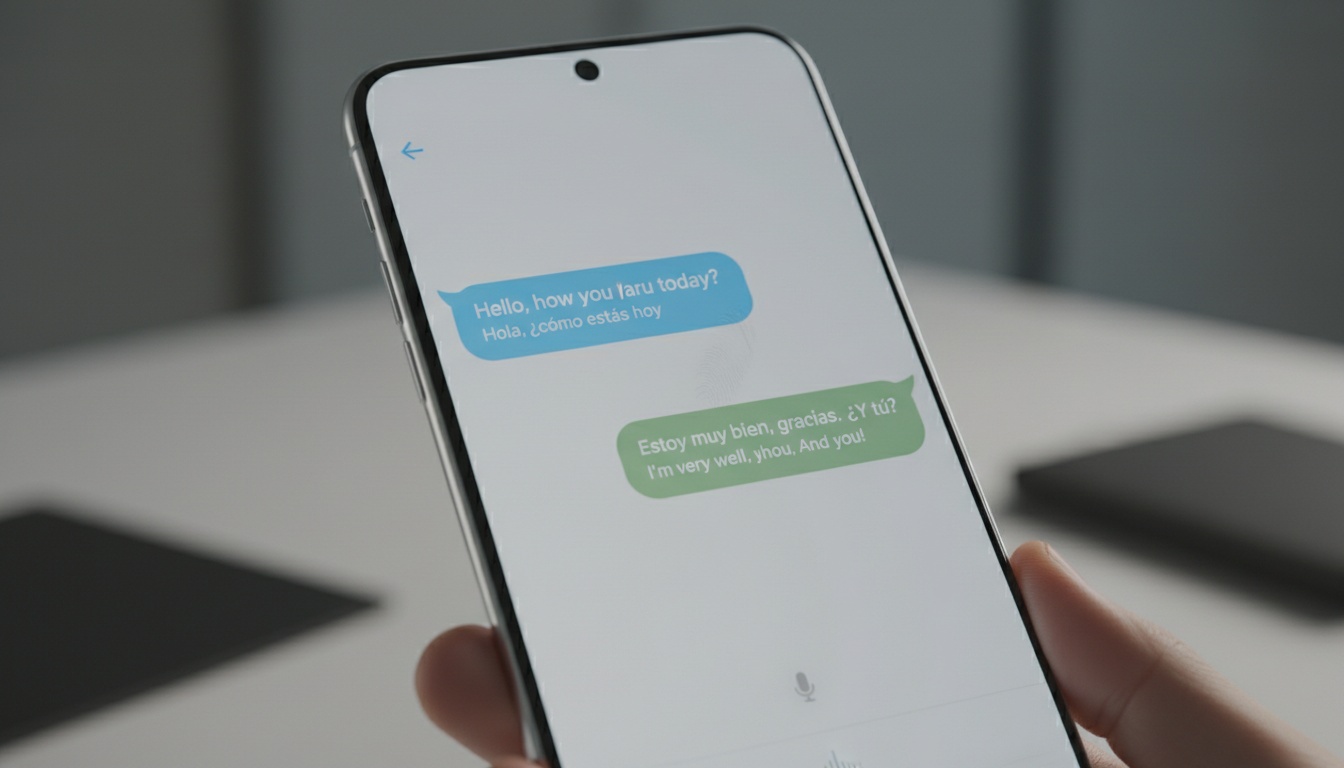
Disclosure: LiveLingo is our product. We built it because earbuds deliver audio only to the wearer — leaving the other party unable to follow the translation. LiveLingo puts translated text on a shared phone screen so both parties can read and respond in real time.
The Show tab puts translated text on the phone screen so the other person can read it directly — no earbuds required on their end. LiveLingo also exports conversation transcripts and supports group screen-sharing, which no earbud system can replicate. Think of it this way: earbuds for what you hear, LiveLingo for what they need to see.
[See how screen-based translation handles two-way conversations]
---
5. The Latency Problem: Where Earbuds Break Down in Real Conversations
In practice, anything over about two seconds starts to feel like a dubbed film — conversation partners either talk over the translation or lose the thread entirely. That's a commonly reported threshold among users and aligns with general research on conversational latency tolerance.
Translation accuracy in controlled conditions can be reasonably high for standard language pairs and clean speech. But catching what was said reliably is itself a challenge. Lags and crashes are common; speech recognition failures are worse. Longer, more conversational statements cause accuracy drops across devices. Short, grammatically clean sentences perform best.
Active noise cancellation matters for translation in a way most buyers don't anticipate. ANC isn't just about blocking noise for your ears — it determines how cleanly the microphone captures the other person's voice before it enters the translation pipeline. Weak ANC in a noisy restaurant doesn't just make listening uncomfortable; it feeds degraded audio into the translation model and compounds the accuracy problem.
How Do Regional Accents and Dialects Affect Translation Quality?
Accuracy drops noticeably for non-standard dialects — often significantly compared to standard language pairs. Standard Spanish-English works well; Colombian coastal, Castilian, and Rioplatense variants perform significantly worse.
Standard Spanish to English? Fine. Colombian coastal, Castilian, Rioplatense? Different story entirely. Every device we tested dropped accuracy noticeably with non-standard dialects.
Mandarin tends to work better than Cantonese on most platforms, likely because training data skews toward standard Mandarin. Accent handling is improving faster than most other aspects of AI translation — but it's still the biggest gap between lab demos and real-world performance. If your primary language pair involves a non-standard dialect, test the specific device with that dialect before committing.
With those limitations in mind, here's how the major devices actually stack up.
---
6. Top Translation Headphones Compared: Features, Languages & Pricing
Prices and specs current as of time of writing. Verify before purchasing.
| Device | Price | Best For | ANC | Subscription? |
|---|---|---|---|---|
| Timekettle W4 Pro | Check current pricing | Daily business use | Yes | Yes |
| Timekettle M3 | Check current pricing | Travel, offline reliability | Basic | Yes |
| Apple AirPods Pro (current gen) | Check current pricing | iPhone users, accessibility | Excellent | No (uses iOS) |
| Google Pixel Buds Pro (current gen) | Check current pricing | Android users, broad language support | Yes | No (uses Google Translate) |
| Samsung Galaxy Buds Pro (current gen) | Check current pricing | Samsung device owners | Yes | No |
| EarFun Air Pro 4+ | Check current pricing | Casual/occasional use | Yes | Check app |
Full specs including battery life, platform compatibility, and simultaneous vs. turn-based modes are covered in the product breakdowns below.
Table scrolls horizontally on mobile.
Product-by-Product Breakdown
Timekettle W4 Pro: The most purpose-built wireless translation device we tested. The One-on-One Mode — where each conversation partner wears one earbud — is a clever solution to the audio-only problem (though it still leaves the translation audio-only for both parties). Real-time phone call translation and floating subtitles for video calls are features no other consumer device on this list currently matches. Battery life varies by usage and settings; check current specs on Timekettle's site. Best for business users who need this daily.
Timekettle M3 (Better Value): If the W4 Pro's price is prohibitive, the M3 hits a reasonable middle ground. It offers offline capability at a lower price point, which makes it the better travel companion. Translation accuracy is solid for standard language pairs. Best for frequent travelers who want reliability without the flagship price.
Apple AirPods Pro (current generation): For iPhone users who don't need daily professional translation, this is the path of least resistance. Translation runs through iOS Live Translation. Apple has expanded Live Translation language support through successive iOS updates — check Apple's current documentation for the latest supported language count. Apple processes Live Translation on-device for most languages, which means your voice data never leaves your phone — a real privacy advantage if you're discussing sensitive information. If translation is your primary need, it's not the right tool. But if you're already in the Apple ecosystem and need occasional translation, the ANC quality alone (excellent for audio capture) makes it worth considering.
Google Pixel Buds Pro (current generation): Android users have a cleaner native option here. Google Translate integration is deep and the language support breadth is hard to beat. The translation experience is turn-based rather than simultaneous, which works for casual conversation. Check current specs for battery life figures and supported features, as these update with firmware and software releases.
Samsung Galaxy Buds Pro (current generation): Samsung device owners have a brand-native alternative here. Samsung's option leverages Google Translate for language coverage, which means language support is solid — but the translation experience is broadly similar to Pixel Buds. If you're not on a Samsung device, there's no compelling reason to choose it over the Pixel Buds.
At the budget end of the market, the EarFun Air Pro 4+ supports both Face-to-Face translation mode and Real-Time translation mode at a budget price point (verify current pricing before purchasing), which is notable for the category. What you sacrifice: accuracy consistency, latency performance, and build quality. For occasional use, acceptable. For daily professional use, the limitations compound quickly.
Timekettle W4 Pro vs. M3: Which Timekettle Is Right for You?
The W4 Pro costs significantly more than the M3. That premium buys you simultaneous interpretation mode (vs. turn-based), real-time phone call translation, and floating video subtitles. If you're using this in business meetings multiple times a week, the W4 Pro pays for itself in professional credibility alone. The M3 is the smarter buy for travelers who prioritize offline reliability.
Apple AirPods Pro vs. Google Pixel Buds for Translation
Apple's translation is more polished within its ecosystem. Google's translation covers more languages and works better across platforms. If you own an iPhone and only need translation occasionally, AirPods Pro wins on convenience. If you own an Android device or need broad language support, Pixel Buds Pro (current generation) is the cleaner choice.
---
7. The Hidden Costs of Translation Headphones (And How to Avoid Them)
Voice data in cloud translation mode travels to servers outside your device. Timekettle's privacy policy covers how voice data is handled — check their current policy for specifics before use. Google's Translate data handling falls under its standard data policy. Apple processes Live Translation on-device for most languages — a real privacy advantage, not just a marketing claim. For legal, medical, or financial discussions, the only defensible position is offline mode or a human interpreter.
Data Privacy and Cloud vs. Offline Processing
Setup difficulty varies more than buyers expect. Apple AirPods Pro translation requires a few settings toggles — easy. Timekettle requires downloading the app, creating an account, selecting your language pairs, and downloading any offline packs you need. Call it medium difficulty, and genuinely confusing for non-tech users who don't realize offline packs must be downloaded before travel. Budget devices with generic apps can be worse.
The device price is rarely the full cost. Timekettle operates on a subscription model for full feature access — check current pricing on their site before purchasing, as tiers change. Budget devices often tie premium features to app subscriptions. Google and Apple translation features are free if you already own the hardware, which is a real advantage for casual users.
Should You Buy Translation Headphones?
Yes, for daily use in multilingual environments — an international sales role, a customer service team serving non-English speakers, a family with mixed language backgrounds. The reduction in wait times alone (compared to scheduling human interpreters) justifies the cost. For teams handling frequent multilingual conversations, translation earbuds can significantly cut response time compared to scheduling human interpreters in advance.
For occasional use, the free tier of a translation app on your phone covers most scenarios without any hardware investment. The earbuds add hands-free convenience and the immersive "both people wearing earbuds" experience — but that's a quality-of-life upgrade, not a functional necessity.
Final Buying Checklist
Before purchasing, answer these five questions:
- What language pairs do you actually need — and are they supported offline?
- How often will you use this — daily business use or occasional travel?
- Do you need offline capability, or is reliable internet available in your use case?
- What platform are you on — iPhone or Android?
- What's your total budget including potential subscription fees?
Not sure earbuds are the right fit? [Compare earbud vs. screen-based translation] to see which approach fits your use case.
---
What's the Difference Between a Translation Earbud and a Dedicated Translation Device?
Translation earbuds are wireless earphones designed for hands-free, in-ear use during live conversation. Dedicated translation devices are handheld gadgets with screens — you hold them up, speak into them, and pass them back and forth. Earbuds are more discreet and work better for extended conversations; dedicated devices are easier to share with another person since both parties can see the screen.
---
8. Key Takeaways
- Translation earbuds work best with short, clear speech — accuracy drops sharply with regional accents, background noise, and complex sentences
- Online mode wins for accuracy; offline mode wins for privacy and no-signal environments — download packs before you travel, not at the airport
- The Timekettle W4 Pro is the best option for daily business use with simultaneous interpretation — verify current pricing before purchasing
- The Timekettle M3 is the better value for travelers who need offline reliability
- Apple AirPods Pro (current generation): on-device processing, iOS only — best for existing Apple users; check Apple's current documentation for the latest supported language count
- Google Pixel Buds Pro (current generation): broader language support, Android-preferred, turn-based translation
- Budget options (such as EarFun Air Pro 4+) work for casual use — expect accuracy and latency trade-offs; verify current pricing and features
- Earbuds deliver audio to the wearer only; for two-way conversations where the other party needs to follow along, a phone screen is the practical complement
- Human interpreters remain the right choice for legal, medical, and high-stakes financial conversations — no consumer device closes that accuracy gap yet