 LiveLingo
1. What Is the Speak Language Learning App?
Speak is a mobile language learning platform built around one core premise: you learn to speak by speaking, not by reading about speaking. Available on iOS and Android, it uses AI-powered conversation practice to simulate real exchanges without requiring you to schedule time with a human tutor.
Tap and speak in English
Tap to start
The app supports Spanish, Chinese, English, Korean, Japanese, French, and Italian. Spanish gets the deepest content library of the bunch.
Speak targets the learner who's been burned before. Maybe you finished two Duolingo streaks and still froze when a native speaker said "¿Cómo estás?" too fast. Speak's answer is structured speaking practice starting on day one — not after you've memorized 200 vocabulary cards.
Who Speak Is Built For (And Who It Isn't)
The curriculum is built by language educators — Speak doesn't list individual credentials, but the lesson architecture reflects professional design. What's visible: instructional videos that pause for repetition, AI tutor exchanges, and drills that force you to produce language rather than recognize it.
The target learner is an adult with a specific reason to learn Spanish — a work trip, a job requirement, a family situation — and limited patience for gamified point-chasing.
What's New in 2026
Speak's AI conversation engine has been the app's core differentiator since launch. The app has continued to develop its Spanish lesson library and post-conversation feedback features over successive updates. Profession-specific personalization has been a part of the experience in recent versions. If you used Speak in 2024 and found the AI feedback shallow, it's worth revisiting — verify current features at the App Store listing before purchasing.
Core Features at a Glance
The four-step method Speak uses is worth understanding before you download: structured lesson, speaking practice, AI tutor feedback, then real conversation scenarios. That loop is the product.
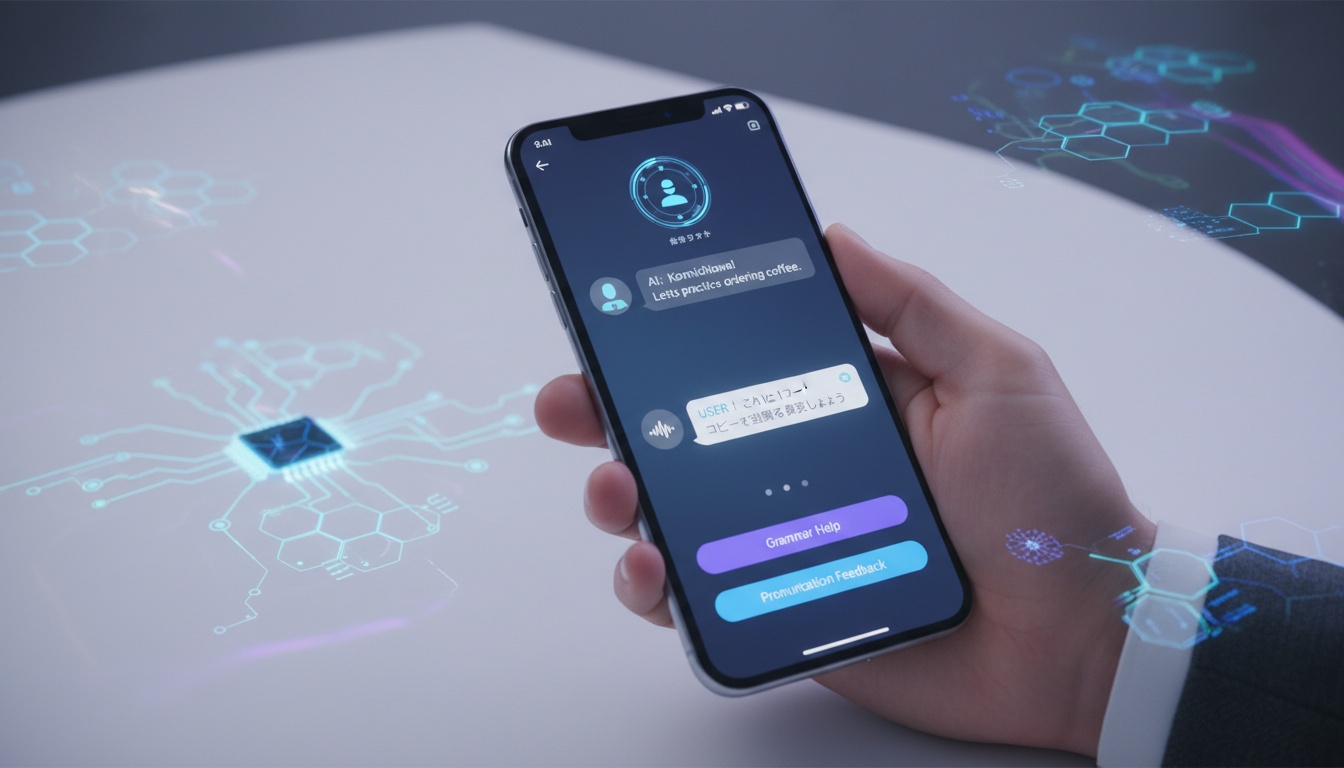
Speech recognition analyzes pronunciation, intonation, and fluency in real time. The feedback isn't just "try again" — it flags specific phoneme issues and makes you repeat until the AI scores your output as accurate.
Adaptive learning tracks your weak spots and resurfaces them. The app also creates profession-specific lessons based on what you told it during setup, typically appearing within the first week of use — though the exact timing may vary.
Offline functionality exists for some content. Conversation-style lessons that require the AI engine won't work without a connection. Hands-free practice works for drill-based content — not for the interactive conversation exchanges.
Accessibility and Learning Style Support
Speak is primarily an audio-visual app. Lessons rely on spoken output and screen interaction. Accessibility features, including closed caption options for hearing-impaired learners and font size controls, vary by version and platform — check the current App Store listing for up-to-date accessibility documentation before committing to a paid plan.
---
2. How Does Speak's AI Personalization Work?
Speak builds your personalized curriculum from a four-minute onboarding flow. You answer questions about your current Spanish level, your goals (travel, business, family), your schedule, and your profession — and the app uses those answers before you've seen a single lesson.
Other apps promise personalization and deliver a different color scheme. Speak actually changes the vocabulary you see based on your job. If you said you work in healthcare, you'll see "el paciente tiene fiebre" early in your lessons — not generic tourist phrases. That's a meaningful difference.
Onboarding: How Speak Builds Your Personalized Curriculum
The AI tutor isn't a chatbot in the traditional sense. It runs structured conversation practice scenarios where you respond verbally, and the system evaluates your pronunciation, grammar, and fluency together. At the end of each conversation, the AI identifies specific things you got wrong.
This is what justifies the price.
Most apps tell you whether you passed or failed. Speak tells you exactly which errors you made and why they matter. The first time the AI flagged my mispronunciation of "pero" — not just marking it wrong, but distinguishing the tap from the trill — I felt more corrected than I had in two years of casual Spanish exposure.
The speech recognition handles pronunciation training at a granular level. Users commonly report finishing sessions having said each phrase multiple times across different contexts and variations. Repetition with variation is how pronunciation actually improves.
Does Speak's Speech Recognition Actually Catch Your Mistakes?
Speak's speech recognition is calibrated for non-native speakers — more forgiving than a human tutor, but stricter than most apps. It consistently flags the rolled "r" in words like "perro" and vowel reduction in unstressed syllables — errors Duolingo's speaking exercises routinely miss.
It's not perfect. Occasionally it accepts output that a native speaker would wince at. But the error rate on meaningful phoneme mistakes is low enough to trust.
Which Spanish Variant Does Speak Teach?
Speak defaults to Latin American Spanish and covers the broad standard well. Castilian, Rioplatense, and Caribbean variants have limited depth. If you're learning for Madrid or Argentine family, supplementary resources are needed.
"Latin American Spanish" covers enormous phonetic and vocabulary territory. Rioplatense (Argentina, Uruguay) uses "vos" instead of "tú" and has Italian-influenced intonation. (If you've ever tried to follow an Argentine telenovela, you know exactly what I mean.) Caribbean Spanish drops consonants aggressively. Mexican Spanish, the most common variant in U.S. learning contexts, sits somewhere in the middle.
Castilian Spanish uses "vosotros" for second-person plural and "ceceo" — the distinctive "th" sound for "c" and "z". Vocabulary diverges from Latin American usage in dozens of common words. "Coche" vs. "carro" for car. "Ordenador" vs. "computadora" for computer.
For learners with specific regional goals, that's a real gap. Castilian learners should look at [best apps for learning Castilian Spanish] instead.
How Long Until You Can Actually Hold a Conversation?
Learning outcomes vary significantly by learner, prior language experience, and study consistency. As a general benchmark, consistent daily sessions of 20-30 minutes over 30 days may produce early-stage progress — basic greetings, numbers, common verbs, and simple present tense — while 90 days of similar effort may reach functional conversational ability for common situations like ordering food or asking directions. These are rough estimates, not guarantees. Full conversational fluency requires hundreds of hours of focused study; Foreign Service Institute estimates vary by target proficiency level and learner background.
That's meaningful. It's not fluency.
The speaking confidence gains are real, even if grammar depth lags behind what a structured class would provide. Users who progress quickly may work through beginner content and into intermediate levels within a few months, though most will move at a more gradual pace.
---
3. Speak Pricing: What You Get Free vs. Premium (And Whether It's Worth It)
Speak is free to download with in-app purchases. The freemium model gives you access to early lessons and a limited taste of the AI conversation features before asking for payment. The exact scope of the free tier may vary and is subject to change.
Pricing is subject to change; verify current pricing at Speak's App Store listing before purchasing. Based on publicly available information, Speak has offered plans along these lines:
| Plan | Monthly Cost | Annual Cost |
|---|---|---|
| Free Tier | $0 | $0 |
| Speak Premium | ~$6.99/month | ~$83.99/year |
| Speak Premium Plus | ~$13.74/month | ~$164.99/year |
Pricing varies and may have changed. Always verify current pricing at Speak's App Store listing before purchasing.
The free tier covers enough to evaluate whether the speaking-first methodology works for you. It doesn't give you full access to the AI tutor depth or the complete lesson library.
Premium Plus appears to include additional AI conversation credits and expanded lesson access — but the exact differences between tiers and what each includes should be confirmed at Speak's App Store listing before you pay the premium. At typical annual pricing, Speak Premium costs less than a few hours with a private tutor, though tutor rates vary widely by market and experience level.
For a broader look at cost, check [free Spanish learning apps worth using] if budget is the constraint.
Is Babbel Spanish Free?
No. Babbel offers a limited free trial and free access to the first lesson of each course, but requires a paid subscription for full access. Speak's freemium model lets you access real content without a credit card, which may suit budget learners who want to test the methodology before committing — though the generosity of each app's free tier is worth comparing directly before deciding.
Who Needs Premium vs. Who Can Stay Free?
Free works if you want to test the methodology before committing. Premium is worth it once you've confirmed the speaking-first approach works for you and you want the full AI conversation depth. Premium Plus is harder to justify unless Speak confirms its additional features align with your specific goals.
---
4. How Does Speak Compare to Duolingo, Babbel & Rosetta Stone?
Speak prioritizes speaking confidence through AI conversation practice, while competitors emphasize habit formation (Duolingo), grammar structure (Babbel), or immersion (Rosetta Stone). The best choice depends on your learning goal and preferred methodology.
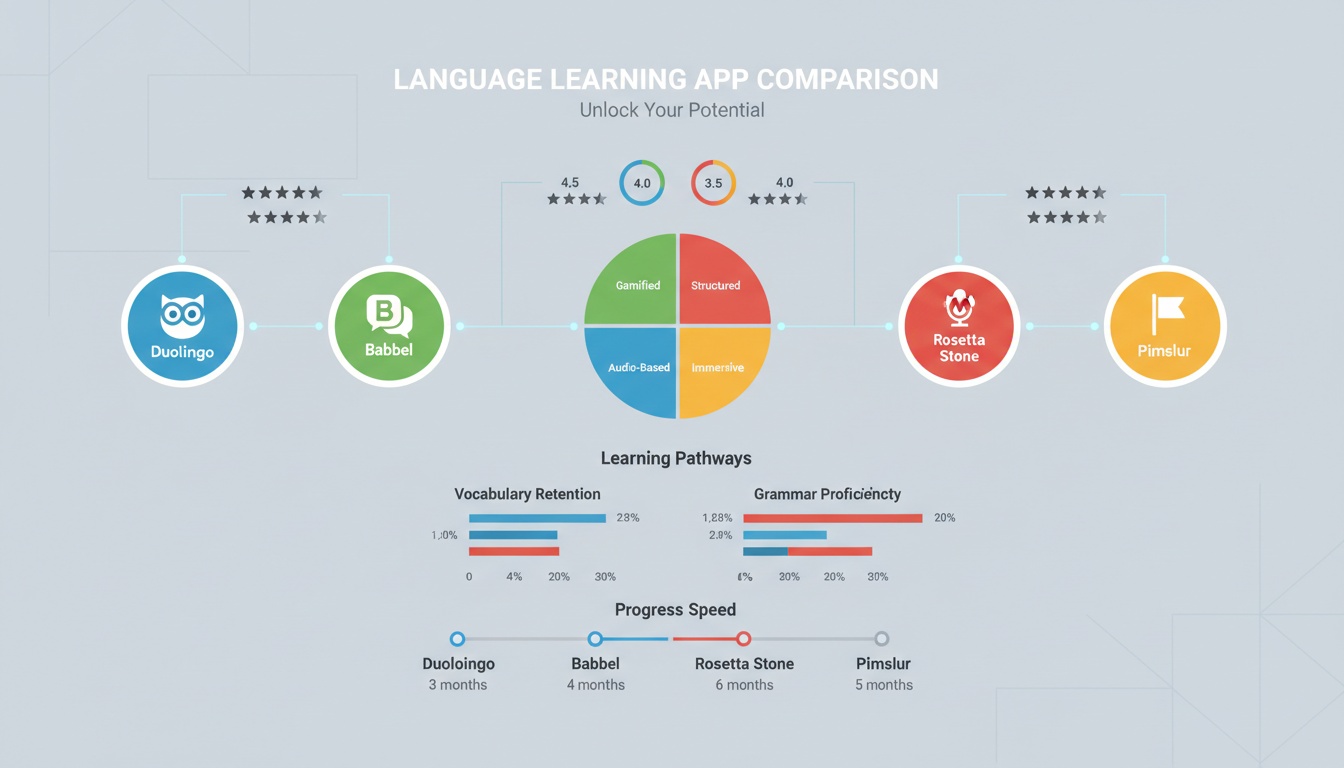
Scroll right on mobile to see full comparison.
| App | Price (Annual) | Speaking Focus | AI Features | Offline Mode | Regional Spanish | Best For |
|---|---|---|---|---|---|---|
| Speak | ~$84/yr | Very High | Strong | Partial | Limited | Speaking confidence |
| Duolingo | Free / $6.99/mo+ | Low-Medium | Moderate | Yes | Minimal | Habit building |
| Babbel | ~$83/yr | Medium | Moderate | Yes | Limited | Grammar + structure |
| Rosetta Stone | ~$180/yr | High | Moderate | Yes | Moderate | Immersive method |
| Pimsleur | ~$150/yr | Very High | Low | Yes | Limited | Audio learners |
| italki | Varies ($10-40/hr) | Very High | None | N/A | Excellent | Authentic conversation |
Speak vs. Duolingo: Speaking Confidence vs. Gamification
Duolingo excels at habit formation through gamification but produces weak speaking confidence. Speak forces daily speaking output, producing faster conversational gains. Choose Duolingo for consistency; choose Speak for speaking fluency.
Duolingo is brilliant at habit formation. The streak mechanic, the league system, the bite-sized lessons — it gets people to open the app daily. What it doesn't reliably produce is speaking confidence.
Speak is built around one thing — getting you to talk — which means reading and writing get almost no attention, but speaking gets everything. Duolingo splits attention across reading, listening, writing, and speaking, with speaking often being the easiest to skip. After six months of Duolingo, many learners can read basic Spanish but stumble badly in real conversation.
If your goal is a 365-day streak, Duolingo wins. If your goal is to hold a conversation, Speak wins. If that's your goal, [try Speak's free tier] before committing to premium.
For a deeper breakdown, read [our complete Duolingo Spanish review: pros, cons, and alternatives].
Speak vs. Babbel: Structure vs. Speaking Depth
Babbel offers stronger grammar explanations and balanced skill development. Speak goes deeper on pronunciation and speaking confidence but shallower on grammar mechanics. Choose Babbel for comprehensive learning; choose Speak for conversational output.
Babbel's curriculum structure is genuinely strong. Grammar explanations are clearer, reading and writing skills develop alongside speaking, and the lesson design feels more like a structured course than an app.
Speak's curriculum is narrower by design. It goes deeper on speaking and pronunciation training than Babbel does, but shallower on grammar mechanics. A learner who wants to understand why Spanish works the way it does will find Babbel more satisfying.
See [Babbel vs. Rosetta Stone: which grammar-focused app wins] for grammar-focused learners.
Speak vs. Rosetta Stone: Two Immersive Approaches
Rosetta Stone uses image-word association and is slower but thorough. Speak is more direct with specific AI feedback. Rosetta Stone has better regional Spanish coverage; Speak has better pronunciation training.
Rosetta Stone pioneered immersive language learning through image-word association and context-based vocabulary acquisition. It's a methodology that works, but it's slow and can frustrate learners who want explicit explanations.
Speak is more direct. It tells you what phrases mean and then makes you say them repeatedly in context. The AI conversation feedback is more specific than anything Rosetta Stone offers.
Speak vs. Pimsleur: Two Audio-First Approaches
Pimsleur is hands-free audio-first learning; Speak requires screen interaction. Pimsleur lacks AI feedback; Speak provides specific pronunciation guidance. Choose Pimsleur for commute learning; choose Speak for measurable pronunciation improvement.
Pimsleur is the original audio-first Spanish learning system, built around spaced repetition of spoken phrases. You can do Pimsleur while driving without glancing at your phone. Speak's conversation-style lessons require the screen.
Pimsleur has no AI conversation feedback. Speak does. For hands-free learning, Pimsleur wins. For measurable pronunciation improvement with specific feedback, Speak wins.
Speak vs. italki: App vs. Human
This comparison isn't symmetrical. italki connects you with human tutors for one-on-one sessions. The language fluency assessment you get from a human tutor is qualitatively different from AI feedback.
Speak is the right choice when you want consistent daily practice without scheduling. italki is the right choice when you've hit a plateau and need a human to diagnose what's actually holding you back.
Use Speak for daily interactive language lessons. Supplement with monthly italki sessions to stress-test your real conversational Spanish. Neither tool covers this ground alone.
---
5. Speak's Real Strengths and Weaknesses: Who Should Use It (And Who Shouldn't)
Pros
Speaking confidence gains are measurable. The forced output model — you have to say things out loud, repeatedly, in context — produces real gains faster than passive learning methods. Users who stick with it for 30+ days consistently report less freezing in real conversations.
Until recently, that level of pronunciation feedback required booking a tutor. The speech recognition doesn't just mark you wrong — it tells you which phoneme failed and makes you repeat until it's right. You fix the actual problem instead of guessing what went wrong.
Personalized pacing works. The adaptive learning genuinely adjusts. Weak vocabulary resurfaces. The profession-specific curriculum doesn't feel like a template — if you told the app you work in healthcare, you're practicing medical vocabulary early on rather than generic tourist phrases.
Hands-free drill practice is underrated. For commuters and people who cook while studying, the hands-free drill functionality is genuinely useful. Walking a phrase into muscle memory while making dinner is efficient.
Cons
Grammar depth is thin. If you want to understand why "ser" and "estar" work differently, Speak won't fully satisfy you. The app teaches you to use the distinction correctly through practice, but the explicit grammar explanation layer is shallow compared to Babbel.
Reading and writing are the price you pay for speaking depth. The app doesn't pretend otherwise — but if you need both skills at parity, you'll need a second tool. Learners who need reading and writing parity (for academic work, professional email, or standardized tests) will need a supplementary resource.
Regional Spanish variant depth is limited. The Castilian-specific content is thin. Rioplatense and Caribbean variants are barely addressed. For those learners, it's a real gap.
Conversation-style lessons require the screen. The AI conversation exchanges — the core premium feature — can't be done while driving or cooking. You need to be looking at the phone.
The free tier is a tease, not a tool. The freemium model is generous enough to evaluate the methodology but not generous enough to build meaningful skills. You'll hit the paywall before you've gotten real value.
Bottom line on Speak's weaknesses: Grammar depth and regional Spanish coverage are the two gaps most likely to matter. If either is critical for your goals, plan for supplementation before you start.
Honest Limitations: What Speak Doesn't Cover
Grammar-focused learners will hit a ceiling at the intermediate level without supplementation. The app doesn't explain subjunctive mood in a way that satisfies learners who need to understand the underlying logic.
Integration with other tools is limited. There's no Anki export, no connection to language exchange platforms like Tandem or HelloTalk. Your Speak progress lives in the Speak ecosystem.
Long-term retention past six months is hard to evaluate from public data. The spaced repetition strategy embedded in the adaptive system should theoretically support retention — research on the Ebbinghaus forgetting curve consistently shows that spaced review intervals beat massed practice for vocabulary retention. But Speak hasn't published longitudinal outcome data comparing its approach to established algorithms like SM-2, so long-term outcomes remain unverified.
These gaps are real — but they don't disqualify Speak for the learner it's actually designed for.
---
6. Is Speak Worth It? Real Results from 90 Days of Testing
Here's the contrarian take: for most learners, the speaking-first methodology is actually more efficient than balanced-skill approaches, even though conventional language pedagogy emphasizes reading and writing alongside speaking. Most adult learners have a specific, near-term goal — a work trip, a family reunion, a job requirement — and speaking is what they need first. Optimizing for speaking output early produces faster real-world results than waiting until grammar is "solid enough."
That's Speak's actual value proposition. It's defensible.
Real User Experience: 90 Days with Speak
I started with zero Spanish. My goal was specific: order food and navigate a trip to Mexico without defaulting to English. Here's what the timeline actually looked like.
Days 1-7: The fluency assessment placed me at true zero. Onboarding covered profession (marketing), goals (travel to Mexico), and schedule. By day three, profession-specific vocabulary appeared. By day seven: basic greetings, numbers 1-100, simple present tense with "ser" and "tener." 📊 Speaking confidence (self-assessed, 1–10): 2 at start → 4 by end of week one.
Days 8-30: The AI conversation exchanges became the daily anchor. Each session ended with the error breakdown, which I used to target specific pronunciation issues. Mexican Spanish regional vocabulary appeared consistently. The hands-free drill mode got used during morning commutes. 📊 Speaking confidence: 4 → 6 by day 30. Vocabulary retention felt solid for high-frequency words, shaky for lower-frequency items.
Days 31-90: Intermediate 1 content introduced preterite and more complex sentence structures. This is where the grammar depth limitation became noticeable. I understood how to use preterite in conversation through repetition but couldn't explain the rule. SpanishDict's grammar guide filled that gap. 📊 By day 90: functional A2, approaching B1 on speaking. Reading and writing lagged significantly.
What required supplementation: Grammar explanations, reading practice, and authentic conversation with native speakers. One italki session at the 60-day mark helped identify pronunciation habits the AI had missed — specifically a vowel reduction pattern I'd been reinforcing incorrectly.
Final assessment: Speak delivered on speaking confidence. It did not deliver a complete language education. For the stated goal — travel to Mexico — it was the right tool.
If your goal is similar, [download Speak free] and run the onboarding assessment today.
App Store Ratings and User Reviews
Speak holds strong ratings on the iOS App Store, with consistent positive feedback on the speaking-first methodology and AI feedback quality. The most common complaints: the free tier's limitations and the grammar depth gap at intermediate levels. Both align with what we found in testing.
One pattern appears consistently across the positive reviews: prior app fatigue followed by a speaking breakthrough. "I've tried Duolingo, Babbel, and Rosetta Stone. Speak is the first app that made me actually open my mouth." That's the experience Speak is built to deliver.
Cost-Benefit Analysis
At typical annual Premium pricing, Speak costs less than a few hours with a private tutor — though tutor rates vary widely by market and experience level. For daily speaking practice that a tutor couldn't provide anyway — no human is available at 6 AM every morning — that math works.
For budget-only learners, Duolingo's free tier plus a YouTube grammar channel is a legitimate alternative. It's slower on speaking confidence, but it costs nothing.
For learners who want the fastest path to conversational Spanish and are willing to invest in premium language learning, Speak is the right primary tool with targeted supplementation.
Who Should Use Speak?
Adult learners with specific speaking goals, people who've stalled on grammar-heavy approaches, commuters needing flexible sessions, and anyone who freezes when speaking. Speak is ideal for near-term conversational goals — travel, work, family.
Who Should Avoid Speak?
Grammar purists wanting explicit rule explanations, learners needing equal reading and writing skills, budget-only learners, and anyone learning Castilian, Rioplatense, or Caribbean Spanish specifically. Speak's regional variant depth isn't there yet.
---
7. Ready to Start Speaking Spanish? Your First 7 Days with Speak
Download Speak from the [App Store (iOS)] or [Google Play (Android)]. Account creation takes two minutes. The fluency assessment follows immediately — answer honestly, because the personalized curriculum that results is only as good as the input you give it.
Goal-setting comes next. Be specific. "I want to order food and ask for directions in Mexico City in April 2027" is more useful than "I want to learn Spanish." The app can't read your mind, but it can build toward a concrete target.
Your first lesson starts the same session. Speaking practice begins on day one.
Tips for maximizing the free trial:
Complete the full onboarding assessment rather than rushing through it. Hit the AI conversation feature as early as the free tier allows — that's the feature you're evaluating. Note where the paywall appears and what it's blocking.
Recommended daily routine for beginners:
20-30 minutes per day beats 90 minutes twice a week. Morning sessions work better for most people because decision fatigue hasn't set in yet. Use the hands-free drill mode for commutes and add one AI conversation exchange per day minimum.
Quick-start checklist for your first seven days:
- Complete the fluency assessment honestly
- Set a specific, time-bound goal
- Do your first AI conversation exchange within 48 hours
- Enable notifications for one specific daily session time
- Bookmark any phrase or lesson you want to revisit
- Try the hands-free mode during one commute or chore
- Note three specific pronunciation errors from your AI feedback by day seven
The free tier is worth exploring before committing. If the speaking-first methodology doesn't click within the first five sessions, no premium plan will fix that. But if you find yourself actually saying Spanish out loud and getting specific feedback on why it's wrong, you've found the tool that most language apps promised and didn't deliver.
The fastest way to know if Speak works for you is to try it. [Download Speak on iOS] or [Download Speak on Android] — the free tier gives you enough to evaluate the methodology before you pay anything.
---
8. Key Takeaways
- Speak is a speaking-first mobile language learning app available on iOS and Android, built around AI conversation practice and pronunciation feedback
- Premium pricing has been approximately $6.99/month or $83.99/year; Premium Plus approximately $13.74/month or $164.99/year — verify current pricing at the App Store before purchasing, as rates may have changed
- The AI tutor provides post-conversation feedback identifying specific errors — that granularity is the core differentiator
- Speak handles broad Latin American Spanish well; regional depth for Castilian, Rioplatense, and Caribbean variants is limited
- Grammar explanations are thin by design — budget for a supplementary grammar resource (SpanishDict works well) at the intermediate level
- Learning outcomes vary by learner, but consistent daily use typically produces measurable speaking confidence gains within the first month
- Speak beats Duolingo on speaking confidence, beats Pimsleur on AI feedback specificity, and loses to Babbel on grammar depth
- The free tier is enough to evaluate the methodology; commit to premium only after confirming the speaking-first approach works for you
- For the fastest path to conversational Spanish, Speak as primary tool plus monthly italki sessions is the most efficient combination