 LiveLingo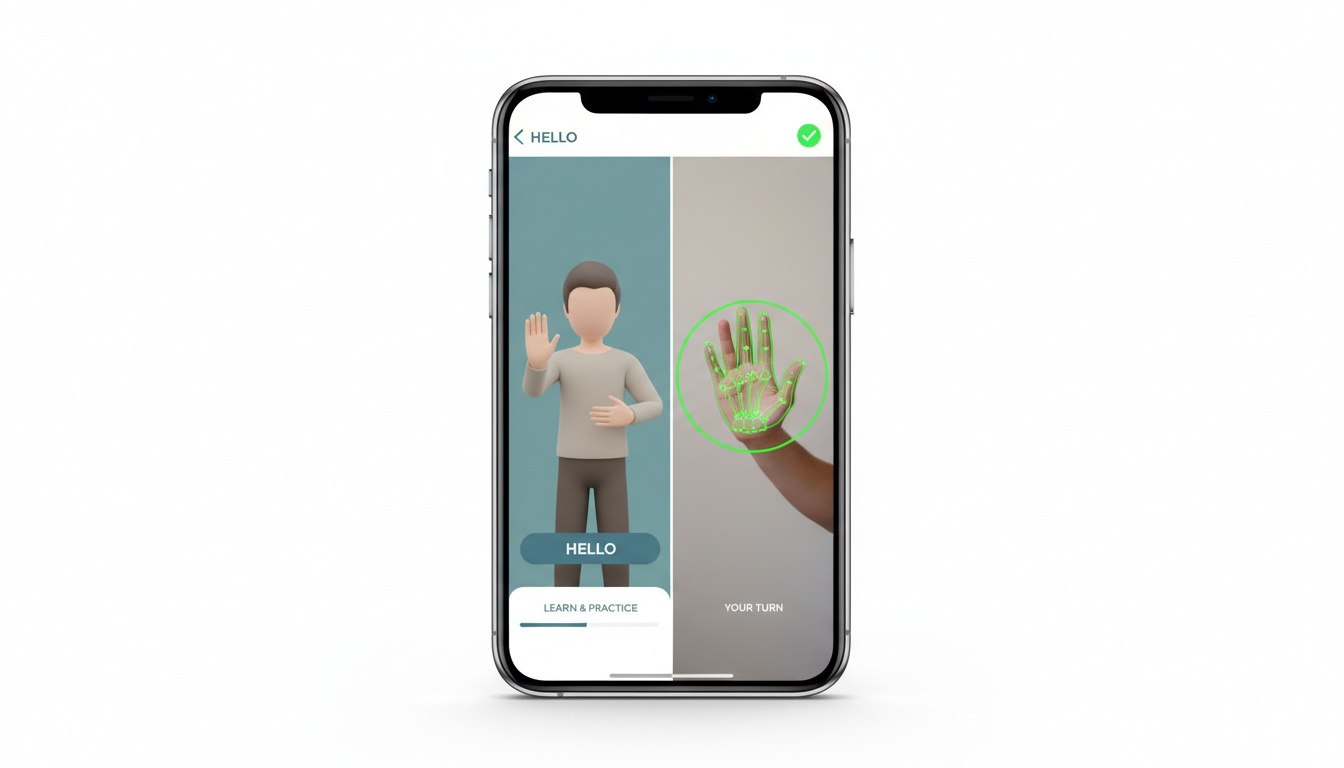
1. How Sign Language Interpreter Apps Work (And Why Direction Matters More Than You Think)
A sign language interpreter app bridges deaf and hearing communities by automating some or all of the interpretation process. The technology works in two directions, and understanding which direction an app supports is the single most important thing to check before downloading.
Tap and speak in English
Tap to start
Direction 1 — Output (text-to-sign / speech-to-sign): The app takes typed text or spoken audio and renders it as a 3D animated avatar performing signs. This is what Hand Talk's animated avatar characters do. The underlying engine converts language into a sequence of signed gestures, rendered in real time through avatar animation — useful for learning how to sign a phrase or communicating with a Deaf colleague when you don't know the sign yourself.
Direction 2 — Input (sign-to-text): The app uses your phone's camera and computer vision to detect hand shapes, movement paths, and orientation, then classifies those gestures against a trained model and outputs text or speech — the direction that matters most for real-time conversation, and the one where accuracy claims deserve the most scrutiny. Sign-Speak operates in this space, focused on sign language to text translation for video content, though specific features, supported sign languages, and current capabilities should be verified directly with the vendor.
In our review of the major app stores, the large majority of free sign language apps only support Direction 1 — avatar output. Direction 2 is technically harder and commercially earlier-stage.
Which Sign Languages Have the Most App Coverage?
The three sign languages with the most app coverage right now are ASL (American Sign Language), BSL (British Sign Language), and Libras (Brazilian Sign Language). BSL options are generally thinner than ASL and Libras, so check before committing. No app today reliably handles the full range of regional dialects, fingerspelling variations, or non-manual markers (facial expressions, mouth movements) that a human interpreter processes automatically — a limitation consistent with published research on sign language recognition systems.
2. The Best Sign Language Interpreter Apps Compared
Identification and platform:
| App | Sign Languages | Direction | Platform | Rating |
|---|---|---|---|---|
| Hand Talk | ASL, Libras | Text/Speech → Sign (avatar) | iOS, Android | Verify current rating on app store listing |
| Sign-Speak | Verify with vendor | Sign → Text (camera); additional features vary by program | Verify with vendor | Web-based |
| Ava | — (captions speech) | Speech → Text | iOS, Android | Verify current rating on app store listing |
| SignAll | Verify with vendor | Sign → Text (verify with vendor) | Kiosk/Enterprise (verify with vendor) | — |
| Lingvano | Verify with vendor | Learning-focused (video lessons) | iOS, Android | Verify current rating on app store listing |
| ASL Coach | Verify with vendor | Learning-focused | Verify with vendor | — |
| Google Live Transcribe | — (speech only) | Speech → Text | Android | — |
Pricing and access:
| App | Free Tier | Paid Plan (Starting) | Offline Mode | Best For |
|---|---|---|---|---|
| Hand Talk | Yes (limited) | Varies; check current pricing | Verify with vendor | Education, personal use |
| Sign-Speak | Limited trial (verify with vendor) | Enterprise pricing (verify with vendor) | No | Enterprise, content captioning |
| Ava | Yes | Varies; check current pricing | No | Deaf communication in groups |
| SignAll | No | Enterprise only | No | Corporate, ADA compliance |
| Lingvano | Yes (limited) | Varies; check current pricing | No | Sign language learning |
| ASL Coach | Yes | Freemium | Partial | Beginners learning ASL |
| Google Live Transcribe | Free | Free | No | Deaf communication, adjacent tool |
App Store ratings and pricing change frequently; verify current figures directly with each vendor or app store listing.
A Note on Accuracy Claims
The competition breaks into two camps. Consumer-facing apps (Hand Talk, Lingvano, ASL Coach) prioritize accessibility and learning, often with free tiers and polished avatar output. Enterprise tools (Sign-Speak, SignAll) target organizations with compliance requirements and are priced accordingly.
Hand Talk is a widely downloaded app and a common recommendation in accessibility circles — verify current download figures and app store ratings directly with the listing. Sign-Speak sits at the opposite end: positioned (per their own materials) as a tool built for Deaf users and focused on sign language video translation for content creators and enterprise teams rather than casual conversation — though specific user counts, program details, and current features should be verified directly with the company.
One thing worth flagging: most accuracy benchmarks you'll find online are self-reported. Independent, peer-reviewed testing of real-time sign language translation accuracy in noisy, real-world conditions is still sparse. Treat vendor accuracy claims with appropriate skepticism.
Is There a Free ASL Translator?
Hand Talk offers a free tier, according to the company's product page — verify current features including offline access directly with the vendor. Google's Live Transcribe is free but only converts speech to text — it doesn't produce or recognize sign language. Sign-Speak offers a limited free trial (verify current availability with the vendor). Genuinely free, full-featured ASL translation doesn't exist yet; free tiers are loss leaders designed to convert you to a paid plan.
What Is the Free App That Translates Signs?
Hand Talk is among the more widely downloaded free sign language apps, using animated avatars for ASL and Libras output — verify current download figures on the app store listing. Sign-Speak offers a limited free trial for sign-to-text translation (verify current availability with the vendor). Most free apps produce signs (avatar output) rather than read them from camera input. If you need camera-input translation for free, options are thin.
3. How to Get Started with a Sign Language Interpreter App
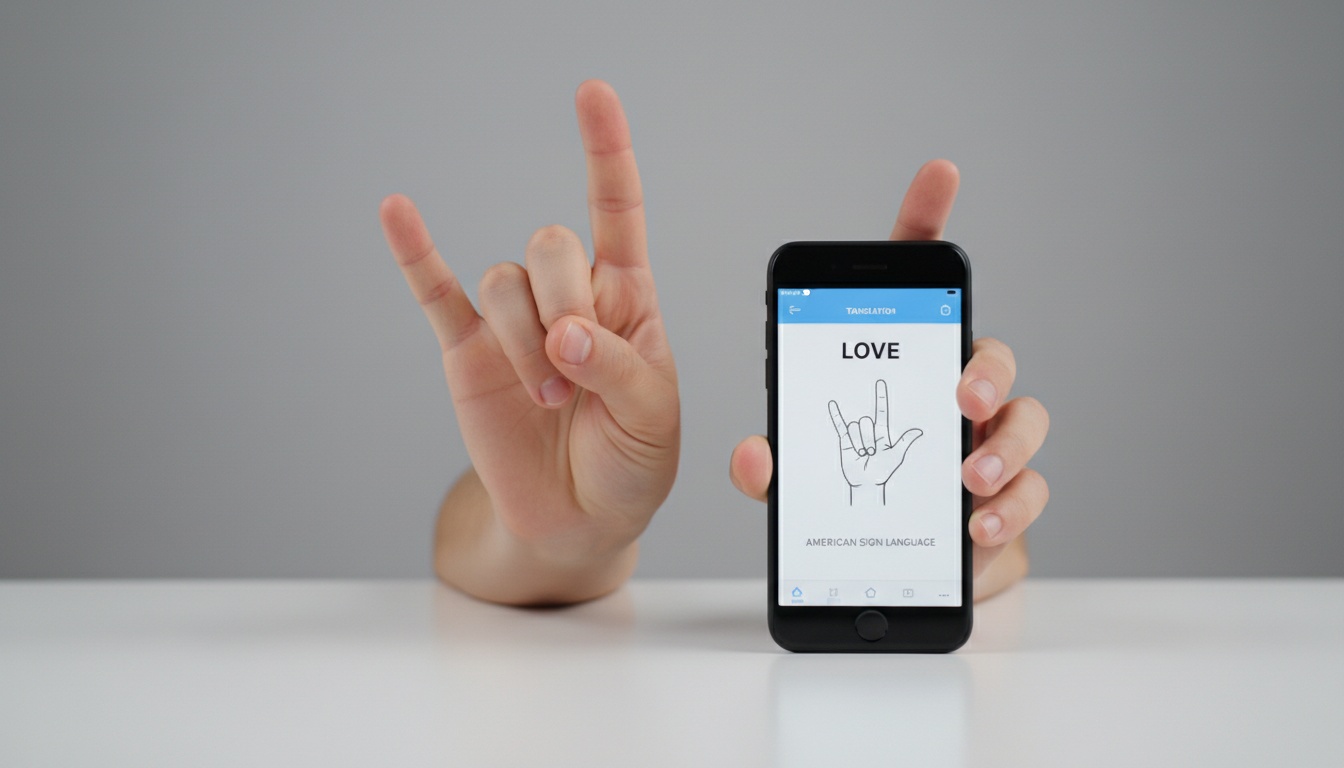
Download from the App Store or Google Play, then grant camera permissions when prompted — camera-input apps won't function without this, and some users miss the permission dialog on first launch. Select your target sign language before testing anything; Hand Talk handles ASL and Libras separately. Adjust signing speed if the app offers it — Hand Talk lets you toggle between slow, normal, and fast, which matters when you're learning rather than just translating.
Here's the step most reviews skip entirely: test in your actual environment — not your bright home office. The waiting room, the dim conference room, the backlit window seat. Five minutes of real-world testing beats any spec sheet.
4. 5 Features That Separate Apps That Work From Ones That Fail in Real Conditions
Real-time speed and latency. "Real-time" means different things across apps. Avatar-output apps like Hand Talk render signs with minimal perceptible delay.
Camera-input apps that analyze signed video are slower. Sign-Speak claims to finish video captioning in seconds compared to hours with manual methods — impressive for batch processing, but different from live conversation latency.
Accuracy under real conditions. I tested three camera-input apps in a dim conference room — the fluorescent overhead lighting wrecked recognition on two of them within 30 seconds compared to a well-lit desk setup. A model that performs well in a bright demo environment often degrades in a hospital waiting room or a backlit video call.
Test in your actual environment before committing to anything.
Offline translation. Hand Talk has offered offline access according to the company's product page — verify current availability directly with the vendor, as features can change. Offline capability matters enormously in healthcare settings, rural areas, or international travel, and most competitors require a live connection.
Platform consistency. Hand Talk runs on iOS and Android. Sign-Speak is primarily web-based (verify current platform availability with the vendor). If your use case is mobile-first, verify the mobile experience specifically — web apps running in a mobile browser often behave differently than native apps.
Integration with video conferencing. Sign-Speak has described real-time captioning capabilities and integration with video conferencing tools as part of its product direction — verify current status and program availability directly with the vendor, as features and pilot programs change. SignAll targets enterprise kiosk deployments.
Privacy and data security. Camera-based apps capture video of users' hands and faces. Before deploying any sign language video translation tool in a healthcare or legal context, verify whether video is stored and how long it's retained. Also confirm whether the vendor has HIPAA or GDPR compliance documentation — several apps in this category have not published clear data retention policies.
Learning features. Hand Talk includes a dictionary with signs grouped by topic, plus practice modules — verify current content volume and update frequency on the company's product page. The topic grouping matters: you can learn all the signs for "healthcare" together rather than drilling random vocabulary. Lingvano takes a structured course approach. If the goal is building signing skills rather than just getting translations, both tools have real educational value beyond the translation function itself.
Want to test these features yourself? Hand Talk's free tier is available on the App Store or Google Play — check the current plan details before downloading.
5. Best Sign Language Apps by Use Case
Features and pricing only matter if the app fits your actual situation. The right tool depends entirely on context.
Business and Corporate Communication
Sign-Speak and SignAll are the names that come up in enterprise conversations. ADA compliance in the US creates real legal exposure for organizations that can't provide effective communication access for Deaf employees or customers. AI sign language translator tools have been appearing in ADA compliance discussions alongside (not instead of) human interpreters. [INTERNAL_LINK: "ADA communication access requirements"]
(I've spoken with two HR managers who didn't realize their video conferencing setup had zero ASL accommodation — both assumed the auto-captions covered it. They don't.)
Sign-Speak has described ASL-to-voice and voice-to-ASL capabilities alongside real-time captioning as part of its product direction — solving the biggest pain point for Deaf employees in video calls. Verify current program availability and features directly with the vendor. Integration with video conferencing tools is the feature that will determine which business sign language solution wins this market over the next two years.
Healthcare Settings
This is where the limitations section below becomes most relevant. Apps can help with basic intake questions or simple exchanges. They should not be the primary communication tool for informed consent conversations, diagnosis discussions, or mental health consultations.
HIPAA compliance for camera-based apps is an open question for most vendors. [INTERNAL_LINK: "HIPAA compliance for healthcare apps"] If you're in a healthcare organization evaluating these tools, get data processing agreements in writing before deployment. Healthcare organizations have faced regulatory complaints and legal exposure over inadequate deaf communication access — a risk that grows when organizations rely on consumer apps instead of qualified interpreters.
Education and Classrooms
Hand Talk has built educational partnerships and its app structure — dictionary by topic, adjustable signing speed (slow, normal, fast), and content updates — fits classroom use well, according to the company's product page (verify current features directly with the vendor). Lingvano takes a more structured approach to sign language learning, with video lessons covering ASL and BSL progressively. [INTERNAL_LINK: "how to learn ASL online"]
Both tools serve different classroom populations. For Deaf students needing accessible content, Hand Talk's topic-grouped dictionary and adjustable speed are the more practical tool. For hearing students building signing skills, Lingvano's structured course progression is better suited.
Personal and Everyday Communication
For casual, low-volume personal use, Hand Talk's free tier is sufficient for most people. Offline mode, if available on the current version, means it works when you'd otherwise be stuck: a conversation with a Deaf neighbor, a quick exchange at a store. Verify current offline availability directly with the vendor.
Ava handles the reverse scenario (hearing people speaking to a Deaf person who reads captions) with a group conversation interface and a free tier. [INTERNAL_LINK: "Ava app review"] Heavy users should check current plan limits directly with the company.
6. Free vs. Paid Sign Language Apps: What's the Difference?
Free tiers typically cap daily translations, remove offline access, limit the sign language dictionary, or watermark output. Hand Talk's free tier has historically offered more than most competitors at no cost — verify current free-tier features directly with the vendor, as these can change.
Paid plans across the major apps vary by vendor and change frequently — check current pricing directly with each company. Sign-Speak's enterprise programs and pricing should be verified directly with the vendor, as terms and availability are subject to change.
Who actually needs a paid plan? Businesses with regular deaf communication needs and educators using apps daily. Content creators captioning ASL video fall into this category too. Casual personal users — a few exchanges per week — can almost always stay on free tiers without meaningful friction.
But pricing only matters if the app is appropriate for your situation — and for some situations, no app is.
7. When Apps Aren't Enough: Limitations and When to Hire a Human Interpreter
Here's the contrarian take that most app marketing won't say directly: for complex, high-stakes communication, current AI sign language translation is not close to human interpreter accuracy. The gap isn't small. Not even close.
Legal proceedings, medical consultations, mental health appointments, job interviews, and any conversation involving complex emotional content all require human interpreters. Regional sign language dialects, fingerspelling-heavy content, and non-manual markers (the facial expressions and mouth movements that carry grammatical meaning in ASL) are areas where camera-based AI still falls short.
The accuracy ceiling for automated interpretation in real-world conditions — variable lighting, different signing styles, and speeds that outpace the model — remains well below what a certified interpreter delivers. Apps are useful for simple, structured exchanges. For anything where a mistranslation has real consequences, no app substitutes for a certified human interpreter. None.
In the US, certified interpreters are credentialed through the Registry of Interpreters for the Deaf (RID) certification standards. In the UK, the NRCPD certified interpreter search tool maintains a similar registry. Both organizations have search tools to find qualified interpreters by location and specialty. For urgent needs, most RID-affiliated agencies offer same-day or next-day booking for video remote interpreting (VRI), which is faster to arrange than an in-person interpreter.
To find a certified interpreter near you, use the RID interpreter search tool (US) or the NRCPD registry (UK).
The honest answer to "what's the best app for sign language?" is: it depends on what you're doing. For learning, Hand Talk. For enterprise captioning, Sign-Speak. For group deaf communication via captions, Ava. And for anything where a mistranslation has real consequences, a human interpreter.
8. 5 Questions to Answer Before Downloading (So You Don't Waste Time on the Wrong App)
- Which sign language do I need? ASL, BSL, and Libras have different app coverage. BSL options are generally thinner.
- Which direction? Text/speech to sign (avatar output) or sign to text (camera input)? Most free apps only do the former.
- Do I need offline access? If yes, Hand Talk has historically offered this — verify current availability directly with the vendor.
- Personal or business use? Business use triggers compliance, privacy, and integration questions that personal use doesn't.
- What's my budget? Start free, test in your actual environment (lighting matters more than any spec sheet), and upgrade only when you hit a real limit.
Quick picks by category:
- Best overall for consumers — Hand Talk (consistently well-regarded; verify current app store rating for latest figures)
- Best free mobile sign language app — Hand Talk (with caveats on free-tier limits; verify current features with the vendor)
- Best for business/enterprise — Sign-Speak or SignAll depending on use case
- Best for learning — Lingvano for structured courses, Hand Talk for dictionary-based practice
For enterprise teams evaluating sign language solutions, explore Sign-Speak's enterprise options or contact a certified interpreter agency for high-stakes communication needs — both are better than relying on consumer apps when the stakes are real.
9. Key Takeaways
How the apps work:
- Sign language apps work in two directions — avatar output (text/speech to sign) and camera input (sign to text) — and most free apps only do the first
- Camera-based sign recognition degrades in poor lighting; always test in your actual environment before relying on any app
- BSL coverage across apps is generally thinner than ASL and Libras — check before committing
Best apps by use case:
- Hand Talk supports ASL and Libras with a topic-grouped dictionary and adjustable signing speed; it is among the more widely regarded consumer options — verify current features and offline availability directly with the vendor
- Sign-Speak focuses on sign language video translation for content creators and enterprise teams — verify current features, real-time capabilities, and program availability directly with the vendor
- Free tiers are viable for casual personal use; businesses and frequent users will need paid plans — check current pricing directly with each vendor
When to use human interpreters:
- For legal, medical, or emotionally complex conversations, certified human interpreters (RID in the US, NRCPD in the UK) are still the right answer
- Inclusive communication technology supplements human interpreters — it doesn't replace them
- For urgent needs, most RID-affiliated agencies offer same-day or next-day video remote interpreting bookings