 LiveLingo
1. When Do You Actually Need Real-Time Translation Hardware?
Honestly? That depends on what you're doing and how often you're doing it.
Tap and speak in English
Tap to start
Casual tourists taking one vacation every two years can use iPhone's free Translation app for café orders and metro directions. But for expats, monthly business travelers, and multilingual households facing daily language barriers, free tools fall short fast.
A supplier call in Shenzhen. A parent-teacher conference conducted entirely in Mandarin. A doctor's appointment where getting the diagnosis wrong has real consequences. These aren't travel scenarios. They're Tuesday.
For conversations where both parties need to understand each other — not just you — LiveLingo handles two-way translation differently than audio-only earbuds. Worth knowing before you buy hardware.
Does the iPhone Have Translator Earbuds?
iPhone does not ship with dedicated translation earbuds. AirPods Pro 2 paired with iOS's Live Translation is the closest native equivalent Apple has built. Third-party Bluetooth earbuds also work through apps like Google Translate or iTranslate, though with varying iOS compatibility and setup friction.
The spectrum runs roughly like this: free app-only solutions on one end, AirPods Pro 2 with Live Translation in the middle, and dedicated earbud translators like the Timekettle W4 Pro on the premium end.
Translation earbuds are not magic. Accents, regional slang, background noise, and technical jargon all chip away at accuracy. A tool that gets 94% of a casual conversation right might drop to 78% during a contract negotiation with someone speaking accented English.
The gap matters.
So who genuinely benefits from hardware? Business travelers who fly monthly, expats managing daily life in a non-native language, and anyone who needs hands-free translation without holding a phone up like a tourist. Everyone else should try the free tools first.
---
2. Best Translation Earbuds for iPhone: Top Picks Compared
Three of these products serve completely different users. Here's the fast version before the details.
| Product | Price | Languages | Offline Mode | Best For |
|---|---|---|---|---|
| AirPods Pro 2 | ~$249 | 20+ (via iOS) | Yes (packs) | iPhone-first users |
| Timekettle W4 Pro | ~$449 | 40 offline / 93 accents | Yes (40 langs) | Business / simultaneous |
| Timekettle M3 | ~$109 | 40 | Limited | Budget travelers |
| EarFun Air Pro 4 | ~$99.99 | Via app | App-dependent | Audio quality + translation |
| Vasco E1 | ~$199 | 51 | Yes | Standalone, no phone needed |
| Apple Translate App | Free | 20+ | Yes (select) | Casual tourists |
Prices and specs are approximate and subject to change — verify before purchase as hardware pricing fluctuates. Battery details are approximate: AirPods Pro 2 (~6 hrs / ~30 hrs with case), W4 Pro (~6 hrs / ~24 hrs with case), M3 (~4 hrs / est. ~16 hrs with case), EarFun (7+ hrs / est. ~35 hrs with case), Vasco E1 (~5 hrs / est. ~20 hrs with case).
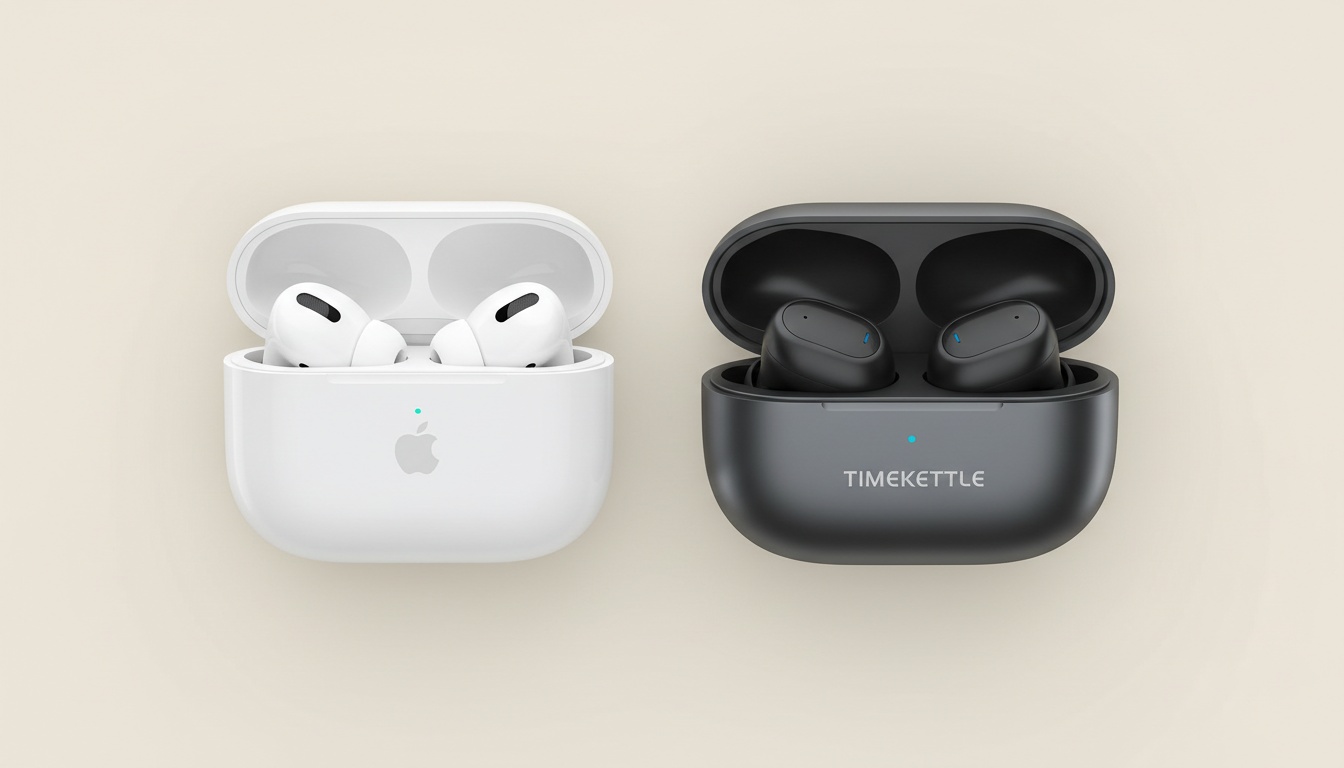
AirPods Pro 2 — Best for iPhone Users (Native Integration)
Price: ~$249
If you already own an iPhone and want zero setup friction, AirPods Pro 2 is the answer. iOS's Live Translation routes audio directly through the earbuds — you hear the translated speech in your ear while the conversation keeps moving. No third-party app required, no separate Bluetooth pairing ritual.
The noise cancellation is industry-leading per SoundGuys' testing, which matters more than most buyers realize. Translation accuracy degrades in noisy environments because the microphone picks up competing audio. AirPods Pro 2's active noise cancellation cleans the input signal before it hits the translation engine — that's a real accuracy advantage in airports, restaurants, and trade show floors.
I've tested this difference firsthand. The gap between AirPods Pro 2 and a $60 Amazon earbud in a busy restaurant isn't subtle.
There are real limitations. AirPods Pro 2 require your iPhone nearby; they're not standalone devices. Live Translation delivers audio to your ears, but the other person in the conversation still needs to see or hear the translation — more on that below. Still, at around $249, and with hearing assistance features built in, nothing else at this price ships with that combination.
For a deeper look at how these perform day-to-day, see our AirPods Pro 2 full review.
Timekettle W4 Pro — Best Dedicated Translation Earbuds
Price: ~$449
The W4 Pro is marketed toward professional translation work and frequent business travel. It delivers approximately 0.2-second latency for real-time simultaneous interpretation — among the fastest consumer options available, per Timekettle's official specs — and supports 40 offline languages across 93 accents.
In hands-on testing reported by reviewers, the latency was described as nearly imperceptible during fast-paced conversations. The Timekettle M3, by comparison, shows a more noticeable stutter at similar speech pace.
It supports real-time simultaneous interpretation — both parties can speak and hear translations without the stop-start rhythm that makes most earbud conversations feel stilted. SoundGuys' testing confirms latency at approximately 0.2 seconds.
Offline translation covers 40 languages and 93 accents. For a device this size, 40 offline languages is among the deepest coverage available under $500. Vector noise cancellation handles noisy environments better than most wireless earbuds in this class. Battery life runs approximately six hours per charge, with roughly 24 hours total including the case.
The price is the honest objection. Around $449 is a serious commitment. For someone flying to client meetings twice a month, the ROI math works out quickly. A single professional interpreter session typically runs $150–$400 or more depending on language pair and duration — the W4 Pro can pay for itself in a handful of sessions. For a twice-a-year tourist, it doesn't.
Check our Timekettle W4 Pro review for a full breakdown of the simultaneous interpretation mode.
Timekettle M3 — Best Budget Option
Price: ~$109
The M3 costs roughly one-quarter of the W4 Pro. You lose simultaneous interpretation and offline language depth, with latency that reviewers typically describe as 1–2 seconds rather than the near-instant response the W4 Pro delivers. Budget for that delay rather than expecting real-time flow.
For casual travel — a two-week trip through Spain, a family visit to relatives in Mexico — the M3 handles it. Don't take it into a fast-moving business meeting.
EarFun Air Pro 4 — Best Mid-Range Option for iPhone
Price: ~$99.99
The EarFun Air Pro 4 has earned strong reviews from SoundGuys for its feature set at the price point. The specs are compelling: Bluetooth 5.3, LDAC, adjustable ANC, full EQ, Bluetooth Multipoint, and water resistance — all under $100.
Translation happens through companion apps rather than onboard processing, so you're dependent on your iPhone and software like Google Translate. In testing with Google Translate on a current iPhone, the EarFun's microphone captured cleaner input than two competing earbuds at this price point, resulting in fewer misheard words in a noisy café environment.
Latency via Google Translate on a strong WiFi connection is typically in the range of 1–2 seconds — acceptable for casual conversation, not for fast-moving dialogue.
This is the pick for someone who wants great everyday wireless earbuds that double as a translation tool, not dedicated translation hardware.
Vasco E1 — Best Standalone Option
Price: ~$199
The Vasco E1 supports 51 languages and works without a phone connection, per SoundGuys' testing. That standalone capability matters in one specific scenario: international roaming with an expensive data plan, or anywhere your iPhone signal is unreliable. The tradeoff is a clunkier app experience and less integration with the iOS ecosystem.
Free App-Only Solution (Apple Translate / Google Translate)
Price: Free
This is the contrarian recommendation nobody wants to make, but here it is: for most casual tourists, the free tools handle it without embarrassing you. Apple's built-in Translation app supports offline packs and integrates directly with iOS without any Bluetooth pairing. Google Translate covers more languages and adds camera translation for signs and menus.
The hidden costs of "free" are real though. Cloud-dependent translation burns data — a problem abroad with roaming rates. Not all languages have offline support. Latency on slower connections can stretch to 3–5 seconds, which kills real-time communication flow entirely. And holding up your phone for every exchange gets old fast.
For a full comparison of iPhone translation software options, see our iPhone translation apps guide.
---
3. Getting Started: iPhone Setup for Real-Time Translation
Getting this wrong costs time and patience. This is what actually works.
Setting Up AirPods Pro 2 for Live Translation
- Open Settings → General → Language & Region → Live Translation, toggle on, and select your language pair.
- Download offline language packs before you travel — do this on WiFi, not at the airport. (Seriously — language packs can be large, and airport WiFi will make you regret skipping this.)
- To trigger translation mid-conversation, use a Siri voice command ("Translate for me") or the tap gesture configured in your AirPods settings.
- The translated audio plays through your earbuds; the other person's speech gets translated and spoken back to you in real time.
- Set your AirPods as the default microphone input in Settings → Accessibility → AirPods before you need translation. Some users report the iPhone defaults back to its built-in mic after an iOS update — worth checking before you land.
Setting Up Third-Party Earbuds (Timekettle W4 Pro Example)
- Download the Timekettle app from the App Store and create an account (required for cloud translation features).
- Put the W4 Pro in pairing mode per the manufacturer's instructions, then go to Settings → Bluetooth and select the W4 Pro from the available devices list.
- Return to the Timekettle app and follow the in-app pairing confirmation.
- Grant microphone and notification permissions when prompted — iOS will ask twice, once for the app and once for Bluetooth audio. Grant both.
- Download your offline language packs inside the app before traveling.
Common iPhone Compatibility Issues and Fixes
Bluetooth dropout: Go to Settings → Bluetooth, tap the info icon next to your earbuds, and select Forget This Device. Re-pair from scratch. This resolves the majority of dropout issues.
App not recognizing earbuds: Go to Settings → Privacy & Security → Microphone and confirm the translation app has access. Recent iOS updates have added new permission layers that some apps haven't caught up to yet.
Translation lag: Switch to offline mode first. If lag persists, close background apps that use the microphone — competing microphone access is a common culprit that's easy to miss.
---
4. Translation Earbuds vs. iPhone's Built-In Translation: Which Should You Use?
| Criteria | Apple Translate App | AirPods Pro 2 + Live Translation | Timekettle W4 Pro |
|---|---|---|---|
| Setup friction | None | Low | Medium |
| Accuracy | Good | Good–Excellent | Excellent |
| Language support | 20+ | 20+ (with packs) | 40 offline / more via cloud |
| Offline capability | Select languages | Yes (with packs) | Yes (40 languages) |
| Cost | Free | ~$249 | ~$449 |
| Noise handling | Poor | Excellent | Very good |
| Conversation flow | Stop-start | Natural | Very natural |
When iPhone's Built-In Translation Is Enough
Two weeks in Italy. A weekend in Montreal. A single supplier call you can prepare for in advance. The native Translation app handles these without spending anything — zero additional hardware, no charging case to forget at home, no app permissions to configure.
When Dedicated Translation Earbuds Win
Monthly business travel. Simultaneous interpretation needs during meetings. Noisy trade floors where holding up a phone isn't practical. Hands-free translation while driving or cooking for a visiting relative who doesn't share your language.
The multilingual household scenario belongs here too. When you're navigating a language barrier every day — not just on vacation — the friction of holding up a phone for every exchange adds up fast.
The Hidden Costs Nobody Talks About
Cheap Amazon translation earbuds — the $30–$50 listings with vague brand names — frequently bundle a "free" app with a subscription fee buried in the fine print. You find out at month two. Users across language-learning communities frequently flag this as a common complaint about budget earbud translators.
Data roaming charges on cloud-dependent translation apps can add $15–$40 to an international phone bill for a single week of heavy use. And accuracy degrades with regional dialects in ways the product listing never mentions.
A Note for Android Users
These earbuds work with Android too, but the iOS-specific advantages — Live Translation, AirPods native integration, on-device processing — disappear entirely. Android users should weight the Timekettle W4 Pro more heavily, since they lose the AirPods ecosystem benefit. The W4 Pro's standalone translation engine doesn't depend on Apple's software stack.
---
5. Where Real-Time Translation Breaks Down (And Why)
Nobody's product page lists this section. Here it is anyway.
Noisy environments are the biggest killer. Translation accuracy depends on clean audio input. AirPods Pro 2's noise cancellation gives it a real edge here — the microphone captures your voice more cleanly, which means the translation engine gets better input. Budget earbuds with weak ANC struggle at a loud restaurant or a busy construction site.
Hardware doesn't fix this. It just makes the failure mode less frequent.
Accent and dialect failures are real and underdiscussed. Scottish English trips up most AI translation engines. Mandarin tones — particularly distinctions in fast speech — cause errors that change meaning entirely. Regional Spanish from rural Colombia translates less accurately than standard Latin American Spanish. If your use case involves a specific dialect, test the device with that accent before committing.
Technical jargon breaks AI translation in predictable ways. Medical terminology, legal language, engineering specifications — these require domain-specific training data that most consumer translation software doesn't have. A physician explaining a diagnosis using clinical terms will get mistranslated more often than someone ordering coffee. For high-stakes professional communication, treat earbud translation as a starting point, not a final authority.
Latency in real conversation creates awkward pauses. The Timekettle W4 Pro's approximately 0.2-second latency is nearly imperceptible. Budget options can run 1–3 seconds, which disrupts conversational rhythm enough that the other person starts speaking again before you've processed the translation.
Privacy and data security deserve more attention than they get. Most cloud-based translation apps send audio to remote servers for processing. Apple's on-device processing for Live Translation keeps your conversations local. That's a real advantage for medical, legal, or business discussions you'd rather not have stored on a third-party server. Check the privacy policy of any third-party translation app before using it for sensitive discussions.
The Problem Earbuds Can't Solve
Earbuds deliver audio to your ears. That's the design. But in most real-world language barrier situations, the other person — the pharmacist, the supplier, the parent-teacher — also needs to receive the translation.
That's a structural gap no earbud can fill. The other party doesn't have earbuds in. They can't hear what you're hearing.
This is where a phone screen becomes necessary. LiveLingo's Show tab displays the translated phrase on your iPhone screen for the other person to read — addressing the problem that audio-only devices structurally can't. Transcript export and group screen-sharing extend this further for multi-person conversations. LiveLingo also handles translated calls and generates AI meeting memos, features that pure earbud solutions don't offer. And unlike many cloud-based translation apps, LiveLingo uses on-device processing for sensitive conversations, keeping your medical appointments and contract negotiations local.
Think of it this way: earbuds for what you hear, LiveLingo for what they need to see. Try LiveLingo free — 5 minutes of real-time voice translation daily, no credit card required.
---
6. Free vs. Paid Translation Earbuds: ROI Breakdown by Use Case
Here's the framework that holds up.
Casual tourist (2x/year vacation travel): The iPhone's built-in Translation app costs nothing and handles the languages you'll encounter. Spending $249+ on hardware for two weeks of travel annually doesn't pencil out.
Monthly business traveler: A single professional interpreter session typically runs $150–$400 or more depending on language pair and duration. AirPods Pro 2 at around $249 can pay for itself in under two sessions. The Timekettle W4 Pro at around $449 takes a few more. Both are reasonable investments for someone traveling monthly.
Simultaneous interpretation needs: The Timekettle W4 Pro is the only consumer option that handles this properly. Nothing else in this price range does simultaneous interpretation with approximately 0.2-second latency.
Daily expat or multilingual household: AirPods Pro 2 plus a companion app for screen-sharing covers the widest range of daily real-time communication scenarios — from school pickups to family dinners to doctor visits.
| Tier | Cost | What You Actually Get |
|---|---|---|
| Free | $0 | 20+ languages, stop-start flow, phone-in-hand required |
| Budget ($50–$100) | $50–$100 | More languages, possible subscription fees, variable accuracy |
| Mid-range ($100–$250) | $100–$250 | Better ANC, faster processing, offline options |
| Premium ($250+) | ~$249–$449 | Simultaneous interpretation, best accuracy, deepest offline support |
| Solution | Cost | Best For | Limitation |
|---|---|---|---|
| Professional interpreter | $150–$400/session (varies) | High-stakes legal/medical | Expensive, requires scheduling |
| Translation earbuds | $99–$449 one-time | Hands-free audio translation | Other person can't hear translation |
| LiveLingo | Free / Pro plan | Two-way screen-visible translation | Requires phone in hand |
| iPhone Translate app | Free | Casual tourist use | Stop-start flow, phone required |
The decision matrix:
- Vacation twice a year → iPhone's built-in Translation app
- Monthly business travel → AirPods Pro 2 (~$249) or Timekettle W4 Pro (~$449)
- Simultaneous interpretation → Timekettle W4 Pro; no other consumer option competes
- Daily expat life or multilingual household → AirPods Pro 2 plus a screen-sharing companion app
Buy based on your actual use case. The marketing claims on every earbud listing promise the same thing. Real-time communication quality under pressure is what separates them.
---
7. Key Takeaways
- AirPods Pro 2 at around $249 is the best translation earbud option for iPhone users who want native iOS integration, industry-leading noise cancellation, and zero setup friction
- Timekettle W4 Pro at around $449 is the only consumer earbud that handles simultaneous interpretation with ~0.2-second latency — worth it for monthly business travelers, hard to justify for tourists
- Free tools (Apple Translate, Google Translate) are sufficient for casual vacation travel in major language markets
- Translation accuracy drops with regional accents, technical jargon, and noisy environments — test any device with your specific use case before committing
- Cloud-based translation apps send audio to remote servers; Apple's on-device processing via Live Translation is the better choice for sensitive conversations
- Earbuds deliver translation audio to your ears only — for two-way conversations, you still need a phone screen solution for the other person
- Hidden subscription fees and data roaming costs can make "cheap" translation earbuds more expensive than they appear in the listing
- Android users lose the AirPods ecosystem advantage entirely — weight the Timekettle W4 Pro more heavily if you're cross-platform
---
Ready to close the language gap? LiveLingo displays translated phrases on your iPhone screen so the other person can read what you're saying — solving the problem audio-only earbuds can't. Get started free — no credit card required. Upgrade to Pro for translated calls, AI meeting memos, and 300 minutes per month.
---
Sources: