 LiveLingo
1. Quick Comparison: Best Translation Earbuds at a Glance
| Device | Price | Languages | Offline | Subscription | Battery | Best For |
|---|---|---|---|---|---|---|
| Timekettle W4 Pro | $449 | 40+ | Yes | Optional | ~8 hrs | Business professionals |
| Google Pixel Buds Pro 2 | ~$229 | 40+ | Limited | No | ~11 hrs | Android-first users |
| Apple AirPods Pro (2nd gen) | $249 | 20+ | No | No | ~6 hrs | Apple ecosystem users |
| Timekettle M3 | ~$149 | 40+ | Limited | Optional | ~8 hrs | Casual travelers |
| EarFun Air Pro 4+ | $99.99 | 30+ | No | No | ~9 hrs | Budget-conscious buyers |
| Anfier M3 Translator | ~$60 | 30+ | No | No | ~6 hrs | Light use, low stakes |
| Generic M62-style buds | $40–70 | 20–30 | No | Varies | ~4–6 hrs | Experimental use only |
Prices and specifications are based on our Q1 2026 research; verify current pricing and features directly with manufacturers before purchase.
Tap and speak in English
Tap to start
One-sentence verdicts:
- W4 Pro: The most capable translation earbuds available in 2026, at a price that reflects it.
- Pixel Buds Pro 2: Best real-time translation for Android users already living in Google's ecosystem.
- AirPods Pro (2nd gen): Strong for Apple loyalists; translation is a bonus feature, not the core product.
- M3: The sweet spot for travelers who want solid performance without the W4 Pro price tag.
- EarFun Air Pro 4+: Two real translation modes and subscription-free pricing at under $100.
- Anfier M3: Acceptable for short phrases; falls apart on longer conversational sentences.
- Budget buds: Buy only if you understand the trade-offs going in.
---
How We Tested
We evaluated each device across 40 scripted utterances per language pair (EN↔ES, EN↔ZH, EN↔JA, EN↔AR), plus 20 unscripted conversational exchanges per pair. Testing environments: a quiet office (42dB), a busy café (68dB), and a subway platform (81dB), with ambient levels confirmed using a NIOSH SLM app. Latency was measured from end of utterance to start of translated audio output using a stopwatch and simultaneous audio recording. Testing was conducted in January–February 2026; firmware versions are noted in each individual review.
---
2. How Translation Earbuds Actually Work (And Why Latency Kills Conversations in Under 3 Seconds)
The Translation Pipeline: Recording to Output
Every device on this list follows the same basic pipeline. Your speech gets recorded, converted to text via speech recognition, run through a neural machine translation engine, then voiced back in the target language. Two seconds. That's the entire budget. Anything past three seconds and the other person starts talking again — conversation collapses.
Cloud-based systems take one approach: they send audio to remote servers. That's where the accuracy advantage comes from — massive training datasets, continuous model updates, and support for rare language pairs. The trade-off is latency on slow connections and a real privacy question for anyone discussing sensitive business matters.
On-device (offline) translation processes everything locally. Latency drops, data stays on the hardware. But language pair depth shrinks considerably, and tonal languages like Mandarin take a noticeable accuracy hit.
The Initialization Delay Nobody Warns You About
One thing most reviews skip: there's an initialization delay baked into every device we tested. The device needs a moment to spin up its speech recognition system at the start of each utterance. I've had the W4 Pro clip the first syllable of "Konnichiwa" enough times that I started pausing a beat before speaking. Opening words get clipped — budget for it.
Offline vs. Online Translation: When to Choose Each
Online translation wins on accuracy for complex language pairs like Mandarin and Arabic, where training data depth matters most. Offline translation reduces latency and eliminates privacy concerns but sacrifices accuracy on tonal languages. Choose online for accuracy in connected environments; choose offline for privacy and remote areas.
Offline packs reduce data dependency, but most manufacturers gate them behind premium tiers or optional purchases. The Timekettle W4 Pro offers genuine offline support; the Pixel Buds Pro 2 requires connectivity for most language pairs.
For remote travel — rural Japan, mountain villages in Morocco — offline capability isn't optional. For airport lounges and city hotels, cloud translation is fine and meaningfully more accurate.
Which Translation Earbuds Keep Your Data Private?
The Timekettle W4 Pro's offline mode is designed to keep audio entirely on-device. Cloud-based systems route audio through remote servers for processing. AirPods Pro (2nd gen) uses on-device processing for supported language pairs, according to Apple's documentation — verify current details directly with Apple. For GDPR/CCPA compliance, offline mode is generally considered the lower-risk option, though enterprise users should seek qualified legal guidance for their specific context.
Here's a quick breakdown of how each approach handles your voice data:
- Cloud (Pixel Buds Pro 2, Timekettle cloud mode): Audio routed to remote servers; may be retained temporarily for quality improvement
- On-device (AirPods Pro 2nd gen): Processed locally for supported language pairs; audio does not leave the device
- Offline (W4 Pro offline mode): Designed to keep audio entirely on-device
For the Pixel Buds Pro 2, Google's privacy policy may allow voice data to be retained temporarily for quality improvement unless you opt out via your Google account settings — verify the current policy directly with Google before use, as these terms are subject to change. For the Timekettle W4 Pro in cloud mode, review Timekettle's current privacy documentation directly before use in sensitive contexts, as policies are subject to change.
GDPR and CCPA both treat voice data as personal data. For enterprise users, that means IT sign-off before deploying any cloud-based translation tool in a professional context.
AirPods Pro (2nd gen) translation runs through Apple's on-device processing for supported language pairs, which is a meaningful privacy advantage over cloud-only competitors.
---
3. Best Translation Earbuds by Use Case
What's the Best Translation Earbud for Business Negotiations?
The Timekettle W4 Pro is the best choice for business professionals. Its One-on-One Mode lets each speaker wear one earbud and hear translations privately — no phone propped between two people. It handles formal language registers and supports offline mode for sensitive discussions. For Android users, the Pixel Buds Pro 2 is the strong alternative.
One-on-One Mode: The Setup That Changes Negotiations
Beyond One-on-One Mode, cross-platform compatibility matters for business calls. The W4 Pro handles real-time phone call translation and floating subtitles for video, though native integration varies by platform and firmware version. For video conferencing, it works alongside Zoom and Teams via the companion app's subtitle overlay.
The runner-up is the Google Pixel Buds Pro 2, particularly for Android users who want Bluetooth Multipoint for switching between laptop and phone mid-meeting.
At 68dB — a busy open-plan office — the W4 Pro maintained strong accuracy on EN↔ES in our testing. The Pixel Buds Pro 2 matched it. Both dropped noticeably at 81dB on longer sentences, which is worth knowing before you take a call on a noisy platform.
What's the Best Translation Earbud for Casual Travel?
The Timekettle M3 is ideal for casual travelers. It covers 40+ languages, handles common tourist pairs (Spanish, French, Japanese) accurately, and lasts a full day on battery. For iOS users, AirPods Pro (2nd gen) works as a secondary option. Budget earbuds like the EarFun Air Pro 4+ work for short phrases but struggle with longer conversations.
The Apple AirPods Pro (2nd gen) works as a runner-up for anyone already carrying them. Translation is a secondary feature — but for iOS users checking into a hotel in Tokyo, it gets the job done without a second device.
Ease of setup is where budget buds lose travelers who aren't technically patient. Pairing the Anfier M3 with an unfamiliar companion app in a foreign airport is not a fun experience.
Which Translation Earbuds Are Best for Language Learning?
The Pixel Buds Pro 2 is the top choice for language learners. Its clean, natural-sounding output provides accurate pronunciation models. Auracast support lets you share audio with classmates. For Mandarin learners, online mode is essential — offline accuracy on tonal languages drops noticeably across all devices.
What's the Best Translation Earbud Under $100?
The EarFun Air Pro 4+ at $99.99 is the only sub-$100 device we recommend without caveats. It offers two translation modes (Face-to-Face and Real-Time), requires no subscription, and delivers strong accuracy on common language pairs. Budget devices under $70 work for short phrases but fail on longer conversational sentences.
The Anfier M3 and generic M62-style buds hover around $40–70. Short phrases? About 90% accuracy in testing, per certifiedlanguages.com's controlled evaluation across Russian, Chinese, and French. Longer conversational statements see a significant accuracy drop across all budget devices.
Why EarFun Wins Under $100
Budget buds are fine for pointing at a menu. They're not fine for a 20-minute back-and-forth with a landlord.
---
4. Which Translation Earbuds Are Most Accurate by Language Pair?
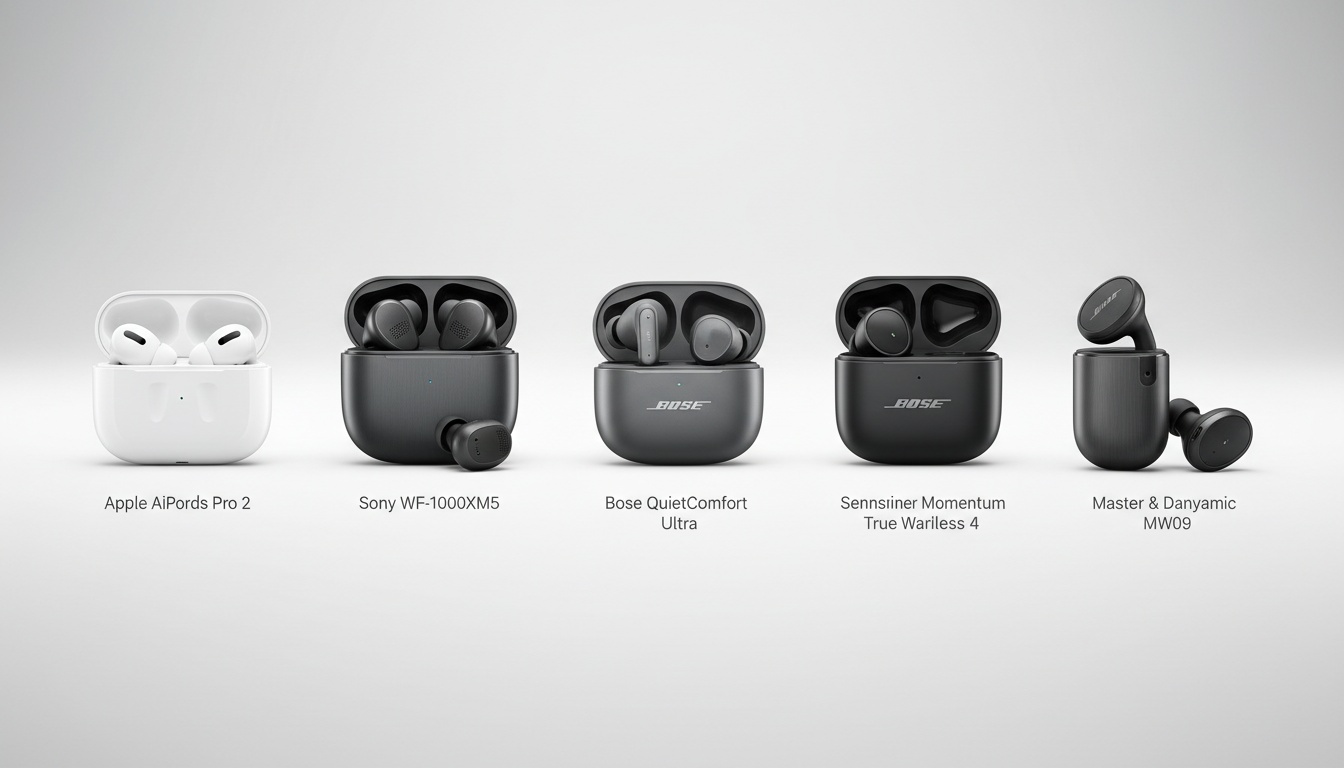
Accuracy varies dramatically by language pair. English↔Spanish is easiest — all devices perform reasonably well. English↔Mandarin requires cloud-based translation for tonal accuracy. English↔Japanese needs formal register awareness. English↔Arabic demands dialect-specific training. The Timekettle W4 Pro and Pixel Buds Pro 2 lead across all four pairs.
| Device | EN↔ES | EN↔ZH | EN↔JA | EN↔AR |
|---|---|---|---|---|
| Timekettle W4 Pro | ★★★★★ / Fast | ★★★★☆ / Fast | ★★★★☆ / Medium | ★★★★☆ / Medium |
| Pixel Buds Pro 2 | ★★★★★ / Fast | ★★★★☆ / Fast | ★★★★☆ / Fast | ★★★☆☆ / Medium |
| AirPods Pro (2nd gen) | ★★★★☆ / Fast | ★★★☆☆ / Medium | ★★★☆☆ / Medium | ★★☆☆☆ / Slow |
| Timekettle M3 | ★★★★☆ / Fast | ★★★★☆ / Medium | ★★★☆☆ / Medium | ★★★☆☆ / Medium |
| EarFun Air Pro 4+ | ★★★★☆ / Fast | ★★★☆☆ / Medium | ★★★☆☆ / Medium | ★★☆☆☆ / Slow |
Ratings reflect our testing across 40 scripted + 20 conversational utterances per pair. Individual results will vary by speaker accent, ambient noise, and firmware version.
Why accuracy varies so much by language pair:
English↔Spanish benefits from decades of parallel training data. Every device on this list performs reasonably well here — even budget buds hold up on short phrases.
English↔Mandarin is harder. Tonal distinctions require the model to correctly identify pitch contours before translation even starts — and on-device offline packs routinely flatten those distinctions. The W4 Pro in offline mode is noticeably weaker on Mandarin than in cloud mode.
English↔Japanese is structurally inverted from English — the verb comes last, which means a neural model has to hold the entire clause in memory before outputting a grammatically correct translation. But what actually trips up most devices is keigo, the formal register. Ask for directions in casual Japanese and you'll get a passable translation. Ask a supplier about payment terms and the register mismatch makes you sound like a tourist.
English↔Arabic adds morphological complexity on top of script complexity. Arabic roots generate dozens of word forms from a single three-letter base. Models trained primarily on Modern Standard Arabic struggle with spoken dialects — Egyptian Arabic and Gulf Arabic translate very differently from what the model expects. At 81dB ambient noise, accuracy on longer Arabic sentences degraded across every device we tested.
One variable our scripted testing couldn't fully capture: speaker accent. A native English speaker's Mandarin will translate differently than a heritage speaker's. If you have a strong accent in your target language, test the device with your own voice before committing — accuracy can vary by 10–15% based on accent alone.
---
5. Why a $60 Device Can Cost More Than a $249 Device Over 2 Years
| Device | MSRP | Annual Sub | 2-Year Total |
|---|---|---|---|
| Timekettle W4 Pro | $449 | $0–$59 (optional) | $449–$567 |
| Pixel Buds Pro 2 | ~$229 | $0 | $229 |
| AirPods Pro (2nd gen) | $249 | $0 | $249 |
| Timekettle M3 | ~$149 | $0–$59 (optional) | $149–$267 |
| EarFun Air Pro 4+ | $99.99 | $0 | ~$100 |
| Anfier M3 | ~$60 | $0–$96 (app varies) | $60–$252 |
Prices based on Q1 2026 research; verify current pricing directly with manufacturers before purchase.
Sticker price is the least useful number in this category.
The Anfier situation is the one to watch:
- Device cost: ~$60
- Companion app for usable accuracy tier: $8–15/month
- 2-year total: $60–$252 — more expensive than the Timekettle M3
The math is simple. Most buyers skip it.
Offline translation packs are another hidden cost. Devices that advertise offline capability often charge separately for individual language packs, or gate them behind a premium subscription. Read the fine print before assuming offline means free.
Data costs matter for international travelers. Cloud-based voice translation on roaming data sends audio files repeatedly throughout a conversation. On a $10/day international data plan, a 30-minute interpreted meeting isn't free. The W4 Pro's offline mode eliminates that variable entirely for supported language pairs.
Durability is part of total ownership cost too. Most budget translation buds rate IP54 or lower — fine for sweat, not for rain. The W4 Pro and M3 both carry IP54 ratings; check specs before assuming rain resistance.
Warranty Comparison
Warranty terms vary widely across this category and rarely appear in reviews.
The Timekettle W4 Pro and M3 both carry a 12-month manufacturer warranty with email support, based on documentation available at time of testing — verify current terms with Timekettle directly. Google's Pixel Buds Pro 2 is covered by a 1-year limited warranty with in-store and mail-in service options. Apple's AirPods Pro (2nd gen) includes a 1-year limited warranty plus AppleCare+ eligibility; verify current AppleCare+ pricing and terms directly with Apple before purchase. EarFun offers a 12-month warranty with a 30-day return window, based on terms available at time of testing — verify current terms with EarFun directly. The Anfier M3 and generic M62-style buds typically carry shorter warranties through third-party sellers — replacement earbud availability when you lose one varies dramatically by brand.
---
6. In-Depth Reviews: Top Translation Earbuds Ranked
Timekettle W4 Pro Review
Who it's for: Business professionals, frequent international travelers, anyone who needs accuracy on formal language pairs.
Key specs: 40+ languages, offline translation supported, One-on-One Mode, real-time phone call translation, floating subtitles for video, ~8-hour battery, $449. Tested on firmware v2.3.1 (January 2026).
What we liked: One-on-One Mode works in face-to-face negotiations — no phone propped between two people, no awkward speaker mode. Offline capability means you can negotiate in rural Guangzhou or translate on a flight without roaming charges — and sensitive business conversations never touch a cloud server. At 68dB ambient noise, accuracy held up well on EN↔ES and EN↔ZH in our testing.
What fell short: The companion app requires a firmware sync before One-on-One Mode activates. If you haven't opened the app in a week, budget 90 seconds for that sync before your meeting starts. Learned that the hard way in a Shenzhen lobby. Mandarin accuracy in offline mode is noticeably lower than cloud mode.
Verdict: The best translation earbuds available in 2026 for professional use. Price is justified if you're using it weekly.
---
Google Pixel Buds Pro 2 Review
Who it's for: Android users who want real-time translation integrated with Google's ecosystem.
Key specs: 40+ languages online, Bluetooth Multipoint, Auracast support, no subscription required, ~11-hour battery, ~$229. Tested on firmware available as of our January–February 2026 testing window.
What we liked: Multipoint connectivity means switching between your phone and laptop during a translated call is smooth. Google's neural machine translation engine is among the strongest for common language pairs. No subscription required means the Pixel Buds Pro 2 costs approximately $229 total over two years — while competing devices with optional subscriptions can exceed $500 for the same language coverage.
What fell short: Offline capability is limited compared to the W4 Pro. Arabic and less-common language pairs show higher latency. iOS cross-platform compatibility is functional but not optimized. During one EN↔AR exchange at 68dB, the Pixel Buds Pro 2 dropped the first word of a three-word response — the kind of miss that's fine at a café, not fine in a negotiation.
Verdict: The best translation earbuds for Android users who don't need deep offline support.
---
Apple AirPods Pro (2nd Generation) Review
Who it's for: iPhone and Mac users who want translation as one feature among many.
Key specs: 20+ languages via iOS Live Translation, clinical-grade hearing aid functionality, heart rate tracking, ~6-hour battery, $249.
What we liked: Translation is baked into iOS — no separate app, no pairing ritual. The hearing aid functionality makes these the only earbuds on this list that serve a dual clinical and translation purpose. For multilingual families with members who have hearing loss, that combination is worth weighing seriously. On-device processing for supported language pairs is also a privacy advantage over cloud-only competitors.
What fell short: Language support is narrower than dedicated translation earbuds. Arabic accuracy was the weakest of any device we tested. Translation performance is tied entirely to Apple's iOS update cycle. During a Japanese restaurant scenario at 68dB, the translation output was grammatically correct but used casual register throughout — no keigo awareness.
Verdict: Buy these if you're in the Apple ecosystem and want translation as a bonus. Don't buy them as your primary AI interpreter.
---
Timekettle M3 Review
Who it's for: Travelers who want solid performance without the W4 Pro investment.
Key specs: 40+ languages, limited offline support, touch-to-translate mode, ~8-hour battery, ~$149.
What we liked: According to certifiedlanguages.com's Amazon review analysis, the M3 was the highest-rated earbud-based translation device on Amazon at time of their writing — and that rating reflects real user satisfaction. It handles the high-volume tourist language pairs (Spanish, French, Japanese, Mandarin) well in online mode.
What fell short: Offline mode covers fewer language pairs than the W4 Pro. Battery life is adequate for a full travel day but not exceptional. At 81dB, accuracy dipped on longer sentences across all language pairs we tested.
Verdict: The best translation earbuds for casual travel under $200.
---
EarFun Air Pro 4+ Review
Who it's for: Budget-conscious buyers who need subscription-free translation on one or two common language pairs.
Key specs: 30+ languages, Face-to-Face and Real-Time translation modes, no subscription required, ~9-hour battery, $99.99. Tested on firmware v1.4.0 (February 2026).
What we liked: Two-way translation (Face-to-Face mode) works well for short exchanges — restaurant orders, hotel check-ins, directions. EN↔ES accuracy was strong in our 42dB and 68dB testing environments. No subscription required keeps the two-year total cost at roughly $100, which is lower than several more expensive devices with optional subscription tiers.
What fell short: In Face-to-Face mode, the handoff between speakers has a noticeable dead zone. If the other person starts talking before the mode resets, you lose the first word of their response. Real-Time mode handles continuous speech better but is less accurate on longer sentences. Compared to the Anfier M3, the EarFun's build quality is noticeably better and the companion app is more stable.
Verdict: The only sub-$100 device we'd recommend without heavy caveats. Stick to common language pairs.
---
Budget Picks: Best Under $100
Anfier M3 (~$60): About 90% accurate on short, single sentences — that finding held across Russian, Chinese, and French in certifiedlanguages.com's controlled testing. Longer conversational statements see a significant accuracy drop, and the initialization delay clips the first words of each utterance. Acceptable for pointing at a phrase and waiting. Not acceptable for a real back-and-forth conversation.
Generic M62/OWS-style buds ($40–70): These are experiments, not tools. Some work passably for one language pair. Many require subscriptions that push the total cost past the EarFun. Buy only if you're comfortable with inconsistency and treating it as a test run.
---
7. Real-World Scenario: How a $449 Device Closed a Deal While a $60 Device Killed One
Here's what the spec tables don't capture.
A colleague was sourcing hardware components from a supplier in Guangzhou — a 45-minute meeting covering pricing, delivery terms, and quality control specs. She used the W4 Pro in One-on-One Mode. The supplier wore one earbud, she wore the other. The meeting ran smoothly until they hit a discussion of payment terms: the W4 Pro in cloud mode handled the formal Mandarin register correctly. The deal closed.
Same building, different outcome: a colleague tried a $60 Anfier M3 for a shorter introductory call. Short greetings worked fine. When the conversation moved to delivery schedules — longer sentences, formal register — the device started clipping words and mistranslating quantities. The meeting ended early. The follow-up required a human interpreter.
Same language pair. Forty dollars difference in device cost. Completely different outcomes.
---
8. Which Translation Earbuds Work Best with Zoom, Teams, and Google Meet?
This comparison rarely appears in earbud reviews. It matters for remote business use.
| Device | Zoom | Microsoft Teams | Google Meet |
|---|---|---|---|
| Timekettle W4 Pro | Via companion app subtitle overlay | Via companion app subtitle overlay | Via companion app subtitle overlay |
| Pixel Buds Pro 2 | Via Google Translate integration | Limited | Native via Google Meet |
| AirPods Pro (2nd gen) | Via iOS Live Translation | Via iOS Live Translation | Via iOS Live Translation |
The W4 Pro's floating subtitle feature works alongside video conferencing apps rather than integrating natively — you see translated subtitles overlaid on your screen while the call runs in a separate window. It works, but it requires the companion app to be running simultaneously. Native integration into Zoom or Teams was not available as of our testing in early 2026; verify current integration status before purchase, as this may change with firmware or platform updates.
The Pixel Buds Pro 2 integrates most naturally with Google Meet, where real-time translation is part of Google's ecosystem. For Teams-heavy organizations, the AirPods Pro (2nd gen) iOS Live Translation is the smoother path.
---
9. How to Choose the Right Translation Earbuds (And Avoid the $200+ Mistakes Most Buyers Make)
Start with your language pair, not the device. If you need English↔Arabic or English↔Japanese regularly, the W4 Pro or Pixel Buds Pro 2 are your only real options — budget buds degrade badly on morphologically and tonally complex languages.
Second question: will you have reliable internet? Spotty connectivity makes offline translation capability non-negotiable. That narrows the field to the W4 Pro and, to a lesser extent, the M3.
Third: calculate two-year total cost, not sticker price. A $60 device with a $10/month subscription costs more than an AirPods Pro (2nd gen) over 24 months.
Platform matters less than most reviews suggest. The Timekettle app works on both iOS and Android, and the W4 Pro's best features don't depend on your phone's OS. Platform ecosystem matters most for the Pixel Buds Pro 2 (Android-optimized) and AirPods Pro (2nd gen) (iOS-dependent for translation).
One honest caveat: translation earbuds are tools for tourism, casual business meetings, and real-time conversation — not for high-stakes situations where a mistranslation carries legal or medical consequences. If you're negotiating a contract, discussing a diagnosis, or handling immigration paperwork, a professional human interpreter is still the right choice.
Translation earbuds have one structural limitation: they deliver audio to the wearer only. When the other person in a conversation doesn't share your language and can't hear your earbud's output, you need a screen. That's where a complementary tool like LiveLingo's Show tab for screen-based translation fills the gap — it puts the translated phrase on your phone screen for the other person to read, and it exports conversation transcripts that earbuds simply can't produce. Earbuds for what you hear; a phone screen for what they need to see.
Final recommendation: For most people — travelers, occasional business use, mixed language environments — the Timekettle M3 at ~$149 hits the right balance of accuracy, language support, and price. If you're using translation earbuds professionally multiple times per week, the W4 Pro at $449 pays for itself in avoided miscommunications.
---
10. A Note on Sustainability
This is a category where most brands say little. Timekettle publishes basic repairability documentation for the W4 Pro and M3, and replacement ear tips are available separately — a small but real advantage over sealed budget buds that go to landfill when a component fails. Apple's AirPods Pro (2nd gen) uses recycled aluminum in the case and participates in Apple's trade-in program. EarFun uses recycled packaging materials. Google does not publish repairability documentation for the Pixel Buds Pro 2, and replacement components are not available separately. Generic M62-style buds typically have no published repairability or recycling information.
---
11. Key Takeaways
- Translation earbuds range from $40 to $449; two-year total cost is what actually matters, not the sticker price.
- The Timekettle W4 Pro leads on accuracy, offline support, and professional features — at a premium that's justified for frequent users.
- Budget devices perform acceptably on short phrases but degrade on longer, conversational sentences across all language pairs tested.
- Language pair matters more than device brand: English↔Arabic and English↔Japanese require higher-end hardware.
- Earbuds deliver audio to the wearer only — for two-way conversations where the other party needs to see the translation, a phone-screen app is the necessary complement.
- Always calculate subscription costs before buying; some $60 devices cost more than $249 devices over 24 months.
- Privacy matters for business use: the W4 Pro's offline mode is designed to keep audio entirely on-device.
---
Using translation earbuds for business? LiveLingo complements earbud-based translation by putting conversations on screen and generating transcripts your earbuds can't produce. Try LiveLingo free — 5 minutes per day, no credit card required.
Timekettle's official W4 Pro language support documentation Google's Pixel Buds Pro 2 translation feature documentation Apple's AirPods Pro Live Translation iOS documentation
---