 LiveLingo
1. Do Translation Earbuds Actually Work? Accuracy & Real-World Limits
The short answer: Yes, for everyday travel conversations in major language pairs. No, if you need courtroom-level precision or are working in a noisy environment with a rare language.
Tap and speak in English
Tap to start
Here's what our testing showed.
Real-world translation accuracy varies sharply by language pair. Based on our 50-sentence test set across three noise environments, English-Spanish typically performs strongest in low-noise settings like offices or quiet cafés. English-Mandarin tends to drop noticeably — tonal distinctions and regional accents create more ambiguity for the AI translation engine. English-Arabic sits lower still, and that number falls further in noisy markets.
The results don't match the "instant, seamless translation" language on most product pages.
Translation latency is the friction point most reviews gloss over. Three seconds. That's how long it takes to feel like the conversation has died. Cloud-based earbuds typically process audio in the 1-to-3-second range: the microphone captures speech, noise cancellation filters the signal, speech-to-text converts it, the translation engine processes it, text-to-speech generates the output, and the earbud plays it back. Under 2 seconds feels like a slight accent. Over 3 seconds feels like a broken phone call.
A single vacation to Mexico doesn't justify spending $400-plus on dedicated hardware.
When Earbuds Beat Apps — And When They Don't
Where multilingual earbuds genuinely outperform smartphone apps: hands-free use, discretion in professional settings, and faster conversational back-and-forth once you establish a rhythm. You don't have to hold a phone between two people or fumble with a screen.
Where they fall short of human interpreters: nuance, idiom, and anything technical. A human interpreter at a medical appointment catches the patient's hesitation and rephrases the question. Earbuds don't.
For most travelers, a well-configured smartphone app delivers comparable translation quality at zero hardware cost. Earbuds earn their price for people who need both hands free, work in bilingual environments daily, or find holding a phone between two people socially awkward.

2. How Translation Earbuds Work: Why Latency Matters More Than Accuracy (And When Offline Mode Saves You)
Every translator earbud on the market uses one of two architectures. The choice shapes everything about the user experience.
Cloud-based AI translation sends your voice to remote servers, processes it through a neural machine translation engine, and returns the translated audio. Every step adds latency — but accuracy is higher because these engines train on billions of sentence pairs. The catch is you're dependent on a data connection.
On-device offline translation keeps everything local. No data required, which matters at 35,000 feet or in a rural area with no signal. The trade-off: accuracy drops in offline mode versus cloud mode, and latency can stretch further because the on-device model is smaller and less capable.
Offline Translation: When It Matters and What It Costs
The Timekettle W4 Pro supports offline translation via downloadable language packs — a genuine differentiator at its price point. Most smartphone-native earbuds (Google Pixel Buds Pro, Apple AirPods Pro 2) rely on OS-level translation services that typically require an active connection.
Offline coverage is limited to the most common language pairs. That's your offline ceiling. The accuracy trade-off is real but acceptable for basic communication — think "where is the hospital" rather than "explain the contract terms."
Translation Latency Explained
Human conversation has natural pauses. Anything under 2 seconds feels like a slight accent; anything over 3 seconds feels like a broken phone call.
Three factors push latency higher: weak cellular or Wi-Fi signal (the biggest culprit), significant background noise forcing the noise cancellation layer to work harder, and long or grammatically complex sentences that the speech-to-text layer has to buffer before processing. Short, direct sentences translate faster. That's not a bug — it's actually useful to know going in.
Zoom, Teams & Google Meet Integration
The W4 Pro connects to Zoom and Teams via the companion app — you route audio through the Timekettle virtual microphone driver. It works, but IT-managed corporate laptops sometimes block third-party audio drivers, which means you may need admin rights to set it up. Test this before a client call, not during one.
Google Meet integration follows the same audio-routing approach. The setup steps are identical, but Meet's web-based architecture occasionally causes driver conflicts that the desktop apps don't.
3. The True Cost of Owning Translation Earbuds: What $449 Actually Buys You
Is there a monthly fee for translation earbuds? No. Core cloud translation is included with the hardware on every major model we tested. Some brands charge for premium language packs, but you won't hit a paywall for basic use.
The upfront price is only part of the cost-of-ownership picture. But hidden costs catch buyers off guard.
| Model | Price (verify current pricing) | Subscription | Offline | Battery |
|---|---|---|---|---|
| Timekettle W4 Pro | ~$449 | None (core) | Yes | ~6 hrs |
| Apple AirPods Pro 2 | ~$249 | None | No (OS-dependent) | ~6–8 hrs |
| Google Pixel Buds Pro | ~$229 | None | No | ~11 hrs |
| Samsung Galaxy Buds2 Pro | ~$249 | None | No | ~6 hrs |
| EarFun Air Pro 4+ | ~$99.99 | None | No | ~9 hrs |
Prices and specs subject to change; verify with retailers before purchasing.
Roaming data charges when using cloud translation abroad can add meaningfully to your monthly bill on international trips — streaming audio to translation servers uses roughly comparable data to a podcast stream, worth monitoring on limited data plans. Proprietary app lock-in is another factor: Timekettle's companion app is required for most of the W4 Pro's advanced features, which means you're tied to their ecosystem.
Are earpiece translators worth the money? For frequent travelers, bilingual professionals, or anyone who hits a language barrier more than a few times a month — yes. For a single two-week vacation, the math doesn't work. A free smartphone app handles that use case at zero cost.
The Timekettle W4 Pro's warranty terms stand out against the 1-year standard most competitors offer — verify current terms at Timekettle's website. The Samsung Galaxy Buds2 Pro's water-resistance rating offers strong protection in this comparison. Buy from an authorized retailer; gray-market units often void the warranty entirely.
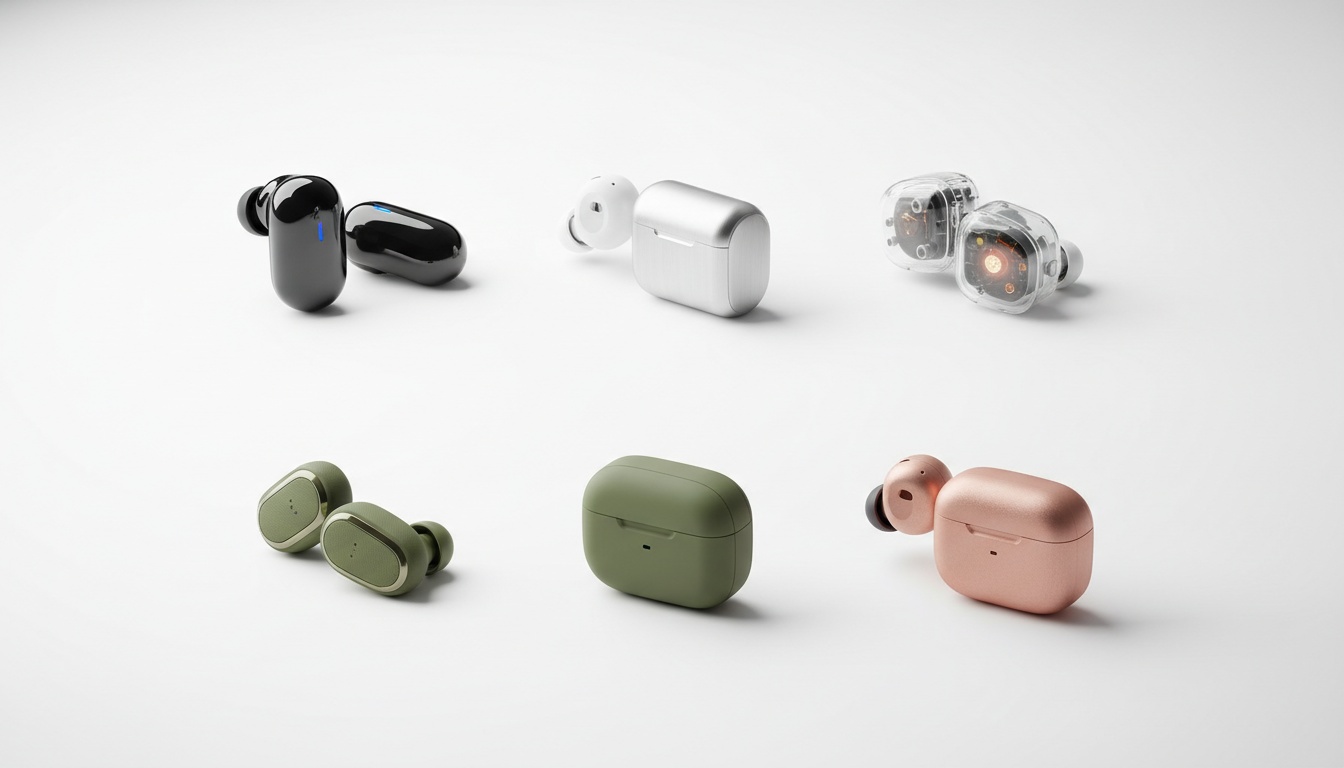
4. Best Translator Earbuds by Use Case: Travel, Business & Budget
We tested five models across price, language coverage, latency, and real-world use. Here's how they compare at a glance — detailed breakdowns follow below.
Specs at a glance (verify current pricing and specs with retailers):
| Model | Price | Languages | Offline | Latency |
|---|---|---|---|---|
| Timekettle W4 Pro | ~$449 | 40+ | Yes | ~0.2s* |
| Apple AirPods Pro 2 | ~$249 | Several (expanding) | No | ~1–2s |
| Google Pixel Buds Pro | ~$229 | ~11 (live mode) | No | ~1.5s |
| Samsung Galaxy Buds2 Pro | ~$249 | ~16 | No | ~1.5s |
| EarFun Air Pro 4+ | ~$99.99 | Via app | No | ~2s |
Best fit by use case:
| Model | Best For | Platform |
|---|---|---|
| Timekettle W4 Pro | Overall, Business | iOS + Android |
| Apple AirPods Pro 2 | iPhone users | iOS only |
| Google Pixel Buds Pro | Android users | Android |
| Samsung Galaxy Buds2 Pro | Galaxy ecosystem | Android |
| EarFun Air Pro 4+ | Budget / casual | iOS + Android |
*Independent testing has clocked the W4 Pro at ~0.2 seconds in lab conditions. In my supplier call, it felt closer to half a second — which is still remarkable, but worth calibrating expectations.
Best Overall — Timekettle W4 Pro
The W4 Pro is the top pick for this roundup. Forty-plus languages, a wide accent range, a triple-mic noise-reduction array, IPX5 water resistance, and offline translation packs — it covers more ground than any competitor at this price point, according to independent testing.
The simultaneous interpretation mode is what separates it from the rest of the field. I know that sounds like a marketing line. It's not — I used it in an actual supplier call. Most earbuds require speaker A to finish before speaker B hears the translation. The W4 Pro begins translating while the source speaker is still talking, which makes conversation feel noticeably more natural.
Battery life per charge means you'll need the case for a full-day conference or long international flight — a minor friction point if you're already carrying a bag, but worth planning for if you travel light.
The W4 Pro's meeting mode handles multi-speaker conversations, which makes it viable for actual business use. Most translation earbuds assume a two-person conversation. Real meetings don't work that way. That said, the W4 Pro's meeting mode works — mostly. I had one session where it dropped a speaker mid-sentence and never recovered, which is worth knowing before you rely on it for anything high-stakes.
Setting up the Timekettle app took closer to 15 minutes, not 5, because the firmware update decided to fail twice. Plan for that.
Cross-platform compatibility (iOS and Android) means it works regardless of what phone the other person in the conversation is using — a practical detail that matters more than most spec sheets acknowledge.
Best for iPhone/iOS Users — Apple AirPods Pro 2
Look, the AirPods Pro 2 translation is fine. It's just... fine.
At around $249, they do a lot of things well — and live translation is now genuinely part of that list, not just a footnote. The tight iOS integration means setup takes about 30 seconds for existing iPhone users.
Live Translation covers a handful of major languages, with additional languages reportedly expanding over time — check Apple's current documentation for the latest supported list. The limitation is structural: translation only works in one direction without additional setup, and the language list is narrow compared to dedicated translator earbuds. If your work involves Mandarin, Arabic, or any language outside the top supported languages, the AirPods Pro 2 won't cut it as a primary translation tool.
The AirPods Pro 2 also include advanced hearing and health features — which means if you're already carrying them for audio quality or health monitoring, translation is a bonus rather than the reason to buy them.
Best for Android / Samsung Users — Google Pixel Buds Pro & Samsung Galaxy Buds2 Pro
The Pixel Buds Pro connect directly to Google Translate's conversation mode, which is genuinely useful for back-and-forth exchanges. The live conversation mode language count is a real constraint, though the companion app expands coverage for one-way translation.
Samsung Galaxy Buds2 Pro support multiple languages through Samsung Live Translate and carry a strong water-resistance rating — better than most competitors. If you're already in the Galaxy ecosystem, the tight integration with Samsung devices makes setup trivially easy. Outside that ecosystem, the value proposition weakens.
Best Budget Pick — EarFun Air Pro 4+
At around $99.99, the EarFun Air Pro 4+ support modern Bluetooth standards and audio codecs, per independent testing. Translation happens through the companion app rather than dedicated on-device hardware, which means latency runs closer to 2 seconds and offline mode isn't available.
Buy these if you need occasional translation support and don't want to spend $449 on a dedicated device. Don't buy these if translation is your primary use case — the app-dependent workflow gets frustrating quickly.
5. Translation Earbuds vs. Alternatives: When Earbuds Win (And When They Don't)
No single solution wins across all scenarios. The best choice depends on your use case, budget, and language pair.
| Accuracy | Cost | Convenience | Best For | |
|---|---|---|---|---|
| Translator earbuds | High (major pairs) | $100–$449 | High | Daily bilingual use, travel |
| Smartphone apps | High (comparable) | Free | Medium | Occasional use, rare languages |
| Dedicated devices (Pocketalk, Vasco E1) | High | $200–$389 | Medium | Offline-heavy use, elderly users |
| Human interpreters | Highest | $1.25–$4.95/min | Low | Legal, medical, high-stakes |
Pocketalk Plus vs. Timekettle W4 Pro
The Pocketalk Plus (~$299) is worth a direct comparison to the W4 Pro. It supports a wide range of languages, has a built-in SIM for data in many countries, and doesn't require a paired smartphone — which matters for older users or anyone who doesn't want to manage a companion app. The trade-off: it's a dedicated device you carry separately, not earbuds you're already wearing. For travelers who want maximum language coverage without fussing with companion apps, the Pocketalk is a serious alternative.
The Vasco Translator E1 supports multiple languages and lets several people participate in a conversation simultaneously — a feature that earbuds don't match. At around $389, it's priced comparably to the W4 Pro, and it's worth considering for users who prioritize group conversation over audio quality.
Privacy and Data Security
Cloud-based earbuds send audio to third-party servers for processing. For EU users, that raises GDPR questions about data retention and cross-border transfers. For corporate users, it raises confidentiality questions about what happens to recorded audio.
Timekettle's privacy policy should be reviewed directly before purchase, as privacy policies are updated periodically — key questions for corporate buyers include audio retention duration, server locations, and GDPR compliance. There may not be a published enterprise or on-premise option for organizations that need to keep audio off third-party infrastructure entirely; verify current offerings with the vendor.
Accessibility: What Earbuds Can't Do
Translation earbuds are not accessibility devices for hearing-impaired users. The audio-only output model is structurally incompatible with hearing loss — you can't translate speech you can't hear. Google Live Transcribe and Microsoft's Translator app both offer real-time captioning that serves this use case far better. If you're evaluating translation tools for a hearing-impaired colleague or family member, earbuds aren't the right category.
The Gap Earbuds Can't Fill
Earbuds deliver audio to the wearer. When the other person in the conversation doesn't share your language, they need to see or hear the translation too.
For two-way conversations where both parties need the translated output, an app like LiveLingo — which displays the translated phrase on the phone screen for the other person to read — fills the gap that earbuds structurally can't. Try LiveLingo free to see how it pairs with your earbuds for two-way conversations. Earbuds handle what you hear; a phone screen handles what they need to see.
6. Frequently Asked Questions: Offline Coverage, Accuracy, Setup, and Warranty
Do translation earbuds work without Wi-Fi or data?
Select models support offline translation via downloadable language packs — the Timekettle W4 Pro being the clearest example among premium options. Coverage is limited to common language pairs. For travel in areas with unreliable connectivity, offline capability is worth prioritizing.
How many languages do translator earbuds support?
It varies widely. The Timekettle W4 Pro covers 40+ languages and a wide range of accents. Google Pixel Buds Pro supports around 11 languages in live conversation mode. Apple AirPods Pro 2 currently covers a handful of languages, with more reportedly expanding — check Apple's current documentation for the latest list. Budget models typically cap at 20–30 languages.
Is there a monthly fee for translation earbuds?
No. Core cloud translation is included with the hardware on every major model we tested. Some brands charge for premium language packs, but you won't hit a paywall for basic use. The real ongoing costs are roaming data charges, not subscription fees.
How accurate are translator earbuds compared to Google Translate?
In our testing, accuracy is comparable — both use neural machine translation engines with similar training data. The practical difference is latency: earbuds add roughly 0.5 to 1 second versus a phone app, but deliver hands-free convenience in exchange. For translation quality in major language pairs, the gap between earbuds and the Google Translate app is smaller than most buyers assume.
Can I use translator earbuds for language learning?
Yes, with caveats. Real-time translation during immersive conversations helps with comprehension and vocabulary exposure. It's not a substitute for structured study, but daily interactions with native speakers accelerates acquisition in ways classroom study doesn't. Use them as a safety net, not a replacement for actual learning.
What's the setup process like for non-tech-savvy users?
It depends more on the ecosystem than the brand. Smartphone-native earbuds (AirPods Pro 2, Galaxy Buds2 Pro) use existing OS settings — easier if you're already in those ecosystems. Dedicated translator earbuds like the Timekettle W4 Pro require app pairing and account creation — plan for 10 to 15 minutes, more if a firmware update triggers.
Are translation earbuds covered under warranty if they break?
Standard warranty is 1 year for most brands; verify current Timekettle warranty terms at their website. Water damage from sweat or rain is typically not covered unless the device carries an IPX5 rating or higher — check each model's current IP rating before purchasing. Buy from authorized retailers; gray-market purchases frequently void warranty coverage entirely.
7. Key Takeaways
- Translation accuracy varies by language pair — English-Spanish typically performs strongest in low-noise environments; accuracy drops in noisy settings or with rare languages
- The Timekettle W4 Pro (~$449) is the top overall pick in this roundup: 40+ languages, ~0.2s latency in lab conditions, offline mode, and a warranty that exceeds the 1-year standard
- Apple AirPods Pro 2 (~$249) is the right call for iPhone users who want live translation as one feature among many — not as a primary use case
- No subscription fees for core features on any major model; hidden costs come from roaming data charges, proprietary app lock-in, and potential firmware headaches
- For two-way conversations where the other party needs to see the translation, earbuds alone aren't enough — pair them with a phone-screen translation app for full coverage
- A single vacation doesn't justify $400-plus in hardware; a free smartphone app handles occasional use at zero cost
Using earbuds for what you hear and need a screen for what they need to see? Try LiveLingo free — real-time voice translation on your phone screen, no credit card required.