 LiveLingo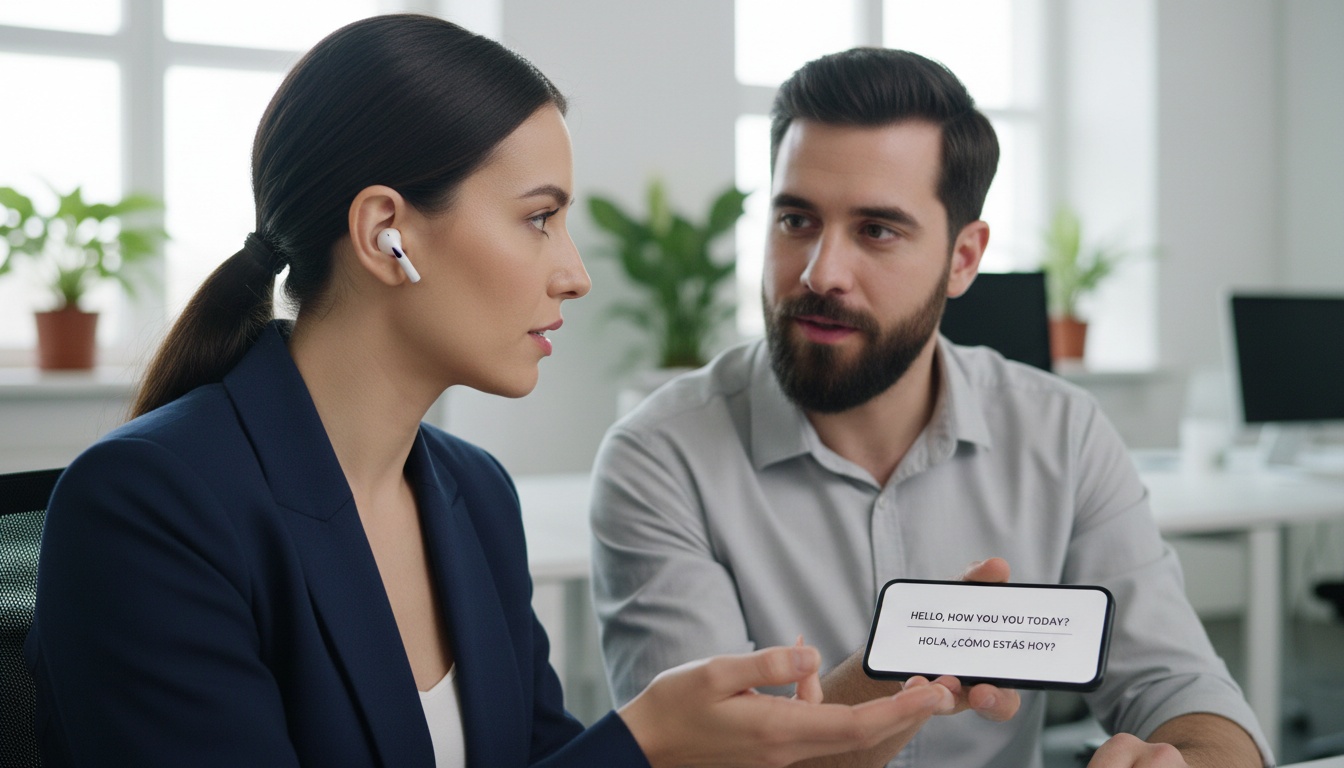
1. What Are Wireless Translator Earbuds and How Do They Work?
Wireless translator earbuds are Bluetooth earbuds that use AI translation engines — either cloud-based or on-device — to convert speech between languages in real time. You speak, the microphone captures it, audio routes to a translation engine, and the translated output plays back through the earpiece. The whole pipeline typically runs a few seconds under good conditions, though this varies significantly by model, language pair, and network quality.
Tap and speak in English
Tap to start
Two core modes dominate the category. Touch-and-translate (sometimes called face-to-face mode) gives one earbud to each speaker; you talk, your conversation partner hears the translation in their ear, and vice versa. Listen mode is different: one person wears both earbuds and receives a continuous translated audio stream while the other speaker talks freely.
Most models require a companion app. Device compatibility matters — some apps behave differently on iOS versus Android, and a few features are locked to one platform entirely. These are useful tools with real constraints, not the universal translators from science fiction.
2. How Does Real-Time AI Translation Work in Earbuds?
The Translation Pipeline
Cloud-based translation streams your audio to remote servers, processes it, and returns translated audio. That's why language coverage tends to be high — some models advertise support for over 100 languages, though translation quality across the full catalog varies considerably — and why accuracy on common pairs like Spanish-English and French-English is often strong enough for real conversations. The tradeoff is obvious: no internet, no translation.
Offline translation uses downloadable language packs stored on your phone. Accuracy drops noticeably on complex sentences or fast speech, and most offline modes cover a fraction of the full catalog. For a weekend in rural Tuscany with spotty data, offline capability isn't optional. It's the whole point.
Cloud vs. Offline Translation: Which Is Better?
Cloud translation typically supports more languages with higher accuracy but requires internet; offline translation covers fewer languages with lower accuracy but works anywhere.
Latency comes from three places: upload speed, server processing time, and language pair complexity. Common pairs on a fast connection can run well under 2 seconds. Less common pairs on a congested network can push past 3 seconds or more, which is long enough to make conversation feel stilted. Real-world lag varies widely and is always harder to predict than spec sheets suggest.
Noise cancellation compounds this directly. If the microphone can't isolate your voice, the AI translation engine gets garbage input and produces garbage output. The next question is whether any of this matters if the microphone can't hear you in the first place.
Most buyers overlook one thing: cloud-based models send your voice data to third-party servers. For casual travel translation, that's probably fine. For a supplier negotiation or a medical consultation, you're handing sensitive audio to infrastructure you don't control. Check whether the brand publishes a data retention policy before you assume your conversations disappear.
For conversations where the other person needs to see the translation — not just hear it — LiveLingo's Show tab displays translated phrases on screen for both parties, which earbuds structurally cannot do.
⚠️ Privacy note: Cloud-based translator earbuds transmit your voice to third-party servers. For medical consultations, legal discussions, or supplier negotiations, use an offline-capable model or skip earbuds entirely. Several brands do not publish data retention policies — check before you buy.
3. Top Wireless Translator Earbuds Compared: Which Model Fits Your Budget and Use Case
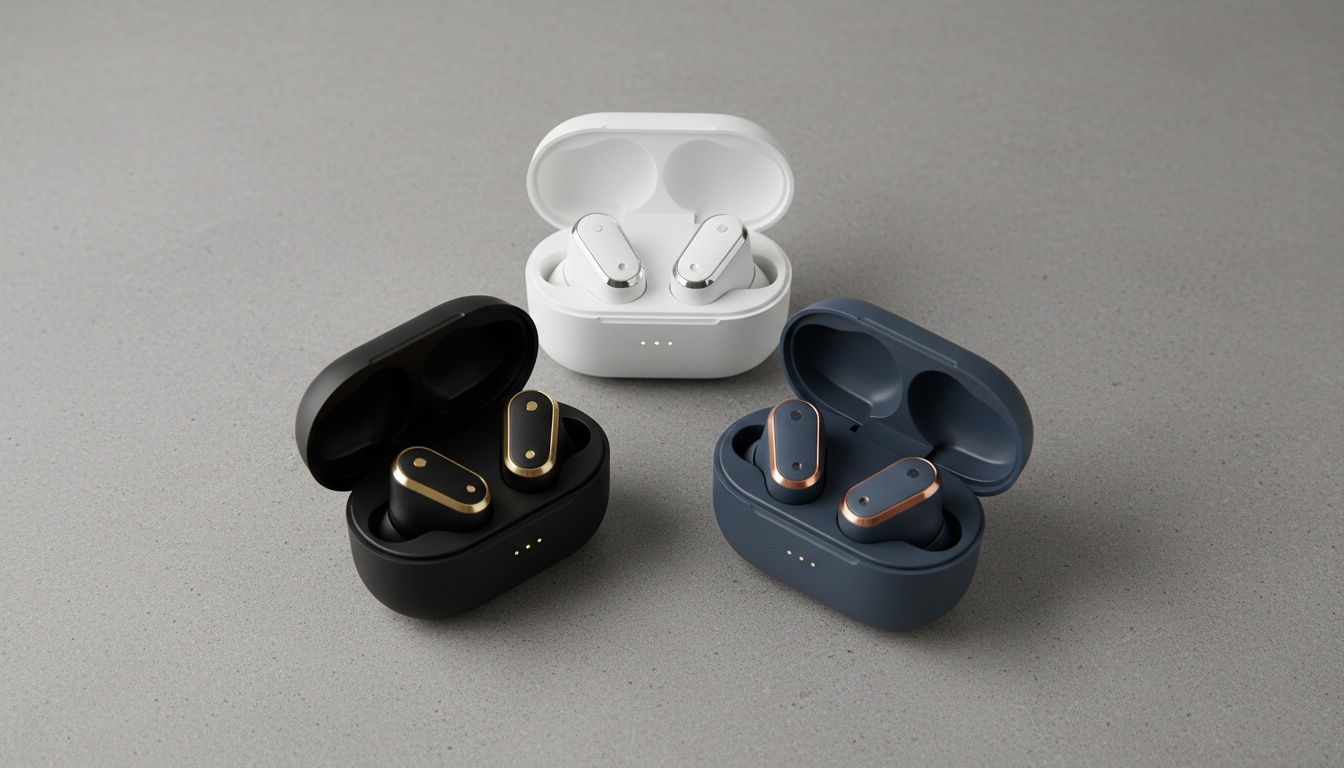
We evaluated models across translation speed, accuracy on common and uncommon language pairs, audio quality, battery life, and price. Here's how the main contenders stack up.
| Model | Languages (Online) | Earbud Battery | Offline Support | Price Range | Best For |
|---|---|---|---|---|---|
| Timekettle WT2 Edge | ~40 languages | ~5 hrs | Yes (limited languages) | ~$200 | Business/frequent travel |
| Timekettle M3 | ~40 languages | ~6 hrs | Yes (limited languages) | ~$130 | Best value, most travelers |
| Scanmarker Translation Earbuds | 100+ languages (claimed) | ~10 hrs (claimed) | Not confirmed | ~$100–$150 | Battery-first users, multilingual needs |
| Soundcore Ace Translator | ~40 languages | ~5 hrs | Limited | ~$80–$120 | Casual/first-time buyers |
| Budget tier (Miniso, M62, HTC Erazer) | 20–40 languages | 3–5 hrs | Rarely | $30–$70 | Tourists, low-stakes use |
Prices and specs based on available product listings and manufacturer claims; verify current pricing and specifications before purchasing. Translation modes, noise cancellation specs, and case battery details are listed in the individual model sections below.
Scanmarker Translation Earbuds stand out on paper in this price range. The NebulaBuds app — available on iOS and Android — supports a large catalog of languages online, though app availability and language catalog size are subject to change. The published hardware specs include 14.2mm drivers, four microphones, Bluetooth 5.4, and an open-ear design — verify these against current product documentation before purchasing. The manufacturer rates the earbuds at approximately 10 hours per charge with additional hours from the case, plus a quick-charge feature, though real-world translation-mode battery life may differ from rated figures. The earbuds support face-to-face mode, simultaneous interpretation, live recording, and both video and voice call translation.
One gap worth flagging: offline capability isn't confirmed in Scanmarker's published documentation. Until that's verified, assume cloud-only — which matters if you're heading somewhere with unreliable data. Contact Scanmarker support directly to confirm offline language pack availability before purchasing.
Timekettle WT2 Edge is the most consistently recommended option for business travelers and frequent users — polished hardware, mature app ecosystem, and one of the few models in this price range with simultaneous interpretation mode. That mode lets both speakers talk in something closer to a natural rhythm, no waiting for strict back-and-forth turns, which matters when you're negotiating or having a complex discussion where interruptions break rapport. It's the premium pick for frequent business travelers, though pricing is subject to change — verify before purchasing. Business travelers consistently cite simultaneous mode as the differentiator. Timekettle WT2 Edge official specs
Timekettle M3 is the better value for most travelers and casual business users. It drops the simultaneous interpretation mode but adds longer battery life and comes in at a lower price point than the WT2 Edge. For face-to-face conversations — the mode most buyers actually use — the M3 performs comparably to the WT2 Edge. Translation lag and accuracy vary considerably depending on environment, language pair, and network conditions; noisy or crowded settings consistently produce more dropped content and higher latency than quiet ones. Recurring user praise covers app stability and battery life, while recurring complaints focus on accent recognition and Android app crashes.
Soundcore Ace Translator is the lowest-risk entry point — if you're unsure whether translator earbuds fit your workflow, the $80–$120 price lets you test the category without a major investment. The language coverage is solid for common travel pairs. The app is stable.
Budget-tier earbuds (Miniso, M62, HTC Erazer, and similar) are fine for a tourist who needs to order food and ask for directions. Expect weaker microphone arrays, fewer supported language pairs, and no offline fallback. The frustration is real when you're standing in a noisy market and the mic can't isolate your voice.
Common complaints across all tiers, pulled from user reviews: app crashes on Android mid-translation, lag spikes on less-common language pairs, and accent recognition failures on regional dialects. None of these are dealbreakers. They're calibration points.
4. How to Choose the Right Model for Your Needs
Translation accuracy and language coverage — high language counts are often marketing numbers. High-accuracy performance on most platforms is realistically limited to major language pairs. Always check which specific pairs are supported at full quality, not just which ones appear in the language list. Multilingual support breadth and depth are different things.
Latency and connectivity — Bluetooth stability affects translation quality in ways buyers don't anticipate. A dropout mid-sentence resets the translation context. Real-world lag in noisy environments is always worse than the spec sheet suggests.
Battery life in translation mode — real-time processing is CPU-intensive. Expect shorter battery life compared to standard audio playback. Manufacturer battery ratings are typically measured in standard audio mode, so translation-mode endurance will be lower.
Dual-mode functionality — the ability to switch between translation and music or calls without re-pairing is not universal. Confirm this before buying if you want one pair of earbuds for everything.
Privacy and data security — does the brand publish a data retention policy? Is there an offline-only mode that keeps audio on-device? These questions matter more as earbud translators move into professional settings.
Comfort for extended wear — open-ear designs reduce heat buildup during long sessions. Ear tip options and fit security during movement matter for anyone using these earbuds beyond a 30-minute conversation.
Price range and value — the $100–$200 range is where diminishing returns start to flatten. Below $80, microphone quality becomes the binding constraint. Above $200, you're paying for brand reputation and app maturity more than raw translation performance.
How to Set Up Wireless Translator Earbuds
Budget 15–20 minutes the first time. Most models follow the same sequence.
- Download the companion app — Timekettle uses the Timekettle app; Scanmarker uses NebulaBuds (iOS and Android). The earbuds won't translate without it.
- Create an account — most brands require registration to access cloud translation services.
- Grant permissions — microphone access, Bluetooth, and (on some models) location. Deny any of these and translation breaks silently.
- Pair the earbuds — open the case near your phone, follow the in-app pairing prompt. Check your model's documentation for the number of supported paired devices.
- Select your language pair — choose source and target languages in the app before starting a session, not mid-conversation.
- Choose your mode — face-to-face, listening, or simultaneous. Face-to-face is the default for two-way translation; listening mode is for when only you need to understand.
Troubleshooting Common Issues
App crashes mid-translation — force-quit the app and restart. Make sure background app refresh is enabled; some phones kill the app when the screen locks.
Translation lag spikes — if you're on Wi-Fi, try switching from 5GHz to 2.4GHz for a more stable connection. Cloud translation is sensitive to packet loss, not just speed.
Accent recognition failures — speak slower and enunciate. Some models allow accent profile selection in settings; check the app's language options before assuming the hardware is the problem.
Earbud not recognized by app — reset the pairing by placing both earbuds back in the case, closing the lid for 10 seconds, and re-initiating pairing from the app.
5. Real-World Use Cases: When Translator Earbuds Actually Shine (and When They Don't)
Business Travel
Works well in quiet meeting rooms with clear speakers. Open offices, airport lounges, and conference floors are harder — background noise degrades both microphone capture and translation accuracy. A clean translation in a hotel conference room can become an incoherent mess in a trade show hall twenty minutes later. Same earbuds, different environment.
Tourism and Sightseeing
This is the strongest use case for a portable translator. The conversational pace is slower, the stakes are lower, and a two-second lag doesn't derail ordering pasta. This is where casual-tier earbuds earn their price. No caveats. Just works.
Dating and Social Situations
One earbud per person is useful for getting through a first conversation. Emotional nuance still gets compressed or lost, and humor rarely survives the round trip through an AI translation engine. (I've watched someone try this at a Tokyo izakaya — it worked, barely, and everyone laughed about the lag, which helped more than the translation did.)
Medical or Legal Settings
Not recommended. Translation accuracy stakes are too high, and cloud-based models send your voice data offsite. Professional interpreters can cost significantly more per hour than translator earbuds — rates vary widely by region, language pair, and specialization — but they remain the only appropriate tool for high-stakes settings. Translator earbuds are a lower-cost alternative for casual conversations, not a replacement here.
Noisy Environments
Airports, markets, crowded restaurants — noise cancellation quality becomes the single limiting factor. Test your earbuds in a noisy environment before you rely on them somewhere it matters.
Bottom line: translator earbuds work best for structured, lower-stakes conversations with clear speakers in reasonably quiet environments. That covers a lot of travel translation and business situations — but not everything. The hardware ceiling is real. The software gap between earbuds and apps is closing faster than most buyers realize.
Translator Earbuds vs. Translation Apps — Which Should You Use?
Use earbuds for hands-free conversation flow; use apps for higher accuracy on specific phrases.
Here's the take most reviews won't give you: for pure translation accuracy, free apps like Google Translate and DeepL still outperform most earbuds on major language pairs. The AI models powering those apps are updated continuously and run on better infrastructure than what a $150 earbud translator can access. Earbuds win on hands-free convenience and conversational flow — not raw accuracy.
| Free App (Google Translate / DeepL) | Translator Earbuds ($80–$200) | |
|---|---|---|
| Cost | $0 | $80–$200 upfront |
| Hands-free | No — phone in hand | Yes |
| Accuracy | Higher on major pairs | Lower, especially with accents |
| Privacy | Cloud-based | Cloud-based (same tradeoff) |
| Best for | One-off translations, sensitive conversations | Extended two-way conversation, professional settings |
Use the earbuds for conversation flow. Use the app when accuracy on a specific phrase is non-negotiable.
Where earbuds structurally can't help is when the other person needs to see the translation. Earbuds deliver audio to the wearer — the other party gets nothing. That's where a phone screen wins outright. Try LiveLingo free — the Show tab displays translated phrases on your phone screen for the other person to read, transcript export covers business follow-ups, and group screen-sharing handles scenarios no hardware can replicate. Five minutes of daily translation included, no credit card required.
6. What to Know Before You Buy
Connectivity and latency — Bluetooth dropouts reset the translation context mid-sentence. Wi-Fi dependency in cloud mode means hotel networks with captive portals can break your setup entirely. Lag spikes mid-conversation are more disorienting than a consistent 2-second delay.
Accent and dialect recognition — most models train on "standard" accent variants. Regional dialects cause accuracy drops the spec sheet won't mention. User reports and community forums consistently document meaningful accuracy gaps between standard accents and regional ones — some users report drops of 20 percentage points or more on their own dialect compared to a standard accent, with colloquial terms frequently misrendered. For less-common pairs like Portuguese-Japanese or Thai-Arabic, expect noticeably lower accuracy in quiet environments — lower still in noise. Worth checking whether your dialect is in the training data before committing.
App dependency and ecosystem lock-in — if the brand discontinues the app, the earbuds lose their core functionality. This isn't hypothetical: several early translation earbud brands from 2022–2023 have orphaned their hardware. Check whether the app has active development before committing.
Battery drain — translation mode drains faster than standard audio playback. Manufacturer battery ratings are typically measured in standard audio mode; real-world translation-mode endurance will be lower. Check current product documentation for the most accurate figures.
Before purchasing, ask three questions: Does it have an offline mode? What's the data retention policy? What's the return window if the app doesn't work on my phone?
7. Frequently Asked Questions About Wireless Translator Earbuds
Do wireless translator earbuds work without internet?
Some do — but with caveats. Timekettle supports offline translation for a limited set of languages. Scanmarker's offline capability isn't confirmed in published documentation. Accuracy drops noticeably without a connection, and language selection shrinks considerably. For reliable two-way translation, a stable internet connection is strongly recommended.
How accurate are translator earbuds compared to a human interpreter?
Realistically, accuracy varies widely depending on the language pair, accent, background noise, and speaking pace. They're not a substitute for professional interpreters in high-stakes settings.
Which translator earbuds support the most languages?
Language support varies by model and changes as apps are updated. Some models advertise support for over 100 languages online, but high-accuracy performance across the full catalog is harder to verify — most models deliver reliable results on major language pairs. Always verify which specific pairs perform at full quality before purchasing. NebulaBuds app on iOS and Android
Are translator earbuds worth it for occasional travelers?
For frequent travelers and business users, yes — hands-free convenience and conversational flow justify the $100–$200 cost. Occasional tourists who need to order food or ask directions may find Google Translate or DeepL meets their needs without the investment. If you're unsure, start with a free app and upgrade to earbuds if you find yourself holding your phone up constantly.
How long does the battery last on translator earbuds?
Battery life in translation mode typically runs fewer hours than manufacturer ratings, which are usually measured in standard audio playback mode. Expect roughly 4–8 hours per charge for the earbuds in real-world translation use, with additional hours from the charging case depending on the model. Check current product documentation for rated figures and factor in that translation mode drains faster than standard audio.
Is my voice data safe with translator earbuds?
Cloud-based models transmit voice data to third-party servers for processing. Review the brand's privacy policy for data retention and sharing practices before using these earbuds for sensitive conversations. For anything medical, legal, or commercially sensitive, an offline-capable model is the safer choice — or skip the earbuds entirely.
8. Key Takeaways
- Wireless translator earbuds work best in quiet, structured conversations — not noisy airports or medical offices
- Cloud-based translation outperforms offline on accuracy and language coverage; offline mode matters when connectivity is unreliable
- Scanmarker Translation Earbuds offer strong battery specs (per manufacturer claims) and broad online language support via NebulaBuds — but offline capability is unconfirmed; contact Scanmarker support to verify before purchasing
- Timekettle WT2 Edge and M3 lead on app maturity and offline capability; the M3 is the better value for most buyers at a lower price point — verify current pricing before purchasing
- Budget earbuds under $80 are adequate for tourism; professional use cases need better microphone arrays and app stability
- Earbuds deliver audio to the wearer only — for two-way conversations where the other party needs to see the translation, a phone-based app is the necessary complement
- Always check the brand's data retention policy before using cloud-based translation in professional settings
Need the Other Person to See the Translation?
Earbuds deliver audio to you — not to them. Try LiveLingo free → Real-time voice translation, shared screen display, and 5 minutes daily at no cost. No credit card required.